Dear experts,
I have configured WCC capture and now I am uploading documents from the capture client.
In the capture console I have created a workspace, a client profile, and now I am configuring a commit driver:
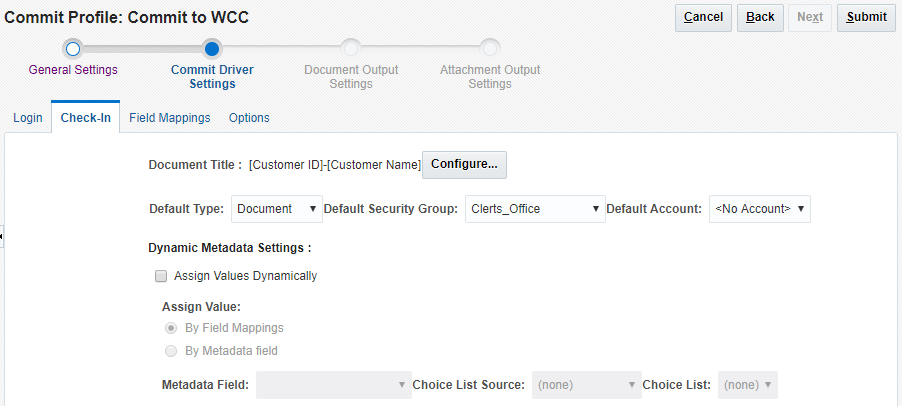
I am configuring a commit profile to allow me to check-in into my content server. In the 'login' tab I have entered the content server credentials as:
http://<HOST_NAME>:16200/cs/idcplg
and successfully establish the connection.
now off to the check-in tab. I have specified a default security group of 'clerks_office' which I have previously defined. It is mapped to a weblogic group defined in the default security realm.

Under the designated WLS group, a single user, named 'clerk', is defined. By doing that, this document should be uploaded to 'clerk' repository.
From my capture client, I import a PDF document:
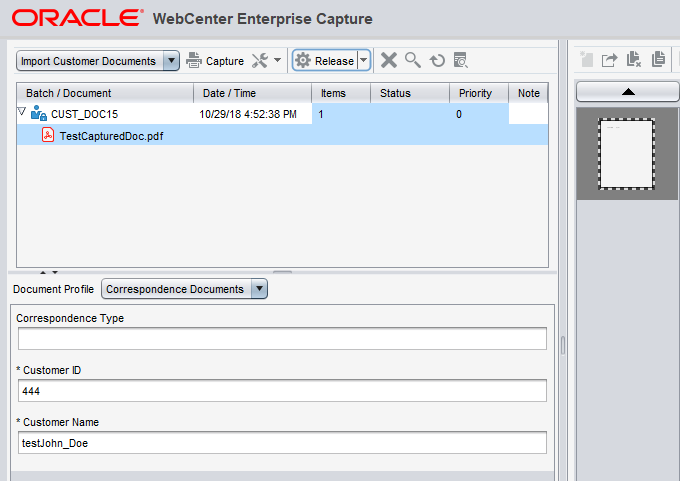
and provide meta-data manually to construct the file title on UCM repository. I click 'Release' and wait a bit for the document to upload.
I open the WCC ADF UI interface in order to check the file uploaded:

Indeed I find it in this user's repository, along with the other files that were uploaded manually using the WCC web UI interface:

However when I browse through the folder of this user, with this security group, I cannot find this file "testJohn_Doe-.pdf", I only find the other manually uploaded files:
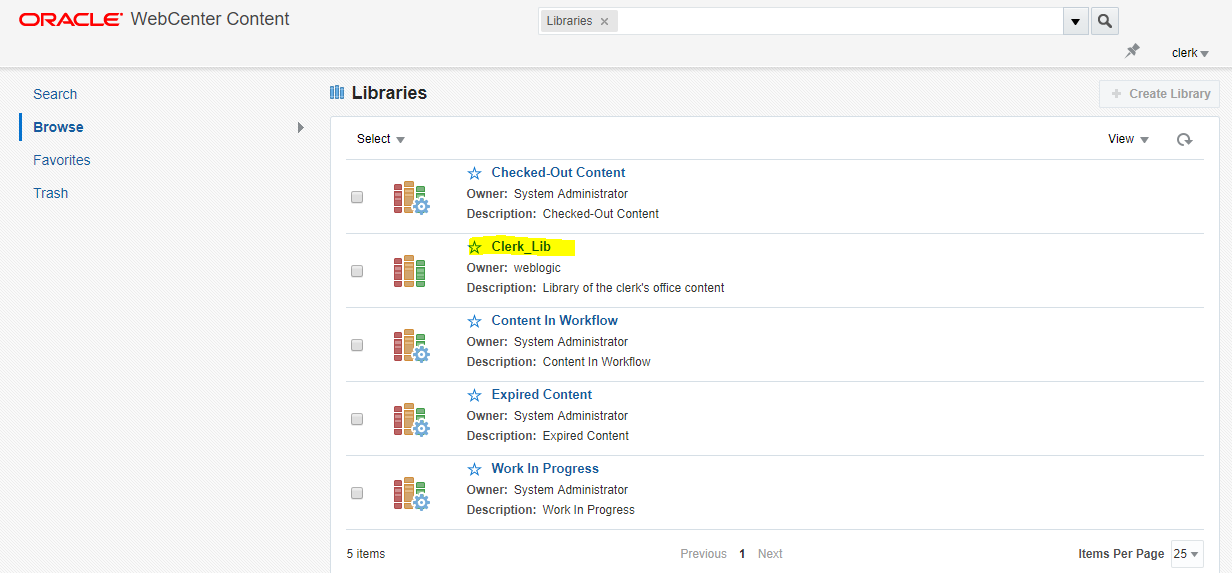

Question is, where has this file gone? in what directory has it been saved?
What I would like to do, is to be able to upload to a specific folder for this security group, namely, the folder named "Clerk_Lib".
Thank you in advance for any hints!
Best Regards,