Hi,
I am new to Webcenter Capture and working on a POC. I have a Twain 1.9 compliant Scanner.
We have 11.1.1.8.0 Webcenter Capture Environment. I am working on hooking the scanner to my weblogic Capture Console but I am not getting the pop up for setting up the scanner.
I am following Oracle® Fusion Middleware Using Oracle WebCenter Capture 11_g_ Release 1 (11.1.1) Part Number E28283-01
I have created many workspace in the capture console followed the use case of the above document but nothing is working for me.
When I follow the below steps I always see import source drop down. I am unable to configure my scanner. Am I missing something?
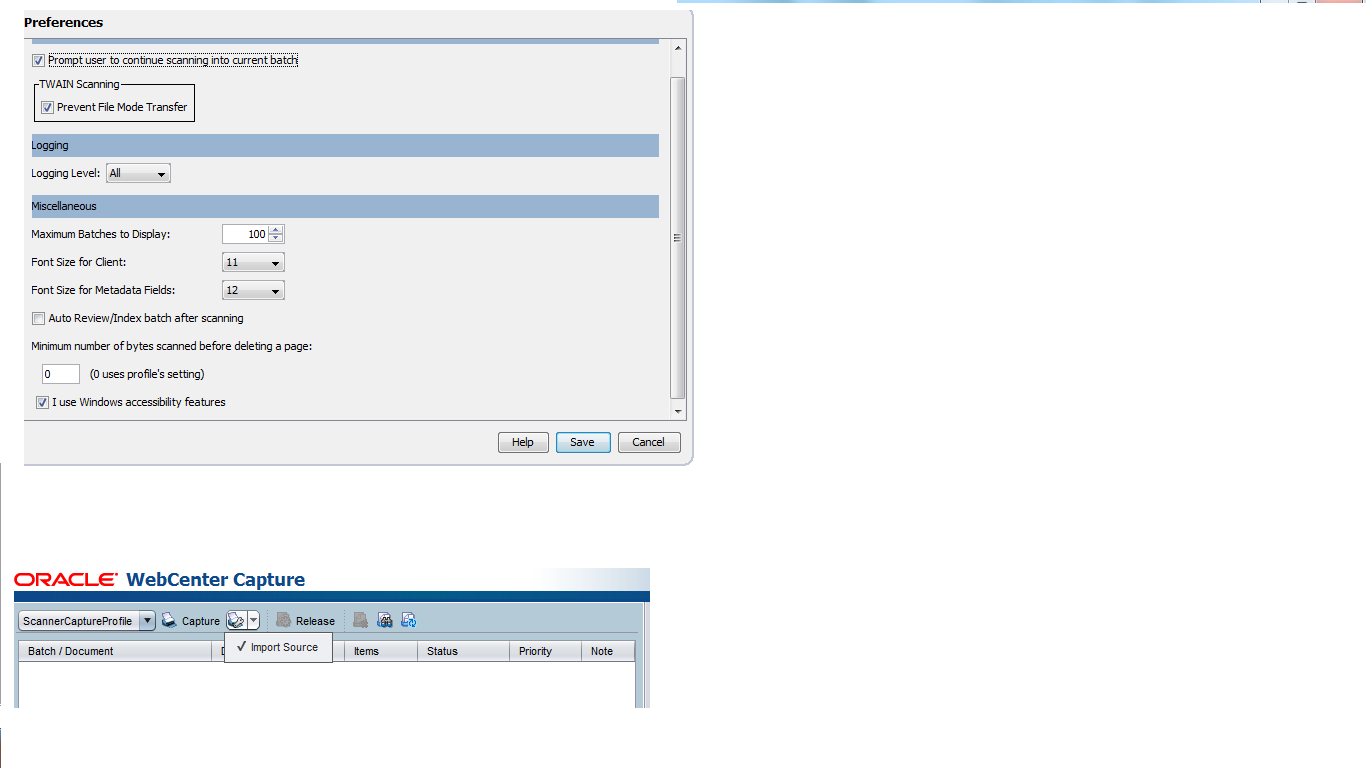
I followed the below steps :
2.2.2 How do I select a scanner to use for Capture scanning?
To scan, you must have a TWAIN-compliant scanner available to your system.
-
Click the right side of the Capture Settings/Source button in the batch pane (Ctrl+Alt+S).
When you click the triangle, one or more capture sources are listed. A check mark displays next to the selected capture source, which may be a scanner or Import Source.
-
If you have multiple scanner sources listed, select one to use. To import rather than scan, select Import Source.
2.2.3 How do I select scanner settings?
Follow these steps to select scanner settings, which are specific to the selected scanner. Because capture settings are saved with the client profile, you can configure different scanner settings for each client profile. Note that you can set additional scanner options under Preferences, as described in Section 2.2.8.
-
If needed, select the scanner source to which to apply settings.
Press Ctrl+Alt+S and choose a scanner, as described in Section 2.2.2.
-
Click the left side of the Capture Settings/Source button in the batch pane (Ctrl+S).
Settings relating to the selected scanner display.
Regards
Ashwin