Fresh environment. Visual Studio 2017 crashing when I attempt to add a connection either with the Server Manager, or when adding an Entity Data Model using the ODP.NET, Unmanaged Driver. Works fine when using Managed Driver. Need to be able to use either.
Thanks!
Visual Studio: 15.5.4
Windows 10
ODAC/ODT/ODP.NET/Client: 12.2.0.1
(ODAC Setup.exe, "system-wide" installation. No Errors on install.)
Current Inventory:

Machine.Config new lines:


Devenv.exe.config new lines:
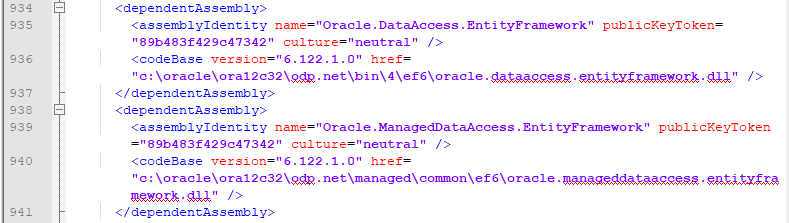
Error Log:
Log Name: Application
Source: Application Error
Date: 1/31/2018 8:07:50 PM
Event ID: 1000
Task Category: (100)
Level: Error
Keywords: Classic
User: N/A
Computer: xxxxxxxxxxxxxxxx
Description:
Faulting application name: devenv.exe, version: 15.0.27130.2024, time stamp: 0x5a59445d
Faulting module name: ntdll.dll, version: 6.3.9600.18821, time stamp: 0x59ba8666
Exception code: 0xc0000374
Fault offset: 0x000e61e4
Faulting process id: 0x2220
Faulting application start time: 0x01d39af8bc48305c
Faulting application path: C:\Program Files (x86)\Microsoft Visual Studio\2017\Professional\Common7\IDE\devenv.exe
Faulting module path: C:\Windows\SYSTEM32\ntdll.dll
Report Id: 51e07b4d-06ec-11e8-84a0-005056b94ad7
Faulting package full name:
Faulting package-relative application ID:
I ran a ProcMon trace, which showed that the WER process kicked in right after a successful read of the tnsnames.ora file.
I also ran VS with logging, but the log did not capture anything after hitting OK on the driver selection dialog.