Hi,
Am trying to integrate Google Map in Oracel JET 4.1.0 but am getting an error message in browser console as "ojModule failed to load viewModels/test" and "Error: Script error for "ojmodule", needed by: viewModels/test"
I have been followed the procedure as per the blog link given below:-
https://blogs.oracle.com/emeapartnerweblogic/integrate-google-maps-in-oracle-jet-by-herman-brunnekreef
Integrate Google Maps in Oracle JET
Also I have attached the screenshots..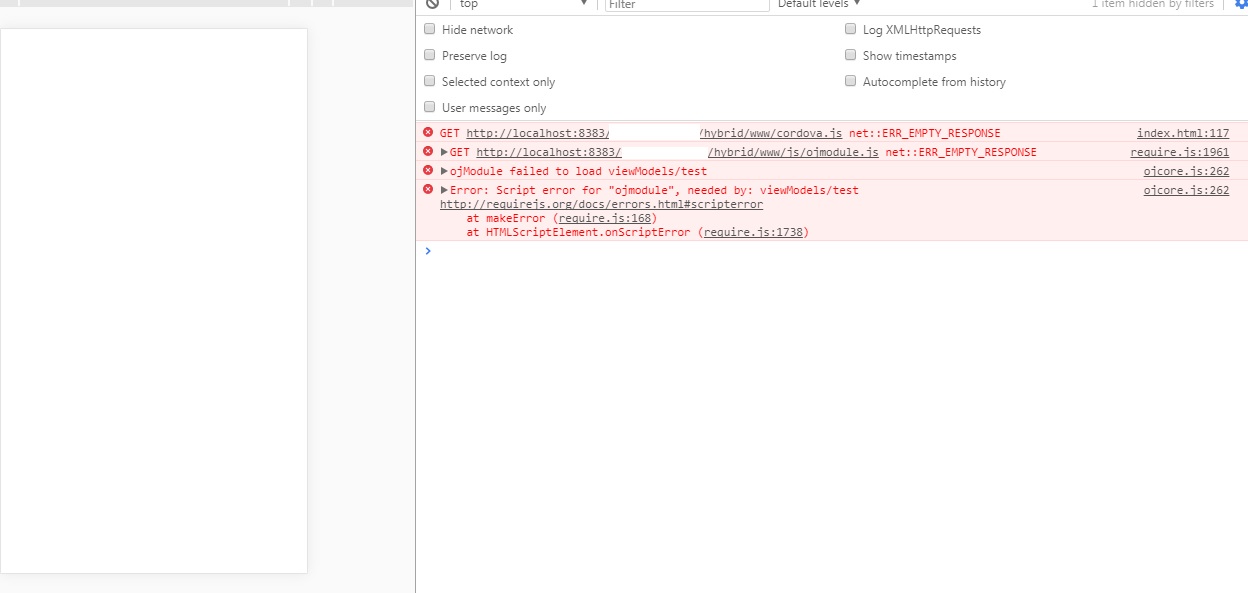
Please help me to fix this error. Find my View and View Model scripts given below:-
View:-
<script src="https://maps.googleapis.com/maps/api/js?key=AIzaSyAOXegqqmqWiSoKgrHtaJbSZlB49bfsyCA">
<select id="SelectTitle" data-bind="ojComponent: {component: 'ojSelect', jSelectoptionChange: optionChangedHandler, value: SelectLocationValue}">
<option value="AM">Amsterdam</option>
<option value="SF">San Fransisco</option>
<option value="TO">Tokio</option>
<option value="NY">New York</option>
<option value="CT">Capetown</option>
</select>
<div id="googleMap" style="width:500px;height:380px;">
---------------------------------------------------------------------------------------------------------------------------------------------------
View Model:
define(['ojs/ojcore', 'knockout', 'ojs/ojselectcombobox', 'ojs/ojknockout',
], function (oj, ko) {
function createMap() {
self.SelectLocationValue = ko.observable();
self.SelectLocationValue('AM');
for (var g = 0; g < locations.length; g++) {
   if (String(self.SelectLocationValue()) == locations\[g\].name)

   {

      var lat = locations\[g\].lat;

      var lon = locations\[g\].lon;

   }
}
var map;
var mapProp = {
     center: new google.maps.LatLng(lat, lon),

     zoom: 14,

     mapTypeId: google.maps.MapTypeId.ROADMAP

    };
map = new google.maps.Map(document.getElementById("googleMap"), mapProp);
}
;
this.optionChangedHandler = function (event, data) {
                if (data.option == "value") {

                    createMap();

                }

            }

            return new createMap();

            });
---------------------------------------------------------------------------------------------------------------------------------------------------
THANKS and REGARDS,
IMRANKHAN K
Message was edited by: IMRANKHAN K