Hello Friends,
I installed full (standard) Oracle 12c db successfully running on Oracle Linux, which is running as a VM on VirtualBox hosted on my Windows 7 laptop. I am a newbie to Oracle installs but am a longtime PL/SQL developer. This 12c oracle db installation is for my learning/practice purposes.
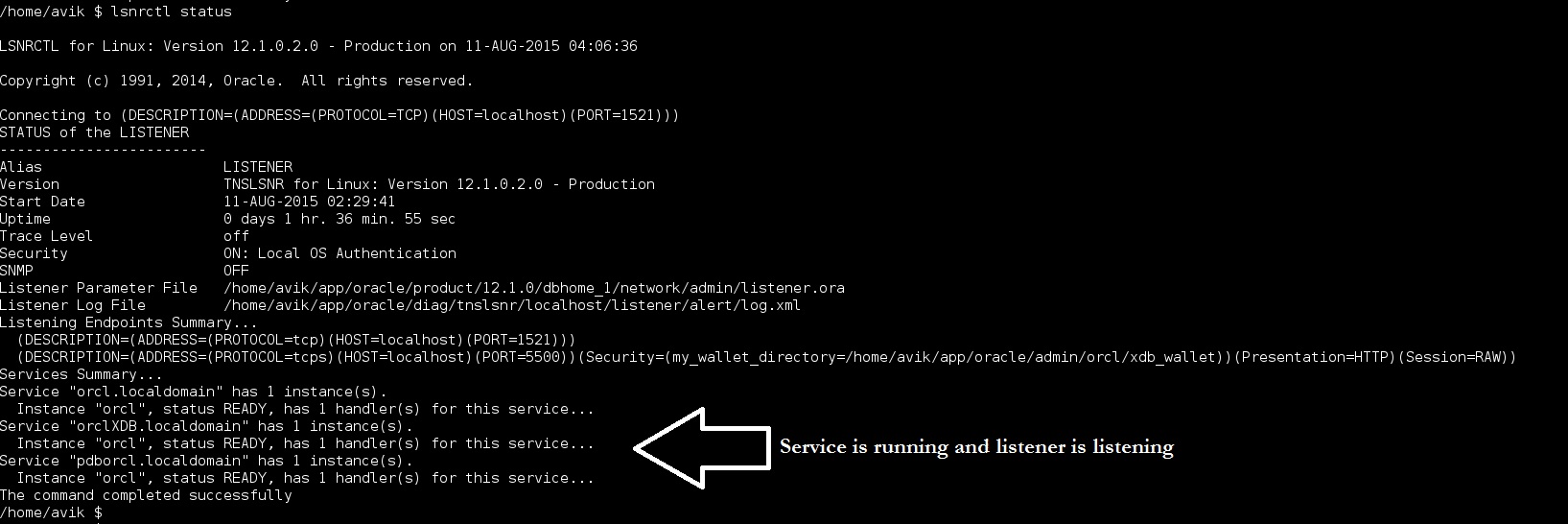
Anyway, I have gotten the 12c running successfully. Listener is listening to the db successfully. I can connect to it using sqlplus successfully but ONLY from the linux vm. I cannot seem to be able to connect from my Windows computer (I am a longtime user of TOAD for oracle so I am trying to connect to the db using InstantClient v12.1). However, after trying several things I just cannot seem to connect from the Windows/TOAD/InstantClient to the db running inside the vm.
I have enabled bridged connection on the vm and have assigned a static LAN IP (on my home router) for the VM as 10.0.0.25. My Windows laptop also has a static LAN IP of 10.0.0.8 assigned. And I know for sure that I can connect from the laptop to a web server running on the Linux VM (I have a Docker container for Joomla running inside the vm and can connect to it from my Windows side). And I also added port 1521 in the public/open port in the firewall...so I do not think it is a firewall issue.
However, when I look at the TNS Listener's log (/home/avik/app/oracle/diag/tnslsnr/localhost/listener/alert/log.xml) I do not see any request come in when I try from the Windows side.
(Sidenote - the Toad-Instant Client combo works fine because I also have an 11g XE db installed on my Windows side and can connect to a test schema on that XE db)
Here's the details of my 12c database server/install:
IP of server: 10.0.0.25
SID: orcl
Global database name: orcl.localdomain
hostname (when hostname command is run on Linux): localhost.localdomain
I tried various ways to connect and failed each time. TOAD diagnosed the connectivity issues and suggested a couple things and I fixed them (like adding a TNS_ADMIN environment variable with the location of the tnsnames.ora).
Currently my tnsnames.ora has this entry:
ORCL =
(DESCRIPTION =
(ADDRESS = (PROTOCOL = TCP)(HOST = 10.0.0.25)(PORT = 1521))

(CONNECT\_DATA =

  (SERVER = DEDICATED)

  (SERVICE\_NAME = orcl.localdomain)

)
)
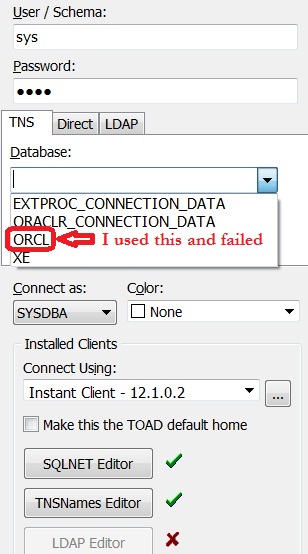
I tried to do direct connect (see below pic 1 with settings) as well using TNS names (I think I saw somewhere while researching this that TNS names will no longer work with Instant Client 12...but I'm not sure). But I always time out. It's like the listener is not even getting any connections. I am likely making a rookie mistake. Can any kind soul help me fix my connectivity issue?
Pic 1:

Pic 2:
Proof that the listener is running fine: