Hello,
for the required future change (TLS Authentication) of accessing my Cloud DB's I added ACL in my Autonomous AI Database.
Therefore I edited my ACL to use my virtual cloud network:
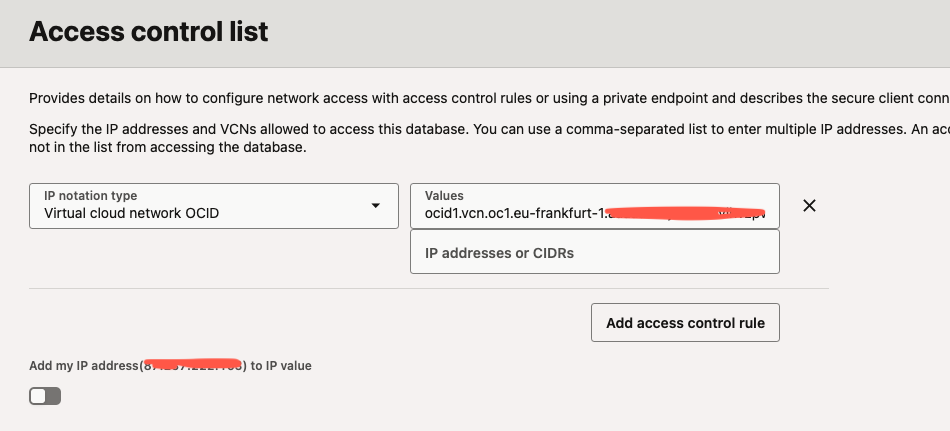
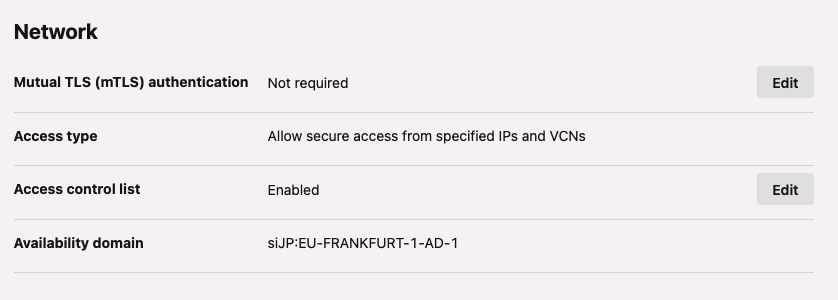
After that I copied my connection string from the “Database connection” field.
(description= (retry_count=20)(retry_delay=3)(address=(protocol=tcps)(port=1522)(host=adb.eu-frankfurt-1.oraclecloud.com))(connect_data=(service_name=xxxx_high.adb.oraclecloud.com))(security=(ssl_server_dn_match=yes)))
Now I want to change my connections in VSC to use the new TLS Authentication. For that I cloned the existing (old) connection, changed connection type to “Custom JDBC” and added the connection string to the “Custom JDBC URL” field. If I click on test I get the following error message (a view details in the string I have masked for the post here):
Error: No connection provider found for connection definition named: CC13_copy. No connection provider could be found for the connection definition: CC13_copy: user: cc13/******@(description= (retry_count=20)(retry_delay=3)(address=(protocol=tcps)(port=1522)(host=adb.eu-frankfurt-1.oraclecloud.com))(connect_data=(service_name=xxx_db23ai_high.adb.oraclecloud.com))(security=(ssl_server_dn_match=yes))). Ensure the connection definition is correctly configured.
What is wrong in my progress?