Hi All:
I am in the process upgrading my apex application from V5.1.2 to V19.2.
For one of my application (which is using Universal Theme - 42), I did below actions to upgrade this application to V19.2:
- Shared Components ==> Universal Theme - 42 ==> Refresh Theme
- Change "Compatiblity Mode" to 19.2 in Application Definition

Then, I defined a new page item with type "Switch" on a page
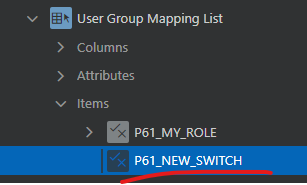
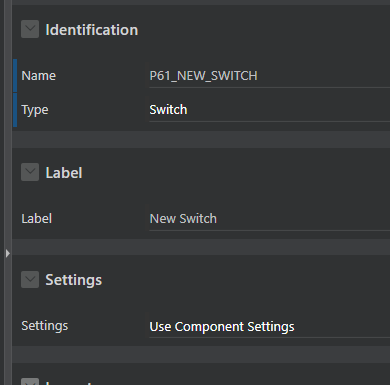
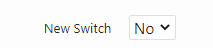
This new switch page item looks like below and is implemented as a drop down select list, which is not want I expected. I am expecting a flip toggle switch.
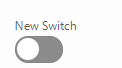
However, if I create a brand-new application (v19.2) and create a switch page item, the item looks like below. It is implemented as a flip toggle switch.
what I need to do to make sure the switch is implemented as a flip toggle switch in my upgraded apex application (the one I upgraded from V5.1.2 to V19.2). Did I miss some step for the ugprade?
Thanks!
Kevin