Hi,
In Apex 19.2
Am trying to use this method to show the success message after closing a modal page.
Has someone been able to do put it to work?
https://roelhartman.blogspot.com/2015/09/showing-success-message-after-closing.html
Where exactly do I need to put this code?
1. Create an Alert Region on the Inline Dialogs position on your Global Page (0). Assign a static ID "successMessage" to this region and define this styling for the region - either in the region header, a separate CSS file or your Theme style :
#successMessage{
position: fixed;
top: 12px;
right: 12px;
max-width: 480px;
z-index: 2000;
opacity: 0.9;
border-radius: 2px;
display : none;
}
I created the Region ans Assigned the Static ID but I don't know where to apply the styling.
Where exactly do I put it? How do I use a separate file?
Here?
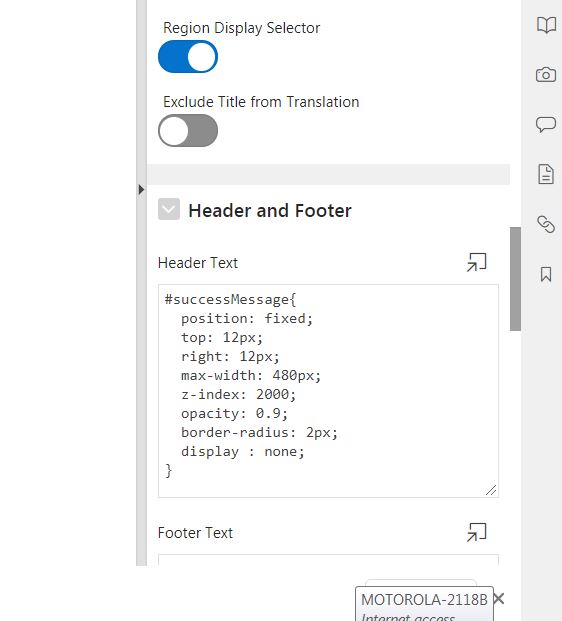
Does it really work?
Thanks for the help!