Greetings!
I suddenly decided to shake the old days and try OpenGL 4.5.
I have:
- x86_64 PC with Solaris 11.3
- Oracle Developer Studio IDE 12.6
- Installed Mesa 3-D Graphics Libraries 9.0.3 (Build 5.11-0.175.3.0.0.30.1483)
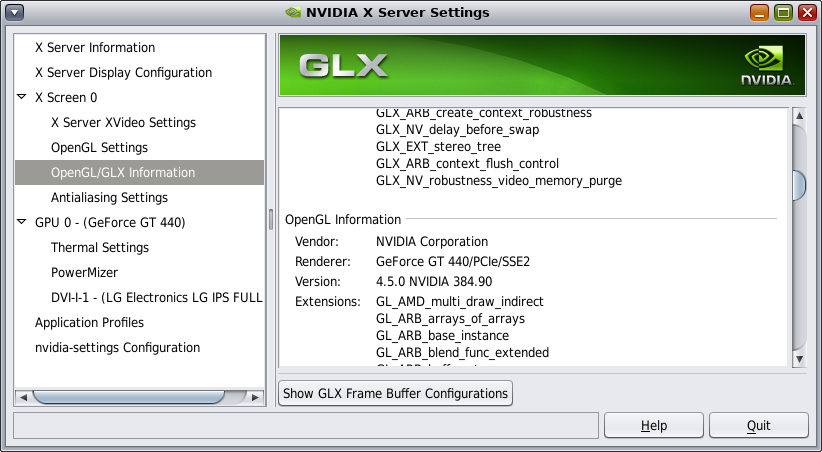
- NVidia GeForce GT440 GPU powered by NVIDIA Driver Version 384.90 (fully supports Open GL 4.5)
- and also I use SDL v. 1.2.14
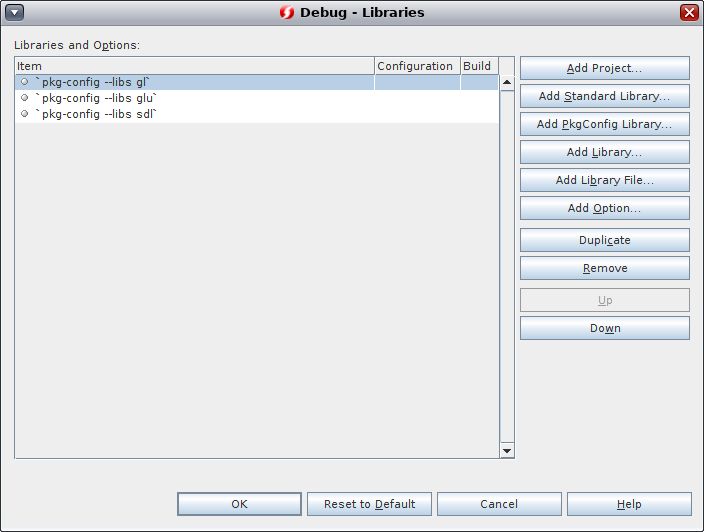
Next I create new C++ project in Developer Studio, add headers (#include <GL/gl.h>, #include <GL/glu.h> and #include <SDL/SDL.h>) and libs
But when I try use some OpenGL 4.5 methods, for example glClearBufferfv - compiler return error "Error: The function "glClearBufferfv" must have a prototype."
When try use auto-complete feature in IDE - I do not see new methods OpenGL 4.5. Only old methods for versions OpenGL below 3.
And my question is how to configure OpenGL in Developer Studio for use v.4.5 in my C++ project?