Hey everyone,
i have a problem with a stacked bar chart (Using Application Express 5.1).
1. If the bar is to small, no label is visble by default. Is it possible to force a label on each bar, like it is common in other display tools?
What i see:
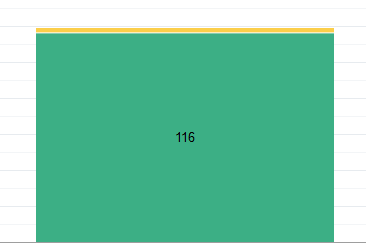
What i want:

2. Is it possible to create a stacked bar chart without having to insert the NULL values for previous bars for each series?
Background: I want a chart with the first bar not stacked, the second bar is stacked with two values and the third bar is stacked with 4 values and so on.
If i don't add null values (as shown below) the bar will be stacked on the first bar.
Or am i on a totaly wrong solution path?
(A solution probably also solves point/question 3.)
At the moment my last series looks like this:
select NULL as value,
'HHUSto' as Label,
1 as r_order
from ...
UNION
select NULL as value,
'Vorverträge' as Label,
2 as r_order
from ..
UNION
select count(*) as value,
'Eigentümer / Mieter' as Label,
3 as r_order
from ...
order by r_order

3. I want to show the sum-value of the stacked bar but also i want to keep out / to not render bars with 0 values in the stack.
I usw options.stackLabel = "on", but as soon as I have NULL values in a series, the label is only displayed on the last bar.

Best regards,
Raffaello03