on an brand new M3 mac, first thing i installed on it was MySql 9.01 via ‘brew mysql’
using mysql CLI in mac terminal.app i can login, create users, databases.
my apps using pymysql can connect fine.
then:
I do not have java SDK of any version installed.
from the oracle page for SQL Developer 23.1.1 I selected ‘Mac ARM64 with JDK 11 included’]
i dragged sqldeveloper.app to the mac's application folder
when i opened sqldeveloper.app, it opened without errors and i see:
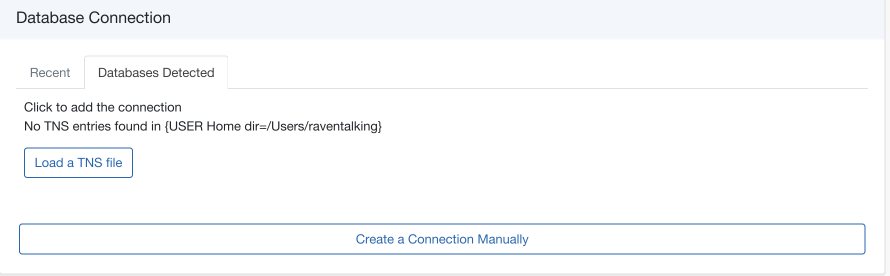
so the database seems to have been detected
but shouldn't I see the ‘root’ connection and the connections created using mysql IDE in the upper left pane?''
the 'oracle connections' glyph cannot be opened.
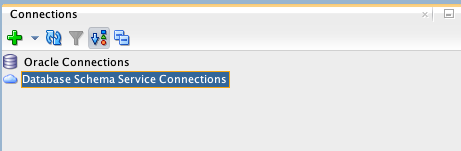
and when i click the ‘create a connection manually’ in the first image above, i get
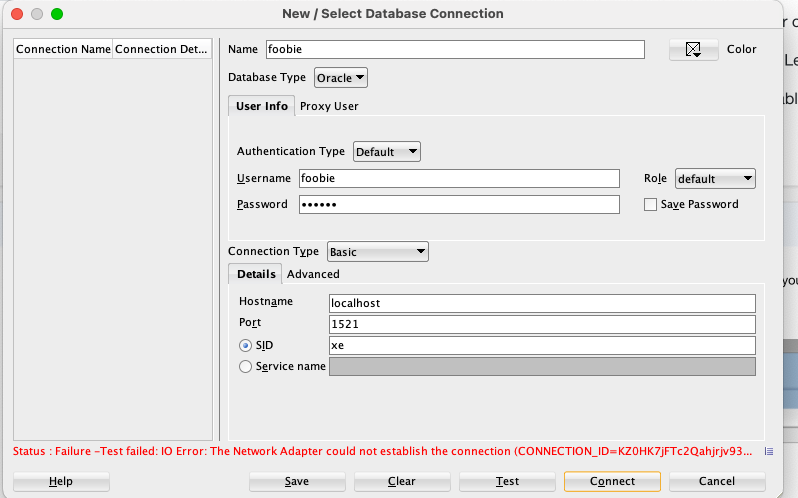
any suggestions would be appreciated