When you use html to format the contents of a query, the grid that displays the results will determine the width of the column based on all of the contents of the cell.
So if the cell contains html like
<html><font color="red">10575</font>
It will use all of the cells content to calculate the width.
See picture:
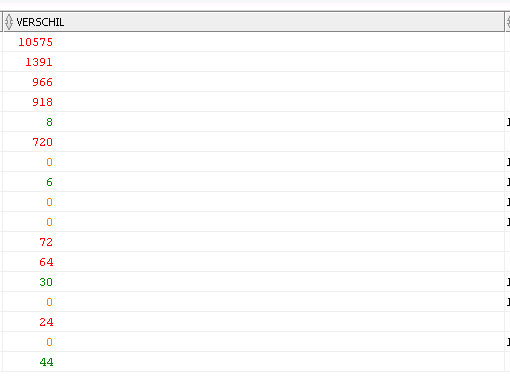
Another problem with this is that because the cell contains text as well as numbers, the visible content is left aligned.
When dealing with numbers i need to fix this by inserting  : into the output.
This causes the cell content to be even bigger.
<html><font color="orange"> 0</font>
Ideally it should look at the visible/rendered content to determine the width.
Also when it does that it should find that ,when only numbers are rendered , the contents are to be right-aligned.
Just like normal numbers.
Code:
select
owner,
case
when  aantal  \< 1000 then '\<html>\<font color="red">'|| replace(lpad( aantal,7 ,'~'),'~', chr(38)||'nbsp;')||'\</font>'

when  aantal  > 1000 then '\<html>\<font color="green">'|| replace(lpad( aantal,7 ,'~'),'~', chr(38)||'nbsp;') ||'\</font>'
end aantal
from
(select owner , count(*) aantal from all_tables group by owner order by 2 desc)
;