Dear SQLDev team,
When I open the attached Arbori file, I encounter re-painting issues when the Arbori tab is active, as shown in the next screenshot:
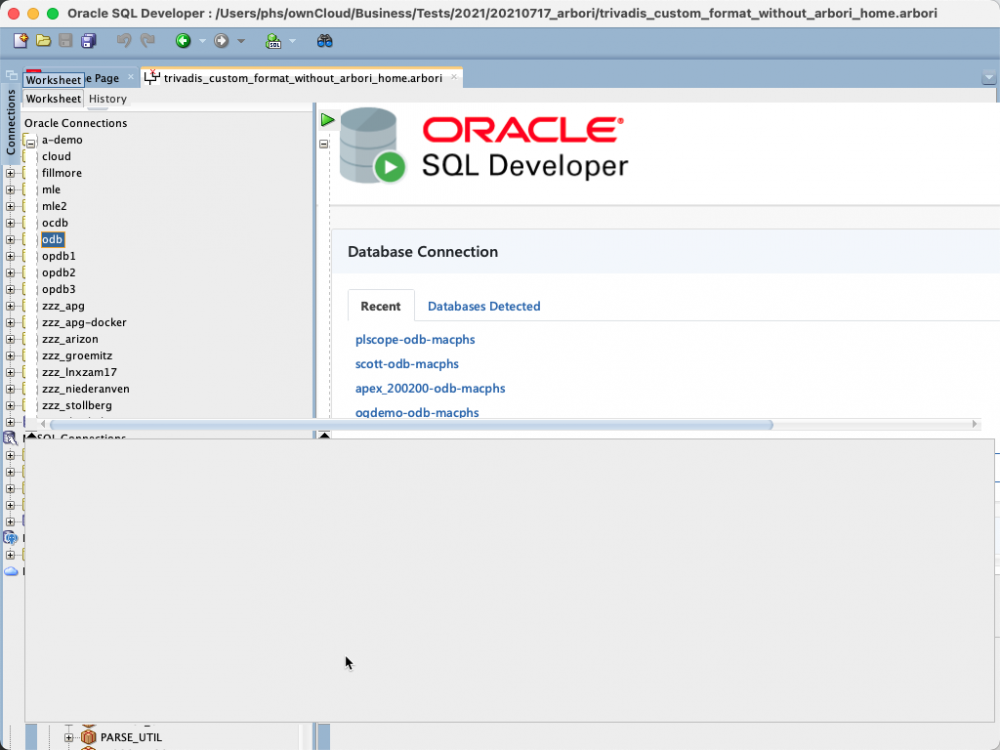 The Arbori file is grammatically correct. In fact, the formatter returns the expected results, but it is not possible to display the contents of the Arbori file in SQLDev.
The workaround is to split the Arbori file across multiple files and use the include directive. However, this requires setting up dbtools.arbori.home. In fact, the current Trivadis formatter settings work this way (see https://github.com/Trivadis/plsql-formatter-settings#sql-developer). I like it from a development perspective. But I suspect that not all users will be happy if they have to change the product.conf to use the formatter settings.
Therefore it would be nice if the Arbori editor could handle large files. A fix in a future version of SQLDev would be greatly appreciated. It would give me the option to return to a single Arbori file.
Thank you.
trivadis_custom_format_without_arbori_home.arbori.txt (130.19 KB)P.S. You need to remove the .txt suffix. I had to add it to be able to upload it.