When running the Liquibase status command after the latest update of VS Code, SQLcl crashes.
VS Code version is 1.99.3; Developer Extension version 25.1.0; running on OS X 15.3.2.
I don't know when the issue was introduced, as I might have missed some VS Code updates, but I can't run SQLcl in VS Code in my current combination.
The problem does not occur in the standalone version of SQLcl when using Terminal.
lb status -chf _root_controller.xml
The terminal process "/Users/tsr/.vscode/extensions/oracle.sql-developer-25.1.0-darwin-arm64/dbtools/jdk/Contents/Home/bin/java '--add-modules', 'jakarta.ws.rs,jakarta.annotation,jakarta.inject,jakarta.xml.bind', '-Djava.awt.headless=true', '-p', '/Users/tsr/.vscode/extensions/oracle.sql-developer-25.1.0-darwin-arm64/dbtools/lib/modules/:/Users/tsr/.vscode/extensions/oracle.sql-developer-25.1.0-darwin-arm64/dbtools/sqlcl/lib/modules/', '--add-opens', 'org.eclipse.parsson/org.eclipse.parsson=orajsoda', '-m', 'com.oracle.dbtools.app/com.oracle.dbtools.app.DatabaseToolsApplication', 'sql', '-name', 'DB_USER@MY_DB'" terminated with exit code: 70.
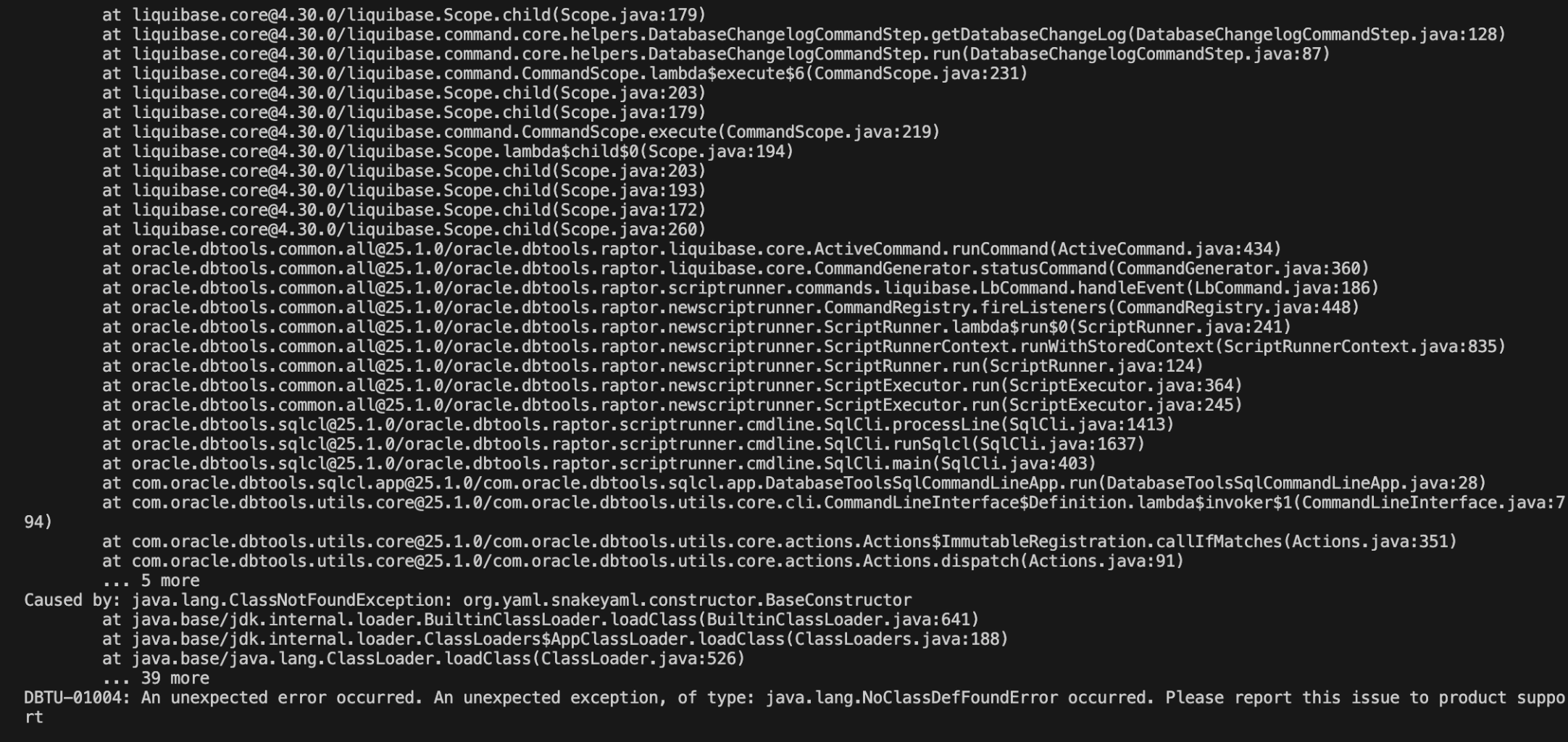
lb history or lb version work fine, but lb update also crashes SQLcl.
Thanks, Reto
PS: A similar (or the same) issue has happened before, but was fixed in the meantime: https://forums.oracle.com/ords/apexds/post/liquibase-issue-after-upgrade-to-24-2-0-5227