Despite the manuals stating Solaris 11.4 can be installed onto an efi enabled secure boot system, on a bare-metal machine this is proving difficult. My legacy laptop computer, which is used as a server and for ChemEng software development, is an intel i7-3740QM processor with 16 GB Ram, 2*2Tb HHD with a 64GB M2 SSD and two graphics capabilities installed HD4000 and Nvidia GTX 675. The HHD dives are configured, one as dual boot system disk with Windows 10 and OpenSuse Tumbleweed with access through Grub the other contains user data file system structures. The BIOS is set to the Windows 8 configuration with Secure Boot Enabled.
The intent is to load Solaris 11.4_81_CBE onto the SSD. The issues that have occurred are:
- Solaris Grub complins about a missing efi file, however it then continues to successfully load Solaris 11.4 with “clicks” suggesting missing drivers (However there is no human readable output to assist whether rectification required.)
- After installation pkg update suggests the installation is correct, albeit the console font size is large.
- After a shutdown and reboot there is NO ‘spinning cube’ – everything is in test mode. The HHD version of Grub has NOT been detected and a separated Grub installation added to the SDD.
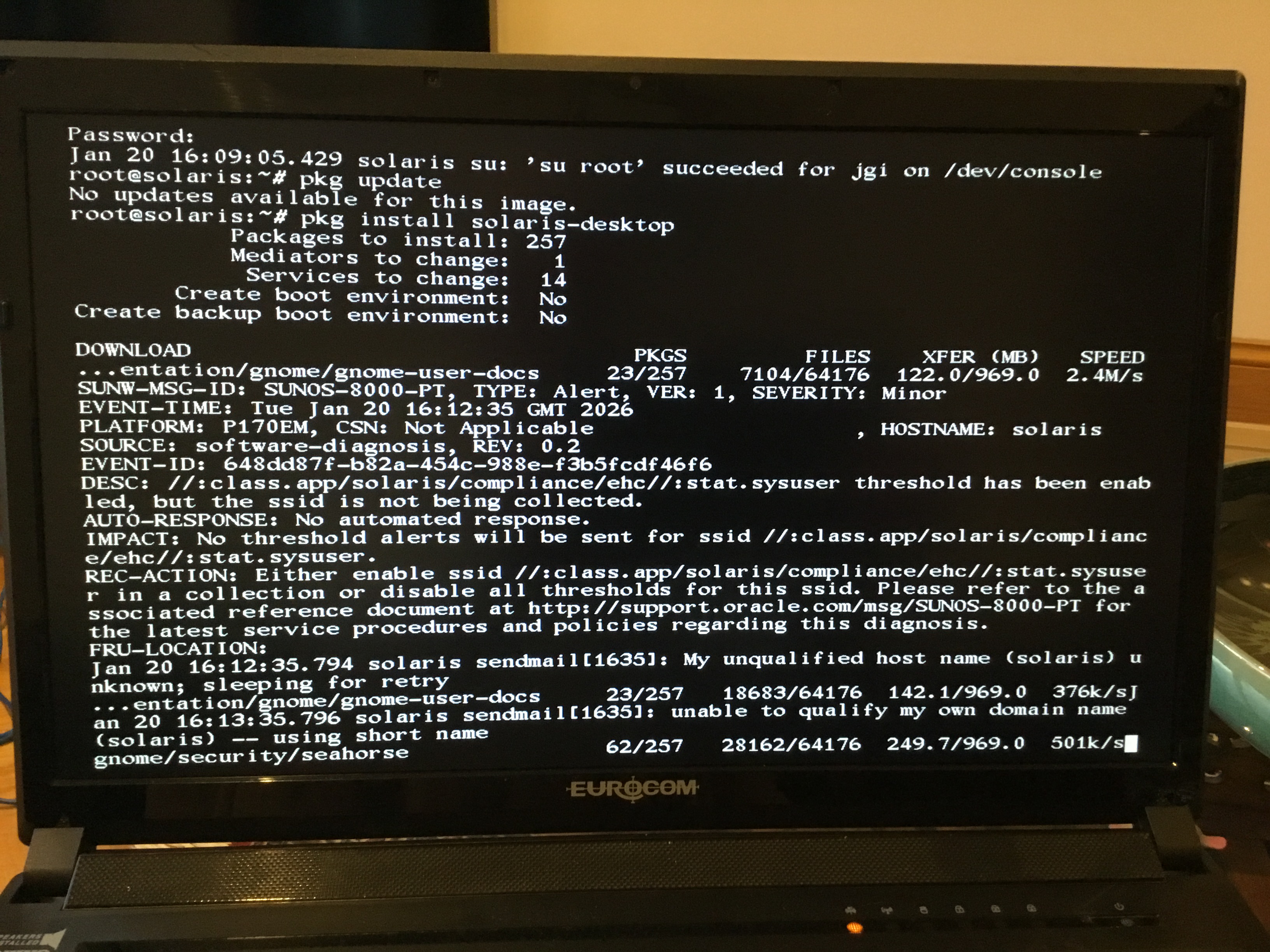
- Running “pkg install solaris-desktop” the files are downloaded and installed from the release repository, however after the required reboot the system remains in text mode and after about 1 minute when it tries to load the Nvidia Driver the screen clears apart from a White Cursor Box in the top left-hand corner. The keyboard is totally unresponsive, necessitating a power switch off, when various Nvidia messages are momentarily displayed together with the Power Button Pressed Warning.
- Grub has also added two identical settings to the BIOS Boot Menu – goodness knows why.
- A photo of the screen showing some fault information is attached. It makes reference to Support documents that are not available to the Developer Community. Also “sendmail” is switched on by default rather than being a service enabled post installation.
- Oracle Linux 7 refuses to load – the system just freezes.
Changing the BIOS to the legacy MBR enables Solaris to be installed correctly, however
- Attempting to download the complete CBE package is problematic as the 21Gb download takes forever and the Oracle site times out.
- Various default Google Icons are inoperative e.g. Nvidia Settings.
Two minor gripe – Jen Pechanec’s article of 24th June 2022 refers to https://community.oracle.com/mosc.... Whilst listing is possible any search and attempts to ask questions is forbidden, hence using the Forum. Also, various documents refer to Solaris 11.3 rather than 11.4 e.g. the Cheat Sheets.