Hi,
I have a simple APEX application, where I can access records through a data grid and edit them in a Edit form.
I created a record within the edit form which has a description field that is set to varchar(1000). The record I created has an entry in this field of 867 characters. The record saved fine and displays in the grid form fine too.
However, when I click on the record in the grid to open it in the edit form, I get the 'ORA-06502: PL/SQL: numeric or value error: character string buffer too small' error.
To test the issue, I removed a substantial amount of the description text to leave around 150 characters in the field. When I tested the edit form again, it worked fine.
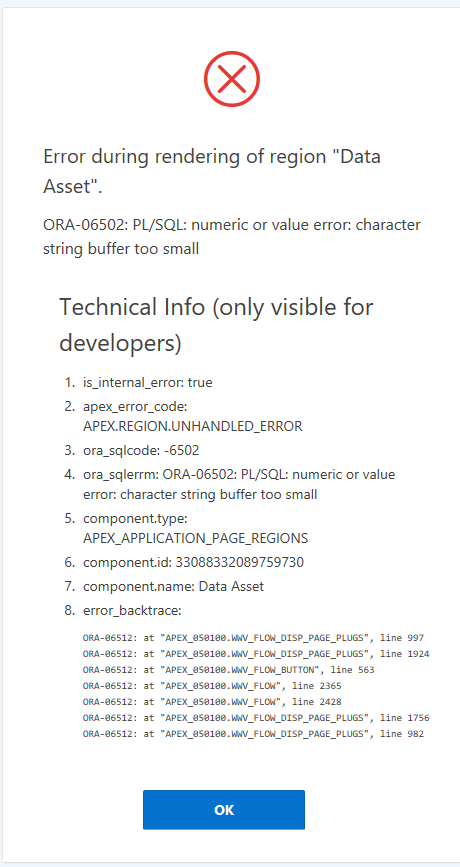
But if I add the full 867 characters back in, it will save but I can't open the record in the edit form (same error occurs - see attached image of error).
There are many posts & forums on the web regarding this error but most relate to going over the character limit for a field or a concatenation of strings which overflows.
But my issue is a straightforward varchar(1000) field in an APEX form created through the automated wizard process and I'm entering a value a lot lower than the field limit, yet I keep getting this error.
Why would a string of 867 break a string buffer limit in Oracle APEX? It seems way too small a value to cause a problem for a limit setting. I can't imagine that APEX has a buffer limit that is so small that 867 string characters could break it, yet it seems to be the case from the error I'm getting.
Can anyone provide any help for this issue?
Is there a solution to increasing the buffer limit in APEX?
EDIT: I tried to replicate the issue on my dev environment. When I created a dummy record with only the description field populated with the 867 characters, the form worked fine (saved the record and opened the record). However, when I added in the remaining details in the other fields, the same error was replicated. So it may not be a single field causing the 'string buffer too small' issue but the amalgamated form values could be causing the string buffer issue. Again, there is nothing more than string values & numeric values from select lists in the form. There are around 25 input controls on the form and a child form which has an additional 5 input controls within it.
Regards,
Shuja