Hi Michael,
We worked on Row Banding property on several Forms(close to 400) in our application and have some good news to share i.e. Row Banding works as desired. However I have come across a situation where in the Row Banding does not work properly.
Before I put forth my question let me give you the necessary details about our environment:
a)Database: Oracle 12c(Release 12.1.0.2.0 - 64bit Production)
b)Forms version: Forms [64 Bit] Version 12.2.1.4.0 (Production)
c) Set the Row Banding property of the multi-text block from 0 to 2
d) As the Forms version is: 12.2.1.4.0 so based on this paper - https://support.oracle.com/knowledge/Middleware/2492996_1.html#CHANGE
Forced the DBA in the Middle Ware to set the ROW BANDING to FORMS_FORCE_ROWBANDING=1
(This way we did not remove the Custom Canvas colors)
Based on the above, here is the problem:
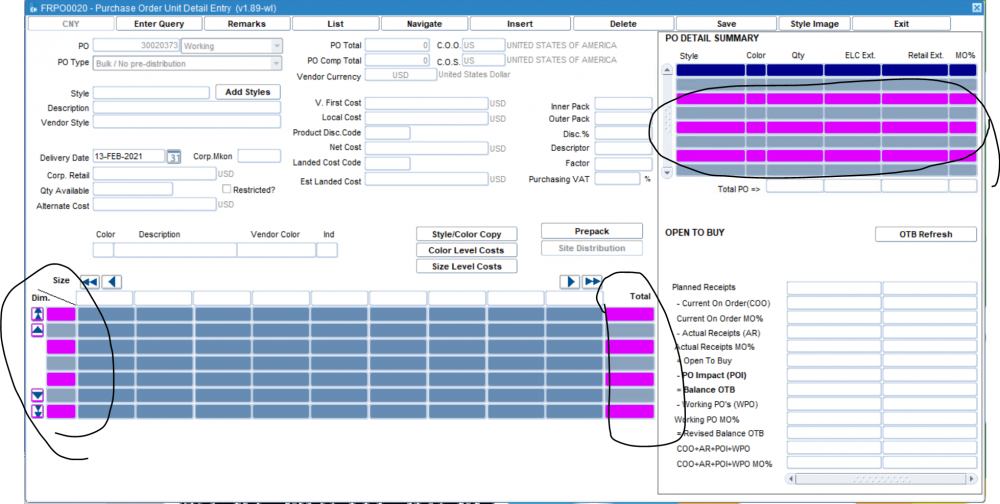
Some of our Forms have date-picker. When the date picker is selected and then any other Form is opened (that has Row Banding) a very bizarre color is displayed on certain Rows. Enterprise wide (different session users) the colors change. The only way around this is to log out of the application and then log back in.
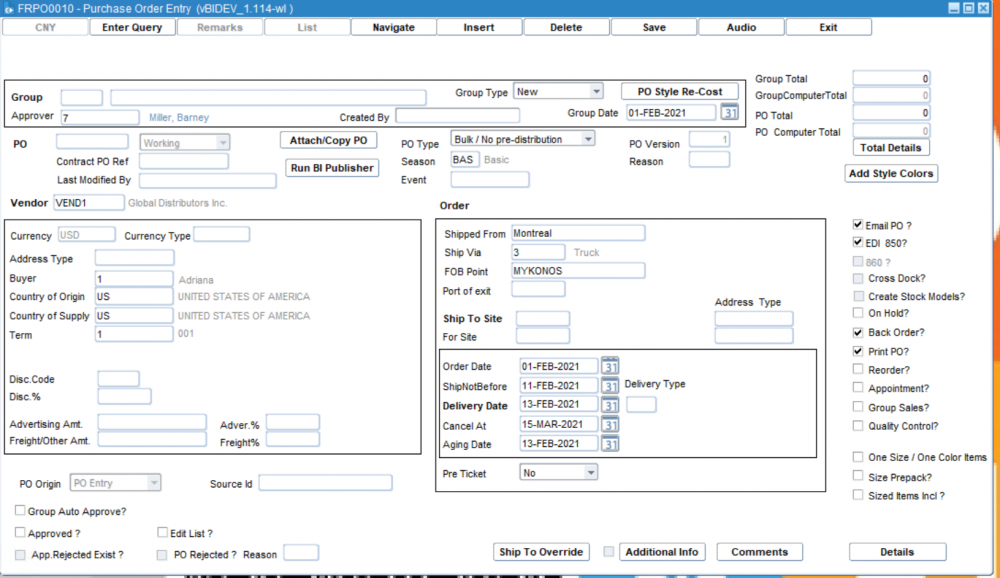
Here's how it looks in normal condition:
Before touching the date picker:
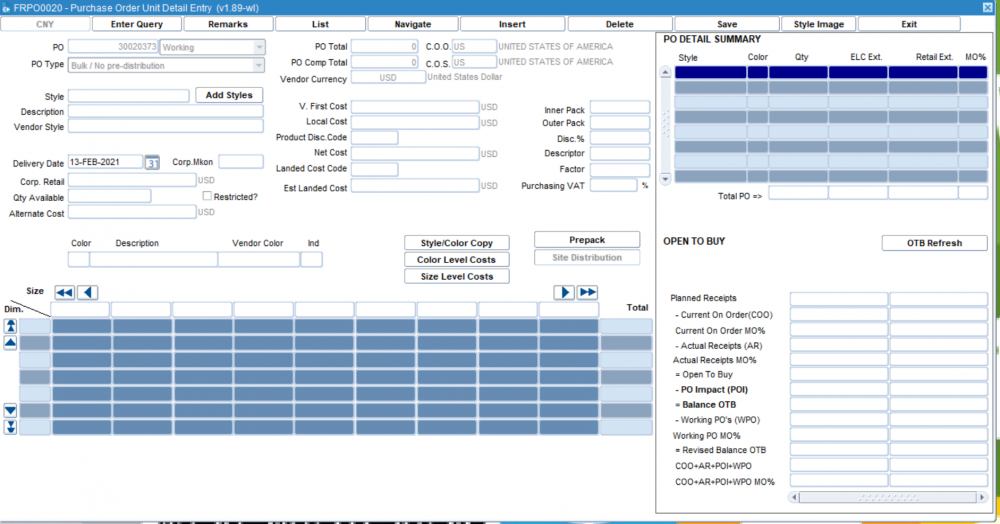
 Now I press the "DETAILS" button at the bottom and a new screen pops up displaying Row Banding. This is absolutely fine:
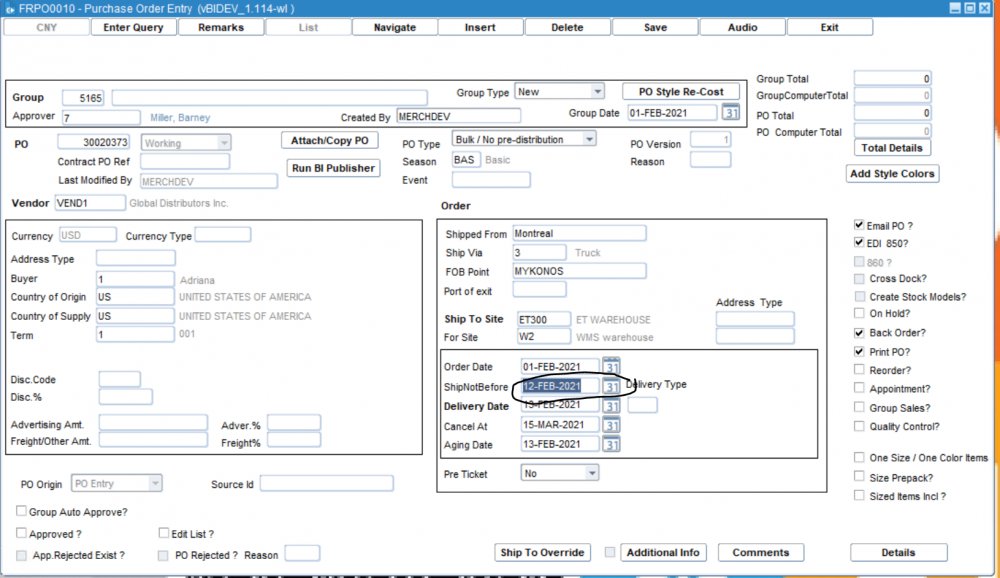
The minute we touch date picker and then open a Form that has multi-record block it's appearance is displayed below:
I changed the date from 11th Feb to 12th Feb:
Now I press the "DETAILS" button and the Row Banding goes out of sync. Here's how it looks: