Hello,
I'm working with JET 4.0. For one of my screens I am implementing an editable table. I found the Editable Collection Table page in the Cookbook and have been working with that. One of the things I'd like to to do on the table is control the edit mode on the row using button clicks (that is, buttons on the row that turn editing on and off, instead of the default double-click and Esc/click away behavior). A primary reason for this is that I want the user to explicitly tell me that they want their changes saved or undone, rather than making assumptions based on details in the event. I thought I'd be able to mock the ojBeforeRowEdit and ojBeforeRowEditEnd events on the table to insert a custom property that I could listen for and control the behavior, but I'm having trouble with it.
To start with, I was just trying to mock the ojBeforeRowEditEnd via a button. Here is my button listener:
    self.cancelEditTrailer = function (data, event) {

        JL().info('dropTrailerTab.cancelEditTrailer');

        var ojBeforeRowEditEnd = new CustomEvent('ojBeforeRowEditEnd', {

            detail: {

                cancelEdit: true,

                originalEvent: event.originalEvent,

                rowContext: ko.contextFor(event.target).$context.rowContext,

                cancelEditTrailer: true

            },

            cancelable: true});

        document.getElementById('trailerTable').dispatchEvent(ojBeforeRowEditEnd);

    };
And my event listener:
    self.trailerEditEndListener = function (event) {

        JL().info('dropTrailerTab.trailerEditEndListener');

        console.warn(event);

        if (!event.detail.cancelEdit) {//cancelEditTrailer

            event.preventDefault();

        }

    };
The expected behavior at this point is that if I hit Esc or my button, the edit mode should be cancelled. However, the actual behavior I'm seeing is that clicking the button raises the event, but the row stays in edit mode. Hitting Esc does correctly exit edit mode. As far as I can tell, the events that are getting raised in these two instances are identical except for the detail.originalEvent and the extra, custom property that I am writing into the event.
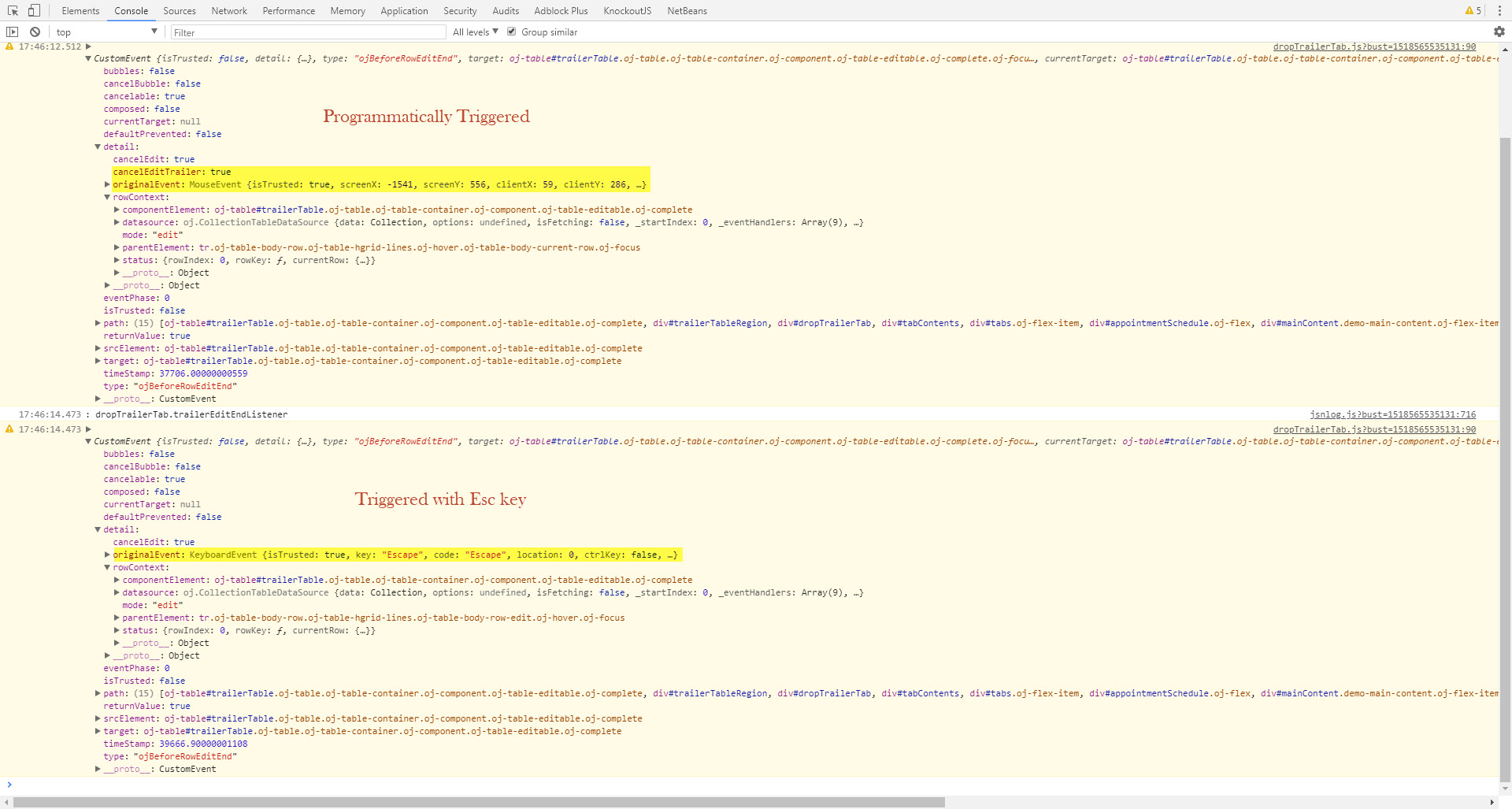
So, I guess for starters, is what I'm trying to do even possible? If it is, any idea what I am missing here?