Hi everyone,
I'm trying to setup custom authentication with Oauth2 Client Credential.
Here's what I've done:
1. Create new Web Credentials:
Name: mywebcredentials
Authentication Type: "OAuth2 Client Credentials Flow"
Client ID:
Client Secret:
2. Create new Authentication Scheme:
Name: NewSSO
Scheme Type: Socia Sign-in
Credential Store: mywebcredentials
Authentication Provider: Generic Oauth2 Provider
Authorization Endpoint URL Syntax: https://oauth.mydomain.com/permission?app_id=CLIENT_ID
Token Endpoint URL: https://oauth.mydomain.com/access_token?app_id=CLIENT_ID&app_secret=CLIENT_SECRET
User Info Endpoint URL: https://oauth.mydomain.com/me
Token Authentication Method: Basic Authenication
Scope: access_profile
Username Attribute: name
3. Set this Authentication Scheme to current.
4. Place a button at login page named "Oauth Login" which redirect to page 1 (homepage).
When I press "Oauth Login" at login page, Apex call remote service authorization to ask for permission and return to :
https://myapexdomain.com/ords/apex_authentication.callback?uid={UID}&code={CODE}
After this step, Apex is supposed to call Token Endpoint URL and get access token.
However this screen appear:
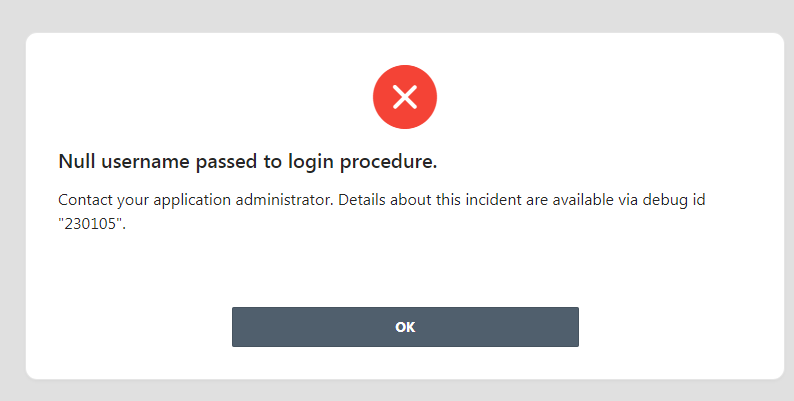
Checking the debug id, here what's I found:
JSON POST https://oauth.mydomain.com/access_token?app_id=CLIENT_ID&app_secret=CLIENT_SECRET request got HTTP status 405
Error: Null username passed to login procedure.
What i've been thinking:
1. Token Endpoint URL should included the {CODE} returned from remote service authorization. I don't know how to do this.
2. HTTP status 405 means method POST is not allowed. This makes senses and it should be GET, not POST. I don't know why Apex use POST here.
Any help would be appreciated. Thanks.