Hello All,
I wanted to check to check if any of the gurus could point me in the correct direction.
I am trying to launch a PeopeSoft .ova image in AWS Cloud - Windows 2012 R2 Server
The virtualbox version I am using is Virtualbox - 5.1.22 r115126 (Qt5.6.2).
I was able to import the .ova file successfully. However when I start the machine, I receive the below error (In my other machines I am normally able to navigate to the Settings option and change the network settings to the adapter available in the machine).
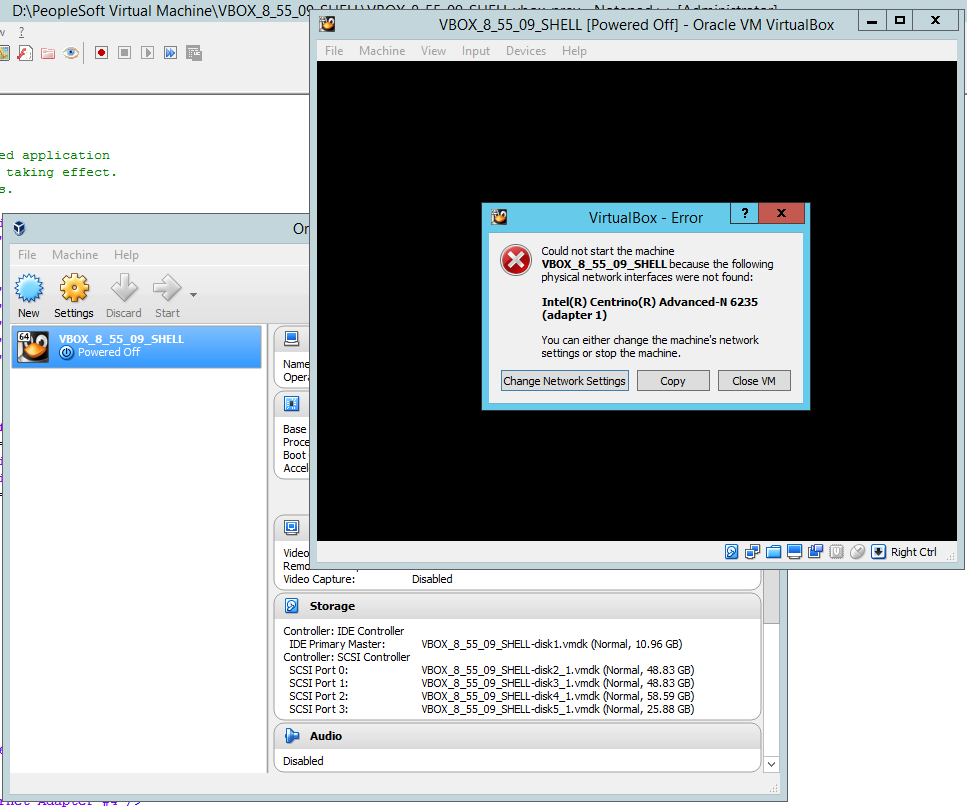
However if I try to navigate to ChangeNetworkSettings option, I am unable to click the OK button after I change the adapter to the one available in the host machine. See below snapshot.

The 'OK' button remains disabled irrespective of whatever changes I make to any settings for the box.
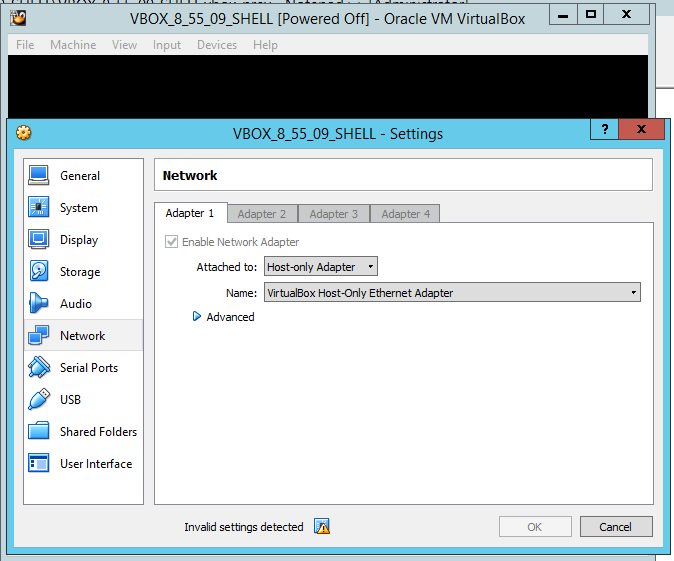
As you can see I am unable to change the settings and cannot start the machine.
Can someone help or point me in the correct direction.
Many thanks in advance.
Thanks,
Arun