Great to have this huge new patch: 5.0.1.00.06 and guideline application like this: http://apex.oracle.com/ut
Oracle Database 12c Enterprise Edition Release 12.1.0.1.0 - 64bit Production
I know I have been warned not to use those icons in core.min.css but I like the logic of them working out-of-the-box in trees: https://community.oracle.com/thread/3703391
Before patch:
Tree region shows cool icons which are able to open the folder and close it:
After patch:
Blue Responsive Theme 25, subscribed to new patched Theme and the icons are gone:
 with no folder icons
And I miss the following icons:
Actually I am quite happy with the 'unsupported' choices:
- 'icon-tree-folder'
- 'icon-gear'
- 'icon-unlock'
- 'icon-lock'
but it seems that they are missing from the new core.min.css
I downloaded the css files and compared those with Alan's Tools and the result looks like this for missing ones:

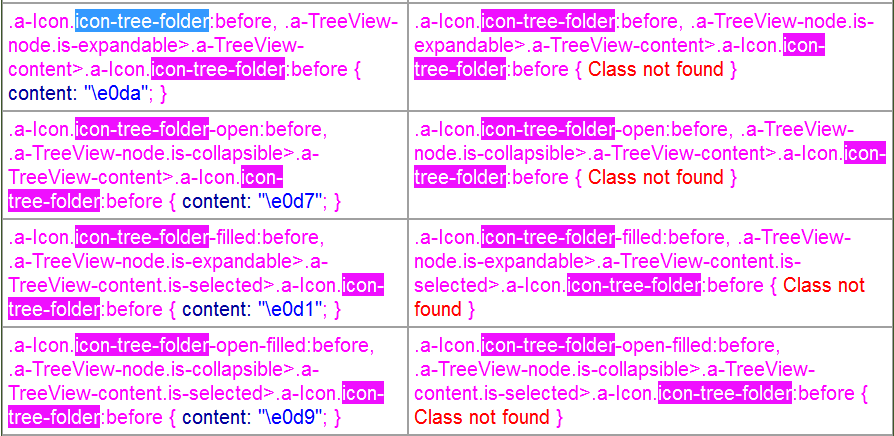
So is there any easy way to get those icons back ?
Rgrds Paavo