Product
☆Oracle SQL Developer Extension for VS Code☆
Version
25.4.1
Environment
Remote VS Code session on Windows Server 2019
Remote host IP: 192.168.222.130
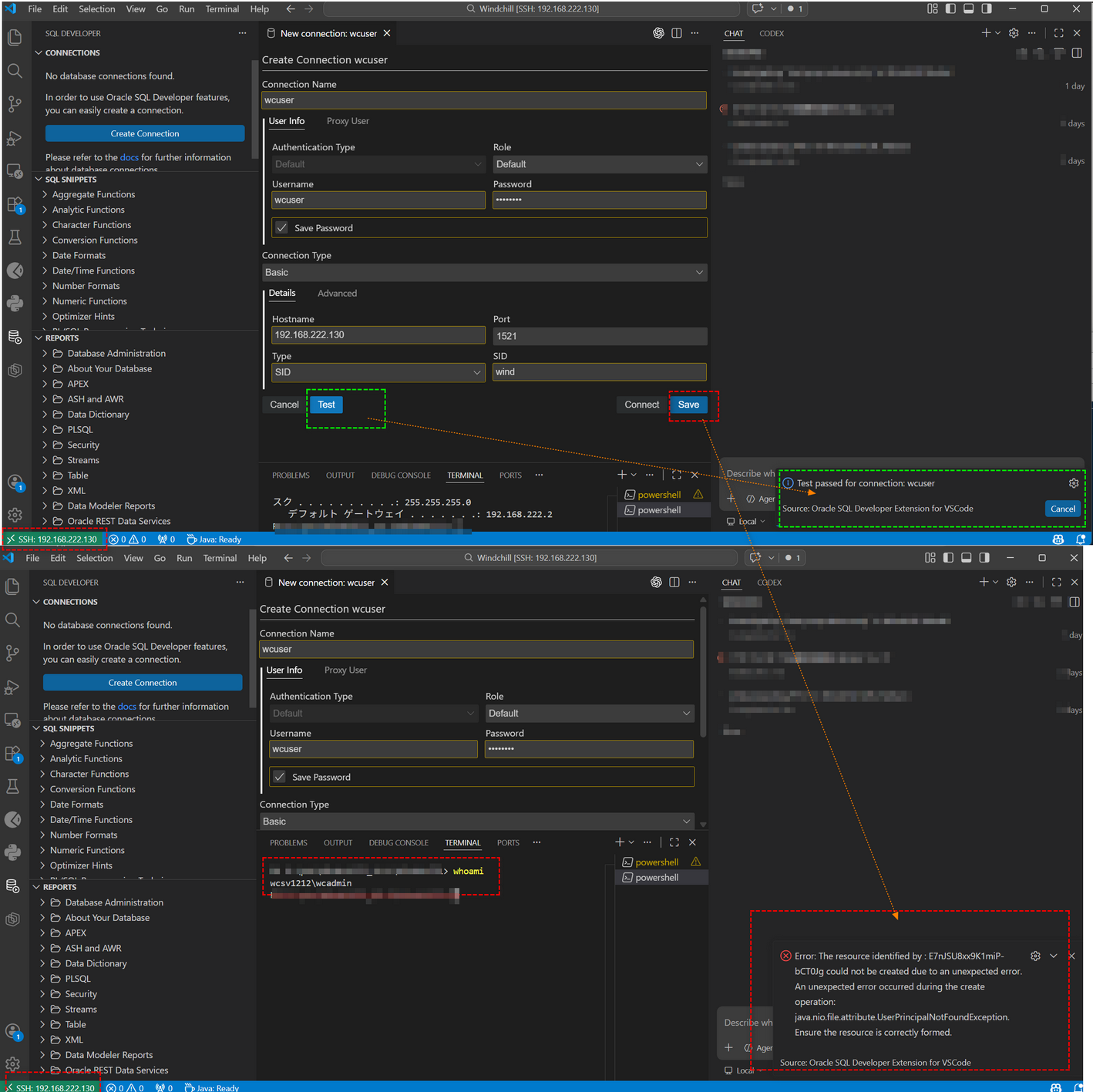
Active Windows user: WCSV1212\wcadmin
VS Code extension installed in remote server context under .vscode-server
Database connection test succeeds
Saving the same connection fails
Problem Summary
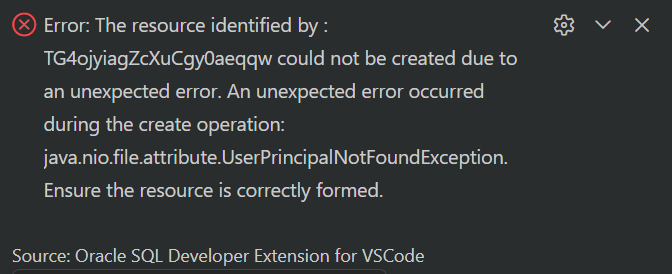
When creating a database connection in the Oracle SQL Developer VS Code extension, the Test action succeeds, but the Save action fails consistently with:
DBTU-03005
java.nio.file.attribute.UserPrincipalNotFoundException
This happens in a remote VS Code Server session on Windows Server 2019.
Observed Behavior
Connection dialog Test passes successfully
Connection dialog Save fails immediately
Reinstalling the extension does not help
Switching from built-in Administrator to a normal local user wcadmin does not help
Changing the SQL Developer home folder also does not help
Steps to Reproduce
Connect to a Windows Server 2019 machine using VS Code remote session.
Install Oracle SQL Developer Extension for VS Code version 25.4.1 in the remote environment.
Open the connection dialog.
Enter valid Oracle database connection information.
Click Test and observe success.
Click Save.
Observe failure with DBTU-03005 and UserPrincipalNotFoundException.
Actual Result
The extension cannot save the connection definition and shows:
The resource identified by ... could not be created due to an unexpected error. An unexpected error occurred during the create operation: java.nio.file.attribute.UserPrincipalNotFoundException.
Expected Result
The connection definition should be saved successfully after a successful test.
Key Log Evidence
Primary log file:
C:/Users/wcadmin/.vscode-server/data/logs/20260321T221222/exthost1/output_logging_20260321T221234/2-SQL%20Developer%20-%20Log.log
Earlier log with same failure:
C:/Users/wcadmin/.vscode-server/data/logs/20260321T170529/exthost6/output_logging_20260321T175008/2-SQL%20Developer%20-%20Log.log
Representative stack trace:
Caused by: java.nio.file.attribute.UserPrincipalNotFoundException at java.base/sun.nio.fs.WindowsUserPrincipals.lookup(WindowsUserPrincipals.java:148) at java.base/sun.nio.fs.WindowsFileSystem$LookupService$1.lookupPrincipalByName(WindowsFileSystem.java:246) at com.oracle.dbtools.utils.core@25.4.1/com.oracle.dbtools.utils.core.io.AclAccessPermission.userPrincipal(AclAccessPermission.java:66) at com.oracle.dbtools.utils.core@25.4.1/com.oracle.dbtools.utils.core.io.AclAccessPermission.aclEntry(AclAccessPermission.java:106) at com.oracle.dbtools.utils.core@25.4.1/com.oracle.dbtools.utils.core.io.AclAccessPermission.fileAttributes(AclAccessPermission.java:76) at com.oracle.dbtools.utils.core@25.4.1/com.oracle.dbtools.utils.core.io.AclAccessPermission.create(AclAccessPermission.java:82) at com.oracle.dbtools.utils.core@25.4.1/com.oracle.dbtools.utils.core.io.CrossPlatformAccessPermission.create(CrossPlatformAccessPermission.java:58) at com.oracle.dbtools.utils.core@25.4.1/com.oracle.dbtools.utils.core.io.StandardAccessPermissions.create(StandardAccessPermissions.java:29) at com.oracle.dbtools.utils.core@25.4.1/com.oracle.dbtools.utils.core.io.Storage$Location.create(Storage.java:446) at com.oracle.dbtools.utils.core@25.4.1/com.oracle.dbtools.utils.core.io.Storage$File.create(Storage.java:203) at com.oracle.dbtools.utils.core@25.4.1/com.oracle.dbtools.utils.core.io.Storage$File.output(Storage.java:293) at com.oracle.dbtools.utils.core@25.4.1/com.oracle.dbtools.utils.core.io.Storage$File.write(Storage.java:335) at com.oracle.dbtools.server.connections@25.4.1/com.oracle.dbtools.server.connections.definitions.ConnectionDefinitions.write(ConnectionDefinitions.java:532) at com.oracle.dbtools.server.connections@25.4.1/com.oracle.dbtools.server.connections.definitions.ConnectionDefinitions.create(ConnectionDefinitions.java:186)
Additional Diagnostics Already Performed
Reinstalled the extension.
Stopped using built-in Administrator; switched to WCSV1212\wcadmin.
Verified the remote user identity resolves normally with whoami.
Configured a custom SQL Developer home folder in remote VS Code settings:
C:/Users/wcadmin/.vscode-server/data/User/settings.json
Set:
{ "sqldeveloper.general.homeFolder": "C:\\Users\\wcadmin\\sql-developer-home", "sqldeveloper.logging.level": "DEBUG"}
Verified the custom folder exists and is writable:
C:/Users/wcadmin/sql-developer-home