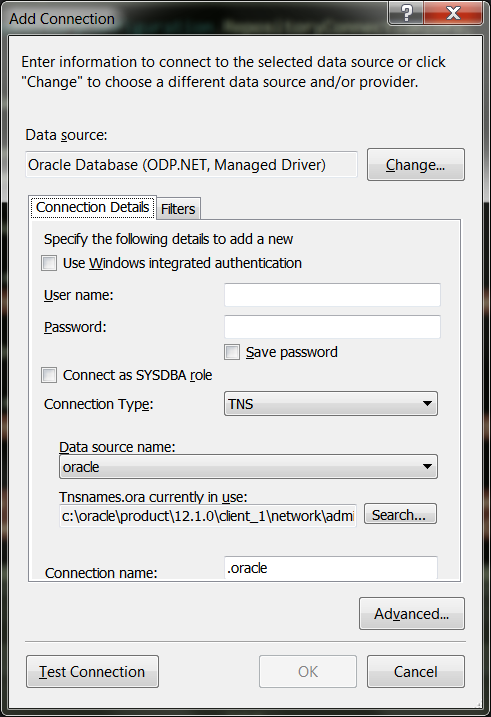
I am using the Microsoft Data Connection Dialog that is available off of Nuget.
I am filtering the list of available DataSource(s) and associated DataProvider(S).
My goal is to limit it to only support the .NET SqlClient, and the ODP.NET managed driver, so far so good. I did have to manually create the DataProvider for ODP.NET, but I was able to infer what needed to be in it from various debugging adventures.
            DataProvider oracleProvider = new DataProvider(@"Oracle.ManagedDataAccess.Client",
                @"Managed ODP.NET Provider for Oracle",
                @"ODP.NET, Managed Driver",
                @"Use this selection to connect to Oracle Databse using the ODP.NET, Managed Driver",
                typeof(Oracle.ManagedDataAccess.Client.OracleConnection),
                typeof(Microsoft.Data.ConnectionUI.OracleConnectionUIControl),
                typeof(Microsoft.Data.ConnectionUI.OracleConnectionProperties));
This is the dialog that the above produces.

Problem is this creates connection strings that are not compatible with Oracle.ManagedDataAccess.Client provider. For instance it returns 'UNICODE=true;' as part of the connection string, let alone not supporting Windows Authentication at all. So for my solution, it's not exactly ideal.
I noticed that there appears to be a newer version associated with the Server Explorer in the Visual Studio.
How do I get the NEW form that is presented on the server explorer data connection dialog into my application?