Hello,
Oracle Linux 7.3
V834398-01.iso Oracle Linux Release 7 Update 3 UEK Boot ISO image for x86 (64 bit) 453.0 MB,
a. Created ISO image to CD(600mb),
b. CD above boots on compute node from a source DVD drive,
 and followed expected GUI steps to configure O/S install;

 However: **Installation 'Source' section below in red is missing from panel even though booting from said 'source',
 cannot proceed with installation steps.**
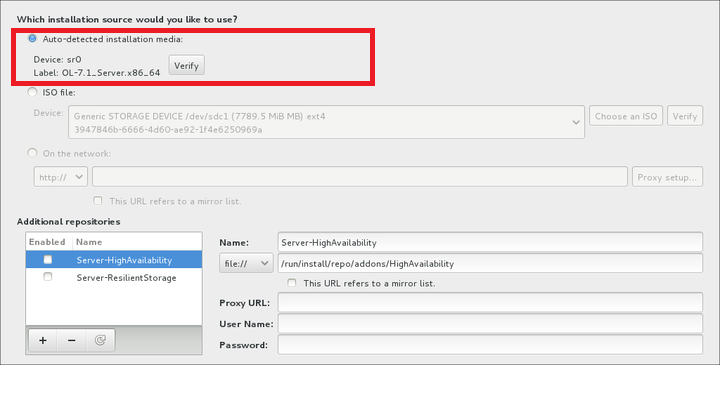
although allows: "On the Network" & "Additional repositories" sections
[2] Target media: 2 TB disk, un-formatted*, not an O/S upgrade
Compute: X86 -64bit AMD processor*, 2 Gb DRAM;
Connected to Internet/Network , would the workaround be point - -> "On the network", if so, what would be a correct Oracle's 'mirror' destination.. ?
* not intuitive whether said compute config fails prerequisites, read most of the docs
--
2. Confirming with the 2nd DVD "V834394-01.iso Oracle Linux Release 7 Update 3 for x86 (64 Bit)
4.3 GB " whether any other DVD/CD media is required for full access to full OEL component library distribution ?
What prerequisites or steps/workarounds are we missing to install OEL?
Please Advise.
Thanks Mucho,
Mark L. Wolf