Hi, I am having difficulty understanding how the AVDF database firewall works. From Oracle DOC and AVDF live lab, I want to configure DF in proxy mode, but not sure what to provide in the configuration details.
https://apexapps.oracle.com/pls/apex/dbpm/r/livelabs/workshop-attendee-2?p210_workshop_id=711&p210_type=1&session=7710629065851
AVDF live lab: (step 4 task 9, df proxy port is 15223, the target db connection is 10.0.0.150:1521/pdb1 <- where 10.0.0.150 seems to be the database IP as 10.0.0.152 is the firewall IP)
My lab configuration:
AVDF: 20.5
AV: 192.168.2.5/24 (only 1 nic)
DF: 192.168.2.6/24 (only 1 nic)
DB host: standalone 21.3 linux x64 OEL8 (host: lonorcl01, 192.168.2.201/24)
DB connection string: lonorcl01.pojencrossing.localdoamin:1521/devnet.pojencrossing.localdomain
DF Proxy port configuration: port 51521, proxy port name:
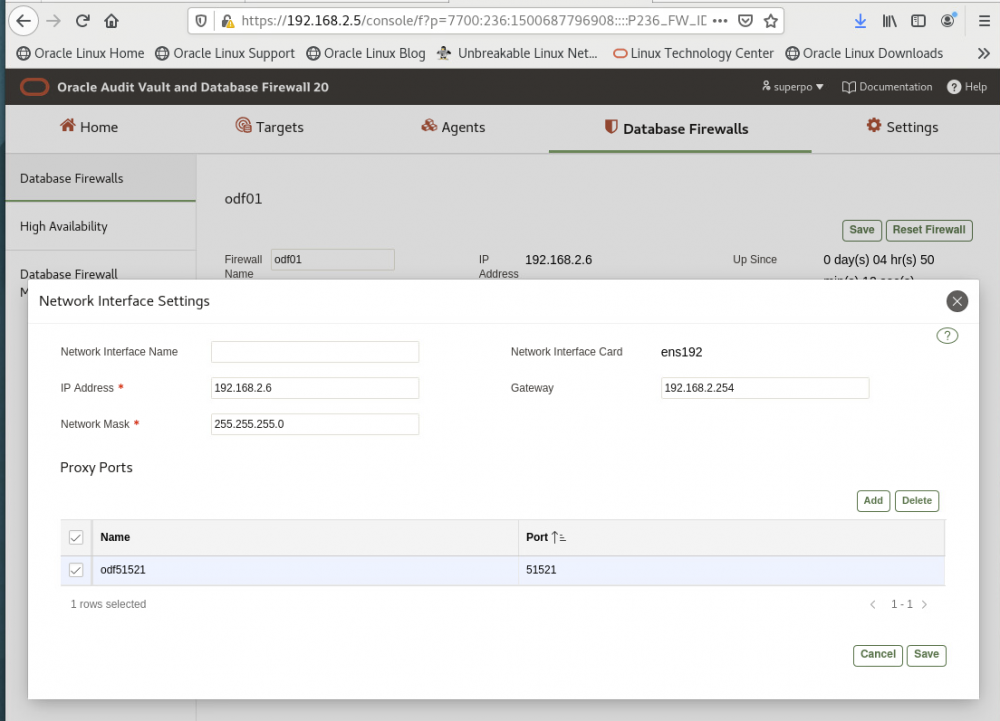
Database target setting:
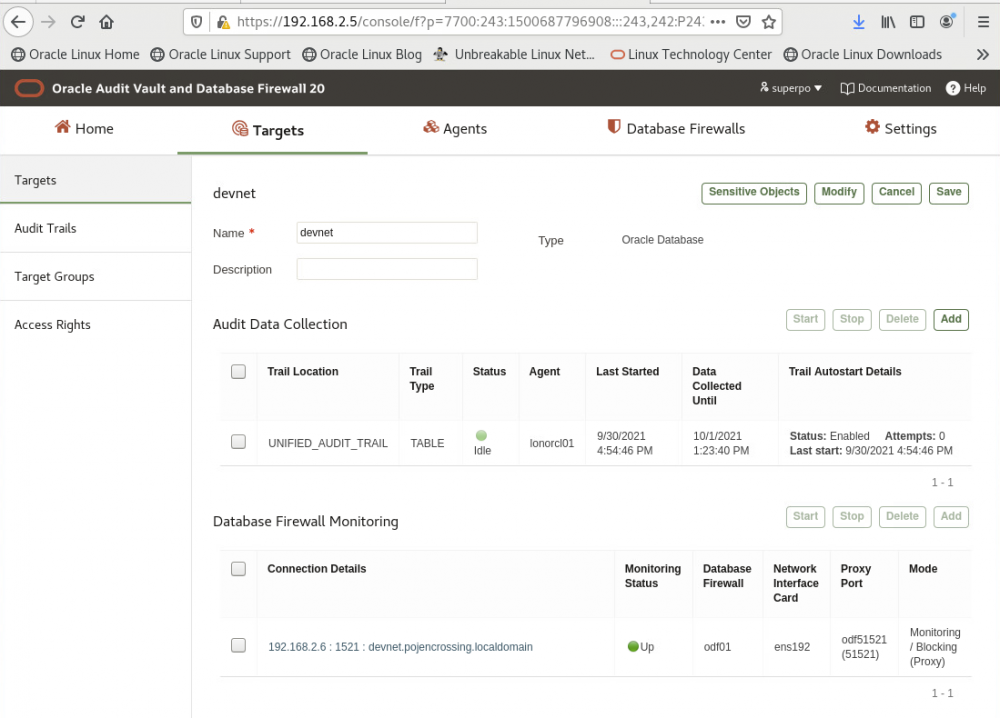
Connection test:
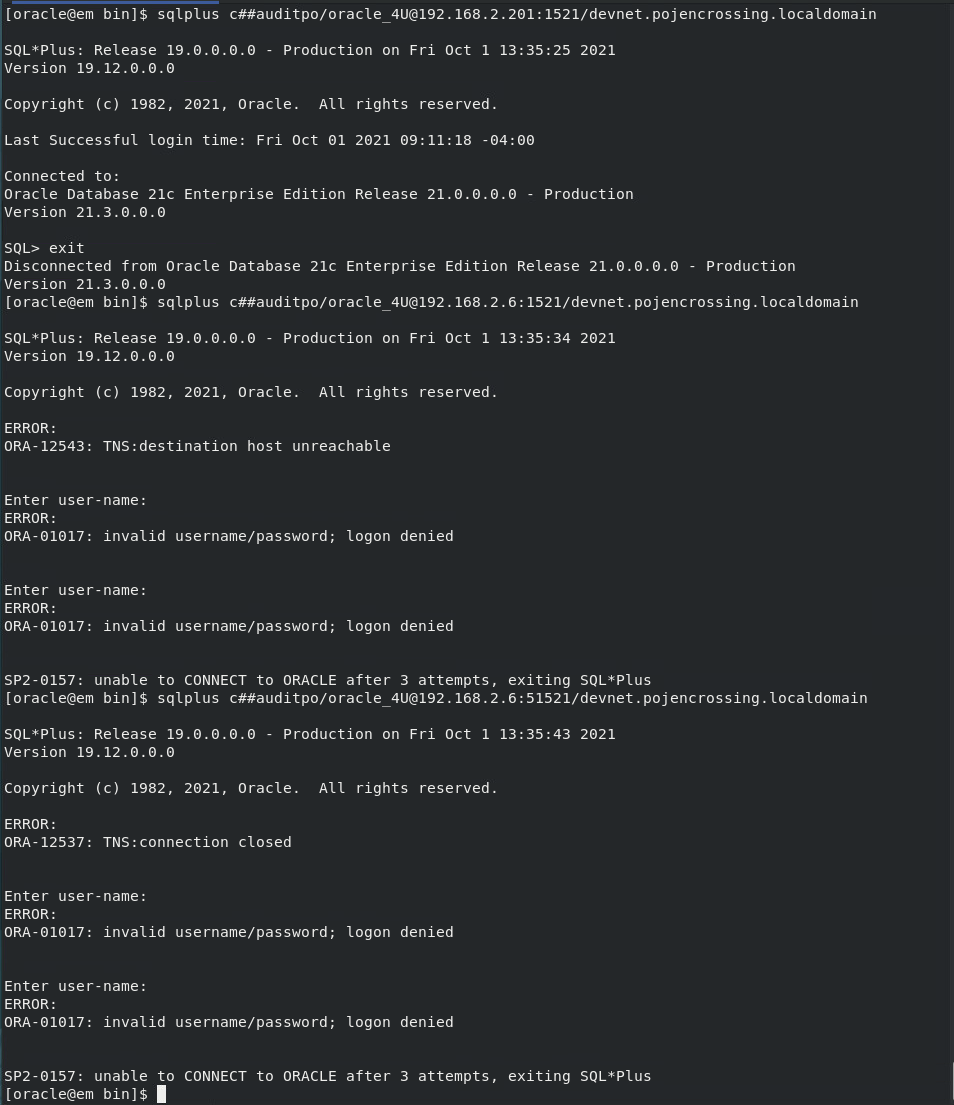 As shown above, direct connection works (192.168.2.201:1521)
Connection to DF port 1521 -> ORA-12543 destination unreachable (make sense as port 1521 is not open on DF) <- I am not sure why AVDF live lab works.
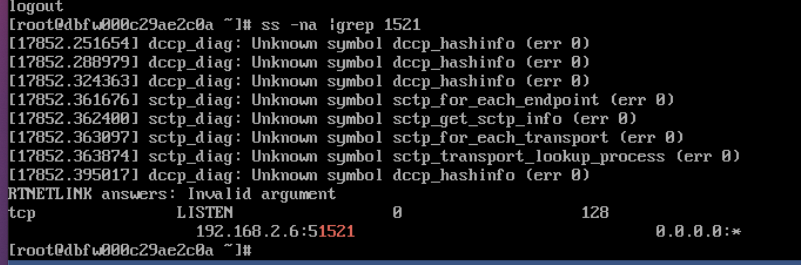
Connection to DF port 51521 -> ORA-12537: TNS connection closed
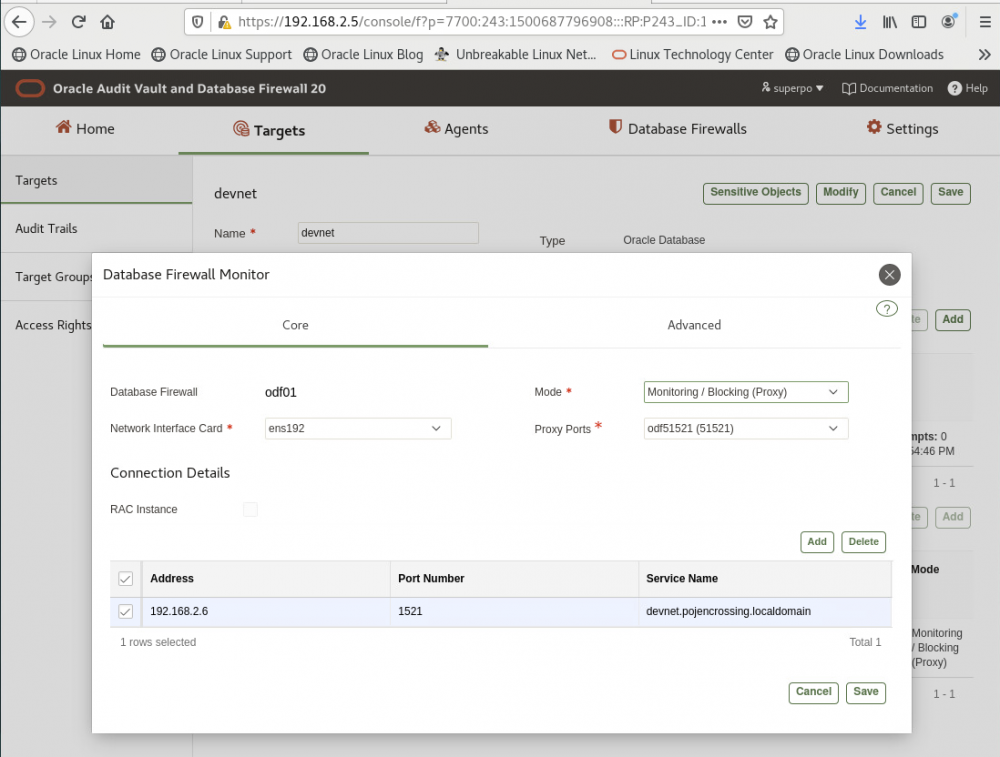
What does the "Connection Detail" means in the database firewall monitor? (i.e., TARGET already know the actual database connection string, Proxy ports also have the DF IP and port mapping) Why do I still need to provide "Connection Detail"?
==== Problem solved:
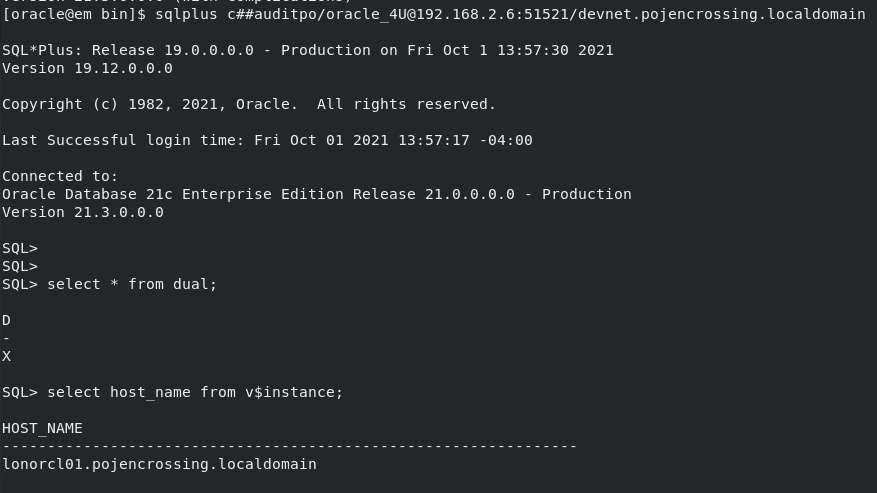
Under the database firewall monitoring, the connection detail is the actual database connection string, i.e., in my lab environment: 192.168.2.201:1521/devnet.pojencrossing.localdomain
and I can connect via DF:proxy port, i.e., 192.168.2.6:51521/devnet.pojencrossing.localdomain