OCI Network Traffic Monitoring Implementation
Using Capture Filters and Flow Logs
1. Objective
The purpose of this implementation was to enable network traffic visibility inside an Oracle Cloud environment using Flow Logs and Capture Filters. This setup helps monitor traffic patterns, support troubleshooting, and strengthen security monitoring within the Virtual Cloud Network (VCN).
2. Capture Filters
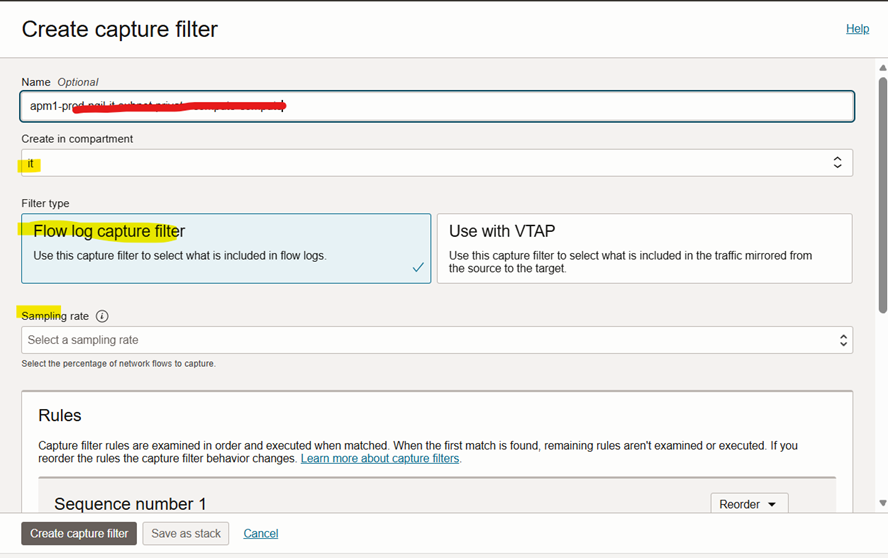
A Capture Filter defines which network traffic should be logged or mirrored. In this project, a Flow Log Capture Filter was created to control the traffic recorded by VCN Flow Logs.
Key Characteristics:
• Capture filters contain rules that determine whether traffic is included or excluded.
• Rules are processed in sequence, and the first match determines the action.
• Capture filters are reusable, meaning a single filter can be attached to multiple flow logs.
3. Capture Filter Configuration
A capture filter was created in the required compartment to filter traffic for monitoring purposes.
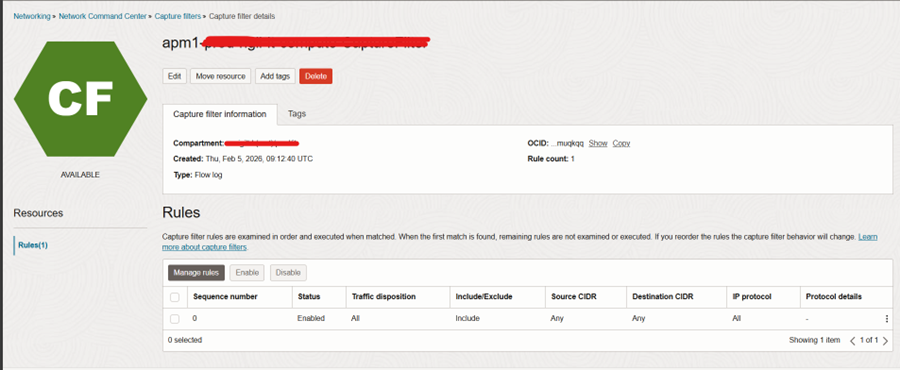
Validation After Creation:
• Type: Flow Log
• Rule Count: At least one rule configured
• Lifecycle State: Available
This confirms that the filter is ready to be attached to a Flow Log resource.
This step ensures that only relevant traffic will be logged instead of collecting all traffic, which helps reduce unnecessary log volume and improve monitoring efficiency.
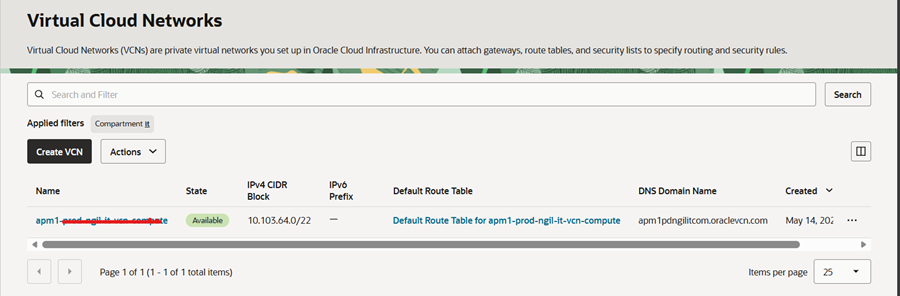
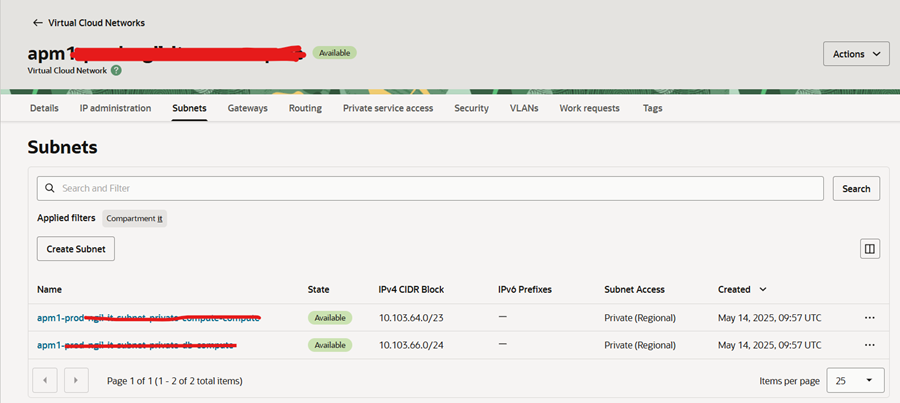
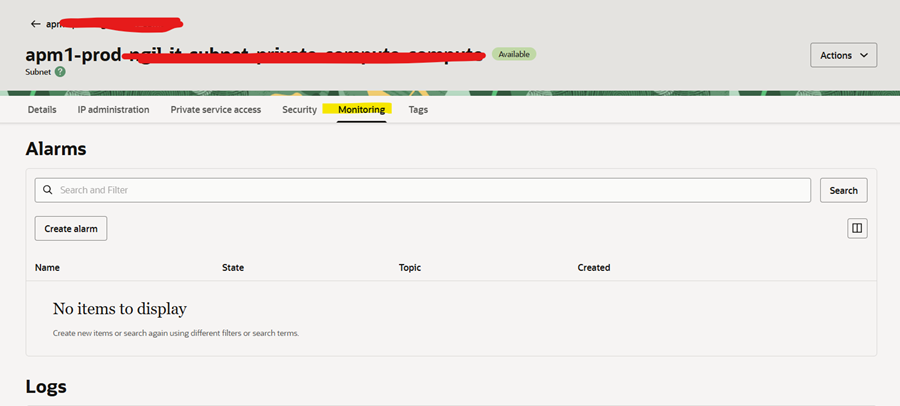
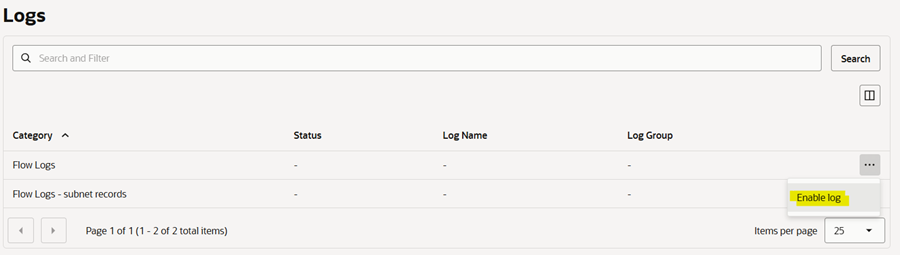
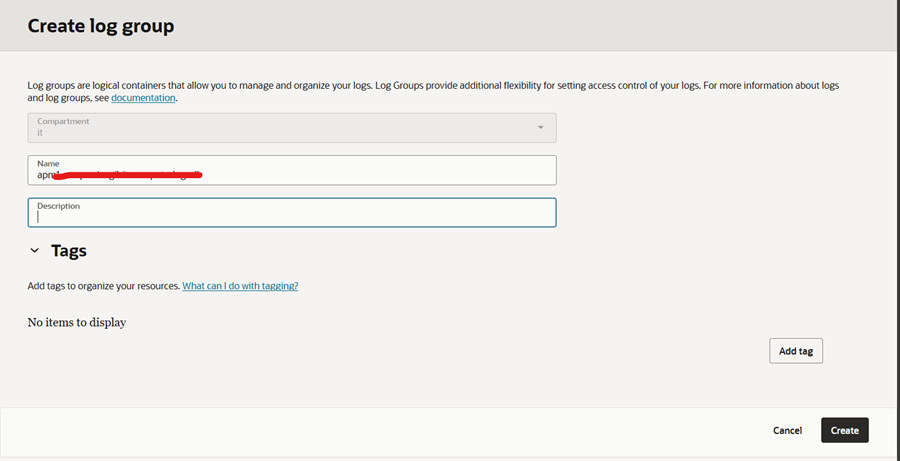
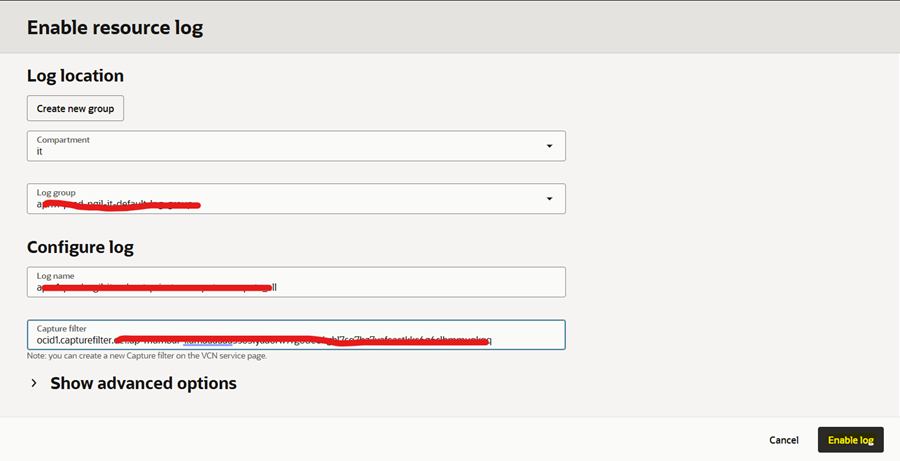
Log groups are logical containers that allow you to manage and organize your logs. Log Groups provide additional flexibility for setting access control of your logs.
If log grp are not added, create one.
4. Capture Filter Rules
Rules inside the capture filter define traffic selection criteria. These rules can filter traffic based on:
• Ingress or Egress direction
• Source or Destination CIDR blocks
• Protocols and Port Numbers (TCP/UDP)
• ICMP / ICMPv6 traffic
5. VCN Flow Logs
VCN Flow Logs record metadata about network traffic flowing through the VCN. These logs do not capture packet content but include details such as source and destination IP addresses, protocol and port information, traffic direction, and the action taken (allowed or denied).
Flow logs are integrated with the OCI Logging Service, where logs are stored inside a Log Group.

6. Flow Log Configuration
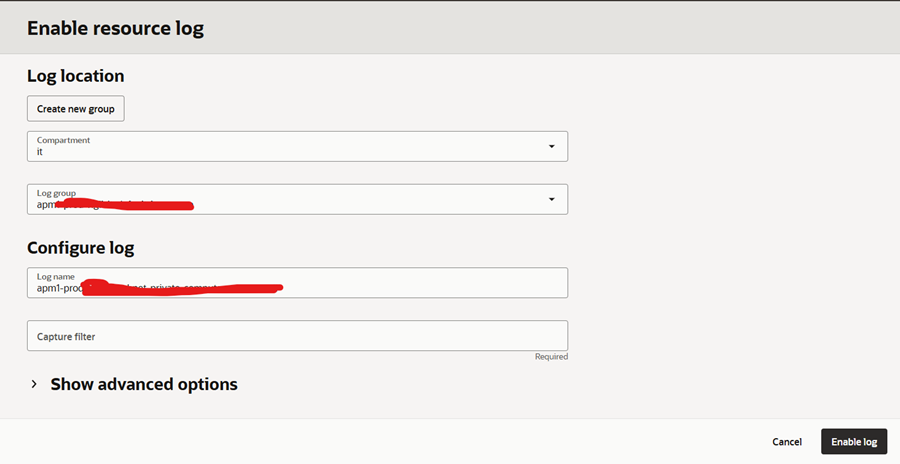
A Flow Log resource was created and linked with the previously created capture filter.
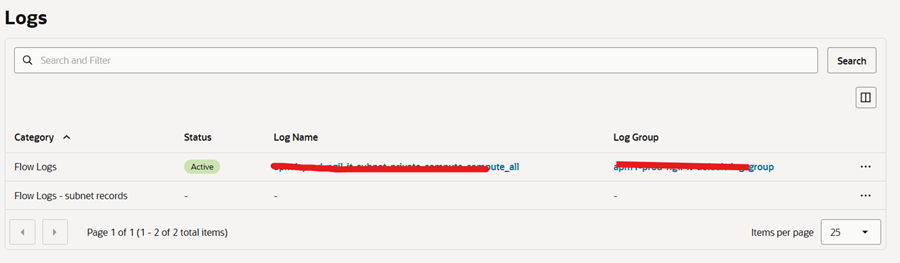
Validation of Flow Log Creation:
• A Flow Log entry is present under the Logging section
• The log is associated with the intended Log Group
• The lifecycle state transitioned from Creating to Active
Flow logs only generate records when network traffic flows through the monitored VCN or subnet. If traffic is low or absent, graphs and log entries may not appear immediately.
7. Technical Outcome
By completing this setup, network traffic visibility has been enabled and traffic logging is now controlled using defined filter rules. The cloud environment now supports security monitoring, network troubleshooting, and audit and compliance analysis. This confirms successful implementation of OCI network traffic monitoring using Capture Filters and Flow Logs.