Skip to Main Content

SQL Developer

Announcement

For appeals, questions and feedback about Oracle Forums, please email oracle-forums-moderators_us@oracle.com. Technical questions should be asked in the appropriate category. Thank you!

No Objects on Tables Tab After Selecting OE Schema

3611913Jan 8 2018 — edited Jan 9 2018

I installed the OE schema and unlocked the OE user. With the SQL Developer, I tried to import a Data Dictionary by using the integrated Data Modeler. Here are the steps that I did:

- (in SQL Developer) File -> Data Modeler -> Import -> Data Dictionary.

- Connected to the database by using OE user.

- Selected the OE schema/ database to be imported.

- I was prompted to select the objects I wish to import. Those objects are supposed to be under the Tables tab, but there is no object shown:
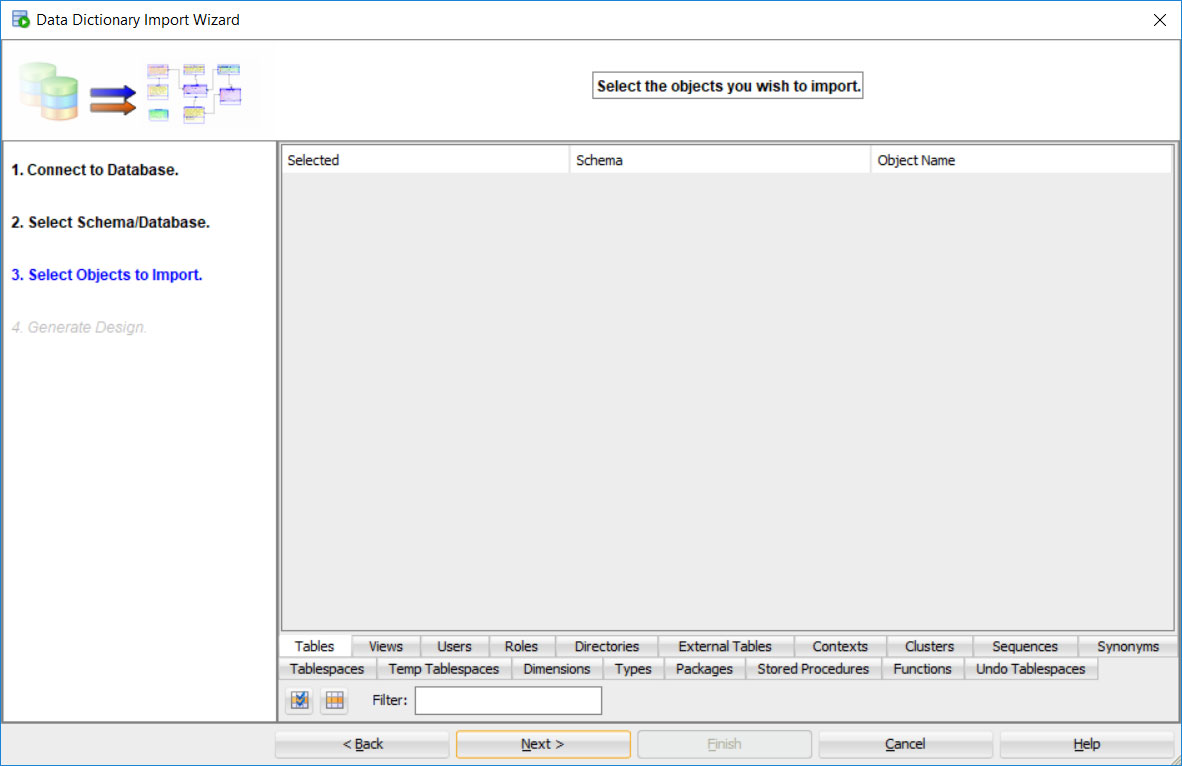
NoObjectsOnOEDataDictionaryImport.jpg

Actually there should be some objects on the Tables tab, such as:
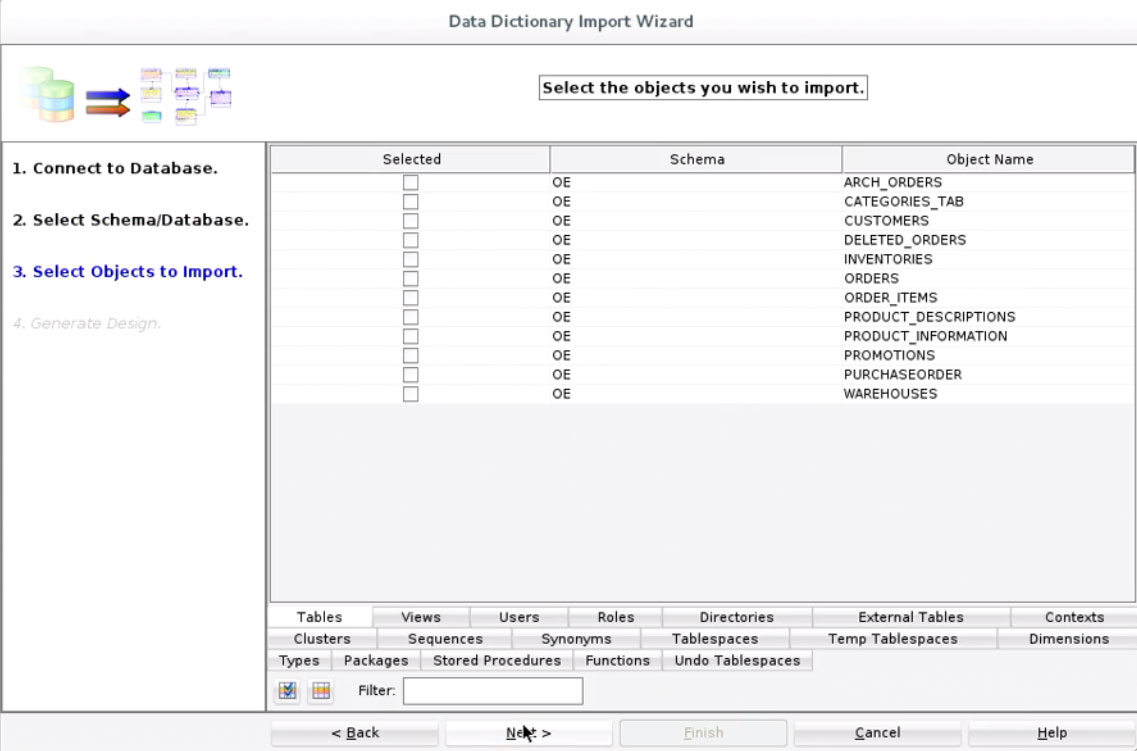
ObjectsOnOEDataDictionaryImport.jpg

How to show those objects on the Tables tab?

This post has been answered by 3611913 on Jan 9 2018
Jump to Answer
Comments
Locked Post
New comments cannot be posted to this locked post.
Post Details
Locked on Feb 6 2018
Added on Jan 8 2018
8 comments
280 views