Hello
I am using Apex 5. I am fairly new to using apex, this is my first application that I have been working on.
Currently I am creating security for my application. I am manually creating my security instead of using the Apex method. It is a role based security. I have 4 tables for my security:
Tables:
idc_user_tbl - includes user Ids and names
idc_role_tbl - includes roles a user can be assigned to, my roles are sys admin(all access), admin (all access but user maintenance), general user (access to reports and entry form), read only user (read only access).
idc_user_role_tbl - includes the roles the user is assigned too.
idc_role_privs_tbl - Includes the pages the role has access too
What I would like to do is have the navigation menu only include those pages the logged in user has access to based on the role they have. I have the page level authorization scheme working so they can not access the pages they do not have access to. However, I would like to take it a step further so the user doesn't see the error message if they try to access a page they do not have access too. It would be better if they don't even see it in their menu. I tried following some examples to create a solution that would work. However, it is not working as expected.
What I have done is create the below oracle function which returns a Boolean if the user has access to the page or not. (the function is in a package). I am passing the user id, app alias and page id to the function.
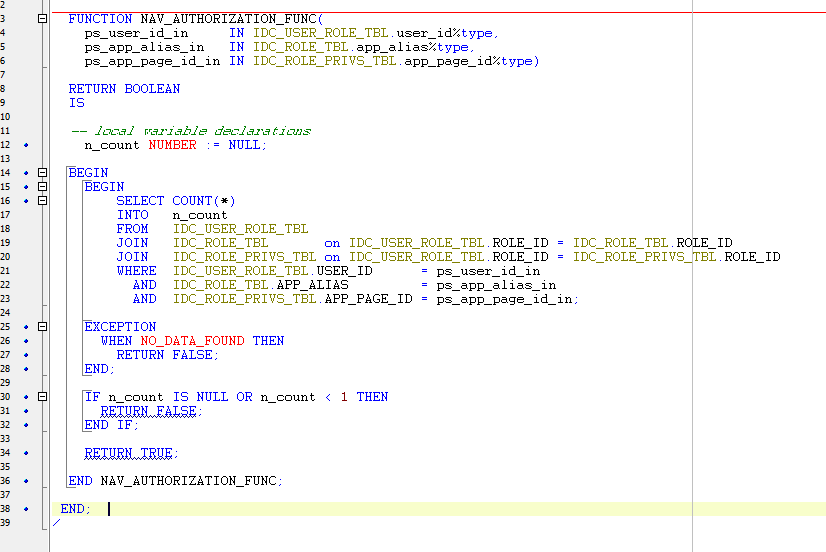
I use the following call in my authorization scheme that is assigned to the individual pages in the navigation menu.
Nav_menu authorization scheme.

Under shared components - Navigation Menu is where I assigned the authorization scheme to the menu pages. I do have the pages grouped under sub headings - General Views, Staff Views, Statistic views, maintenance, etc.
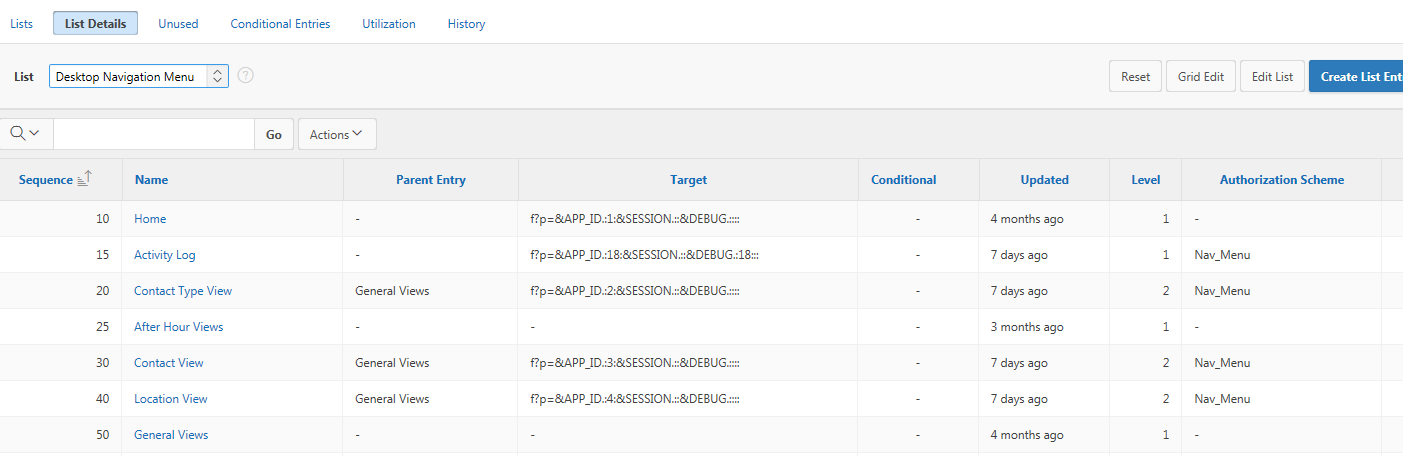
When I run the application and login I do not see any of the pages the user id has access to in the menu. Nothing shows up. I only see the sub group headings that are not assigned to the authorization scheme.
Any ideas what I am doing wrong and how I could fix this to work as I need it to?
Please let me know if I need to post additional information.
Thank you,
Heather