Editing a Navigation Bar Entry issue.
Greetings,
I created a Navigation Bar Entry List Entry called TRAINING (no parent entry)
I then created another List Entry (child) for a page called COURSE TYPES having TRAINING list entry as the parent
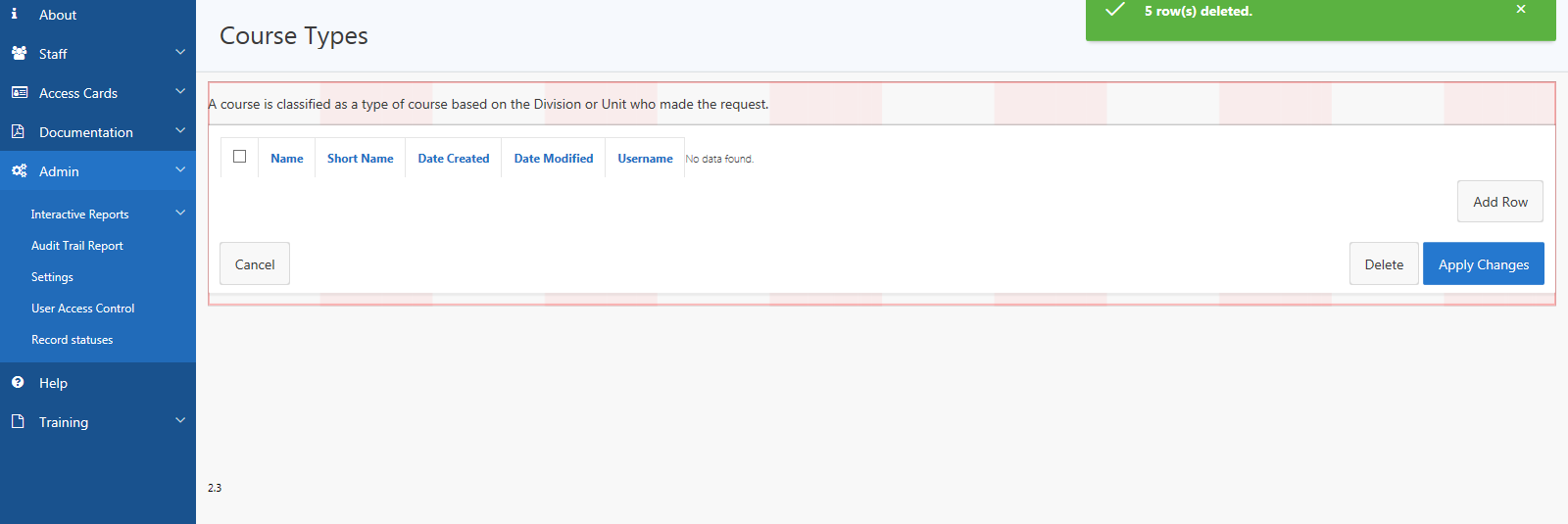
Issue is that when I click on the COURSE TYPES list entry the Desktop Navigation Menu highlights another parent List Entry ADMIN - I can't figure out why this one list entry is acting this way, all other child list entries I created under TRAINING work fine... I tired copying a list entry that works fine and redirecting the "Target type" to the page and still same issue.
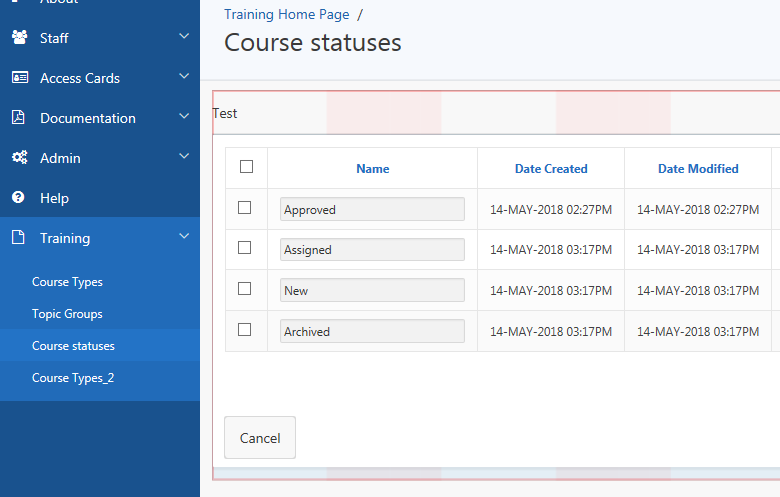
COURSE TYPES should act like COURSE STATUSES when click on to open page via the desktop menu...
Course statuses page = OK - Training - no collapsed and entry highlighted
Course Types - Not OK, highlights Admin section when clicked on