Oracle APEX 24.1 | Oracle DB 19c
Hi, I have an interactive grid which has one column that is a Popup LOV, along with columns specified in the Additional Outputs property. I have a requirement to programmatically add records to the Popup LOV, which I am accomplishing by doing the following (partially inspired by answer here):
First, I have a bunch of page items that will hold the values of a “Set Value” action (of a dynamic action) of type SQL Statement.
Second, I run some JavaScript code to add a record to the IG. The code I run looks like this:
function copyValuesToInteractiveGrid(igStaticId, itemsToCopy) {
    const grid = apex.region(igStaticId).call('getViews', 'grid');
    const model = grid.model;
    const recordId = model.insertNewRecord();

    for (let i = 0;  i < itemsToCopy.length; i++){
        // [i][2] is a boolean and should be marked to "true" if the value is static
, i.e. not a Page Item
        // Otherwise, left unspecified, you'll get falsy
        if (itemsToCopy[i][2]) {
            model.setRecordValue(recordId, itemsToCopy[i][0], String(itemsToCopy[i][1]));
        } else {
            model.setRecordValue(recordId, itemsToCopy[i][0], apex.item(itemsToCopy[i][1]).getValue());
        }
    }
}
It is called like this:
const igStaticId = 'my_ig_static_id';
const itemsToCopy = [
    ['DESCRIPTION', 'P2_ID']
    , ['AMT', 'P2_AMT']
];

copyPageItemsToInteractiveGrid(igStaticId, itemsToCopy);
(I figured this out from this post.)
And that's all, just those two steps. However, I am running into problems with the behavior of the Interactive Grid after doing this.
First issue is that I was initially populating the “Display” value of the Popup LOV into the Popup LOV column… but it didn't like this, giving me an “invalid number” error. The problem was that it wanted the “Return” value to be populated into the Popup LOV column. So I did that, but now it is a number instead of a proper description like it would be if I had hand selected the item from the Popup LOV itself.
When populating the return value:

When hand-selecting a value from the Popup LOV:
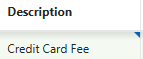
(Also, what is the little blue tag in the corner?)
The second issue is that if the row has been programmatically entered, then another column, Amount, will revert to the value coming from the Popup LOV if I click into it.
After the row has been programmatically added:

After (double) clicking into the cell:
After the row has been manually added (the Amount coming from the Popup LOV is empty / null):
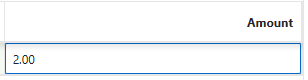
Entered a value:

Clicking into the cell:
Now, I have noticed that even when manually adding the row, if I select another row, then click back into this row, it will disappear.
I guess I'm wondering if there is a way to prevent the Popup LOV from continually refreshing the data, but, on the other hand, to have the Description “Display” value be refreshed (programmatically).