ISSUE:
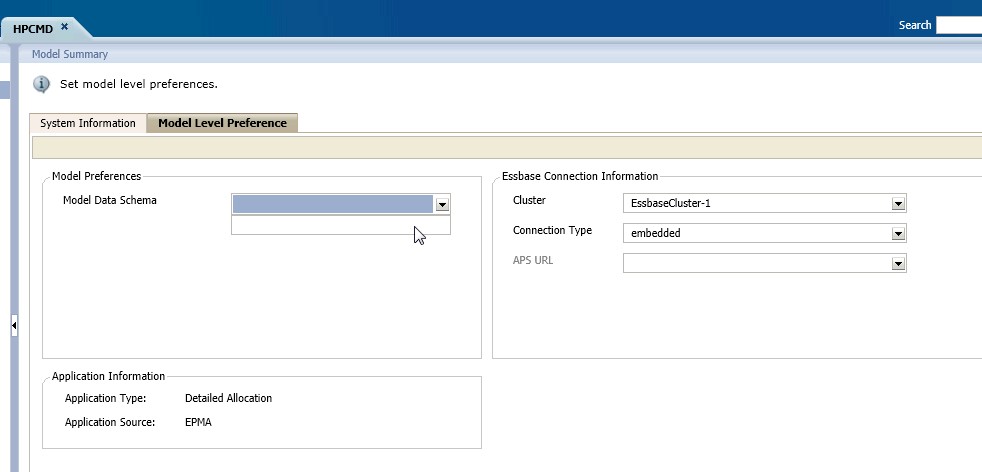
HPCM - Unable to view anything under Model Data schema
ENVIRONMENT:
Foundation Server [Server 1: Foundation, Calc, EPMA, Planning, Essbase, EAS, SF, HPCM];
HFM Server [HFM, FDM, FDMEE, ODI, FCM]
Version: EPM 11.1.2.3
OS: Windows Server 2008 64 bit
Database: MS SQL Server 2008
STEPS:
1. Created a blank HPCM application with minimum required dimensions - [Application Name: HPCMD]
2. Validated and deployed the application. [Successful]
- Open application and navigate to Model --> Model Summary --> Model Level Preferences.
4. Created a Database (BKSDP30_DATA) in SQL; owner is BKSDP30_DATA (separate database than the one used for the FCM configuration - epm_fcm_1123 ; owner is fcm1123_dba )
I am not able to view anything under the Model Data Schema
Have I skipped any steps? or do I need to create the tables in the same database which was used for FCM configuration?
Any help will be highly appreciated.