[Wow. I should've made this a blog post. Sorry.]
While playing with the lock free reservable columns I found out that there are strange limits to the number of columns that can be set to reservable.
But what's worse: exceeding these limits is not properly handled by the database.
TLDR:
(NOTE: Only tested with max_columns=standard, not tested with extended yet)
- Executing a create table statement:
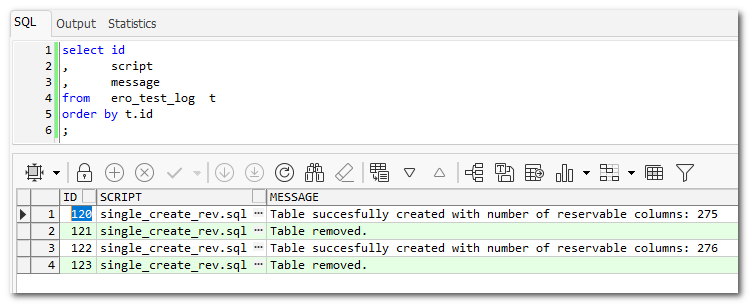
Limit is 276 reservable columns
277 or more results in ORA-03113: end-of-file on communication channel
- Creating a regular table, then setting multiple columns to reservable in a single alter statement:
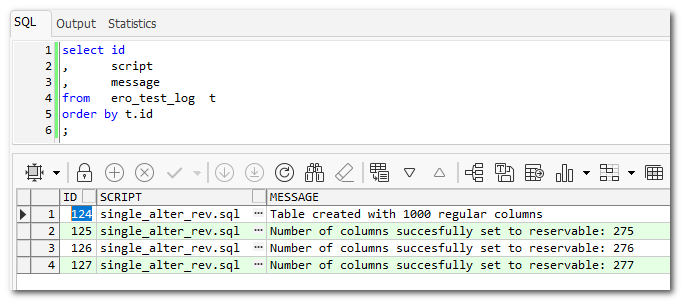
Limit is 277 reservable columns, so 1 more than in create statement, Possibly because the PK column is not involved in the alter statement, which obviously is in the create statement (though obviously not set to reservable) ???
278 or more results in very ugly ORA-600 and a necessary reboot of the VM.
- Creating a regular table, then setting columns to reservable using individual alter statements:
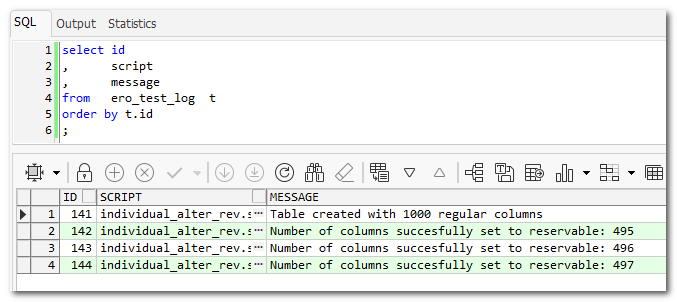
Limit is 497 reservable columns. This is the limit I expected (See below for explanation)
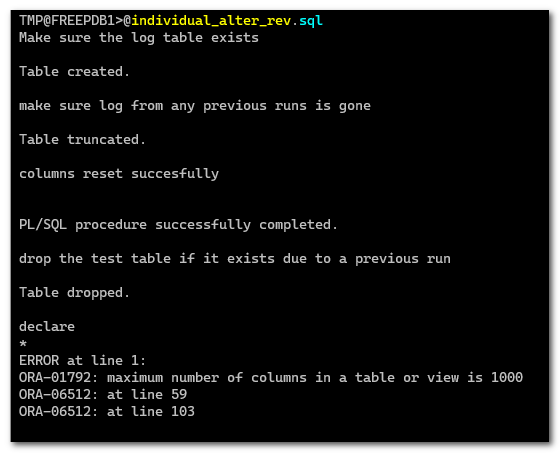
498 or more results in ORA-01792: maximum number of columns in a table or view is 1000 which makes sense (see explanation below)
- Resetting multiple reservable columns to not-reservable using a single alter statement
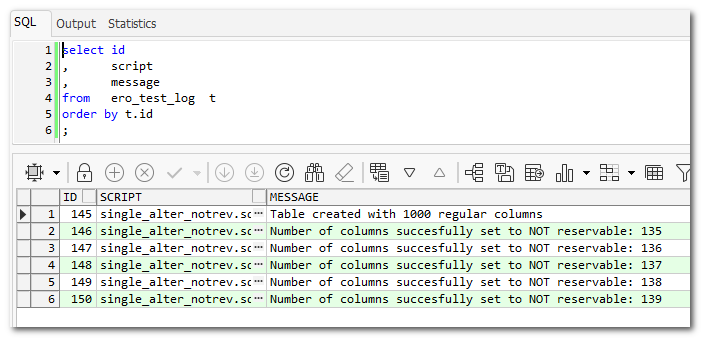
Limit is 139, which is roughly half of the limit for single alter statement in the other direction
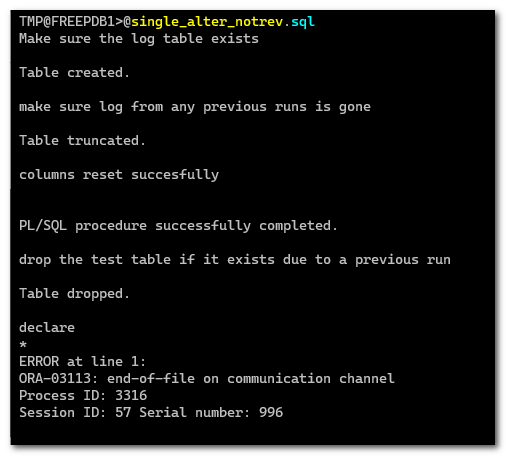
140 or more results in ORA-03113: end-of-file on communication channel
I know, I know “Who in his right mind would create that many reservable columns??”.
Then again, who in his right mind will create a table with 4096 columns??
Trust me. Somebody will.
Explanation
When I saw that a ‘journal’ table is created for tables with reservable columns, and that this journal table has 4 columns named like ‘ORA_%$’, plus one column for each PK column and 2 columns for each reservable column ([column name]_OP and [column name]_RESERVED), I came to the conclusion that a table can not have more reservable columns than:
floor (([maximum number of columns in a table] - 4 - [number of PK columns]) / 2)
Because the journal table too has to comply with the restriction of the maximum number of columns.
So, if max_columns=standard and the table has a single PK column, the maximum number of reservable columns is:
floor ((1000 - 4 - 1) / 2) = 497
As you can see in the summary above that is exactly the limit I encounter when doing an individual alter table statement for each column I want to set to reservable.
All is well until the 497th alter table. After that “ORA-01792: maximum number of columns in a table or view is 1000” is raised.
Though a more descriptive message would be nice (because I'm not adding columns), it does make sense because the journal table can't grow beyond 1000 columns.
Resetting the columns to not-reservable with an individual alter statement for each column works just fine without limitations.
If you can set x columns to reservable, you can reset them this way.
However, if I set the columns to reservable in the table-create statement the limit is 276 reservable columns.
If I set more than that in the create statement I run into “ORA-03113: end-of-file on communication channel” and my session is gone.
I can't think of a logical reason for the number 276.
The same thing (ORA-03113 and session gone) happens when I reset more than 139 columns to not-reservable in a single alter table statement.
Also no idea where this number comes from.
It gets even worse when using a single alter table statement to set more than 277 columns to reservable.
In that case I run into an ORA-600 and I have to shut down en restart my VM to be able to get to the DB again.
Demo
If you want to reproduce this, I attached some scripts to this post.
The scripts use PLSQL to generate the huge and/or many statements.
Trust me once I knew the limits I tried static statements as well with the same results. So it's not due to dynamic sql.
Place them all in the same directory, run a script and look at the results in the ero_test_log table (Because of the type of errors that happen, dbms_output can't be used)
The scripts try to perform their action with an increasing amoount of reservable columns.
To save time all scripts start with a number of reservable columns close to the limit.
When a script reaches its limit it errors-out in one way or another.
The last number of columns that is logged in the log table is the last amount that was succesful.
- prepare.sql
Called by the other scripts, makes sure test table is gone and log table is present and empty
No need to run this manually
- single_create_rev.sql
Keeps creating the test table with an increasing amount of reservable columns right there in the create statement
- single_alter_rev.sql
Creates a test table with 1000 regular columns and attempts to set an increasing amount of columns to reservable with a single alter table statement
- individual_alter_rev.sql
Creates a test table with 1000 regular columns and attempts to set an increasing amount of columns to reservable with individual alter table statements for each column that needs to be set.
- single_alter_notrev.sql
Creates a test table with 497 reservable columns (the max I can reach) and attempts to set an increasing amount of columns to not reservable with a single alter table statement
- cleanup.sql
To be run manually when you're done testing. It will make sure that no leftover objects of the test will litter your database.
Results
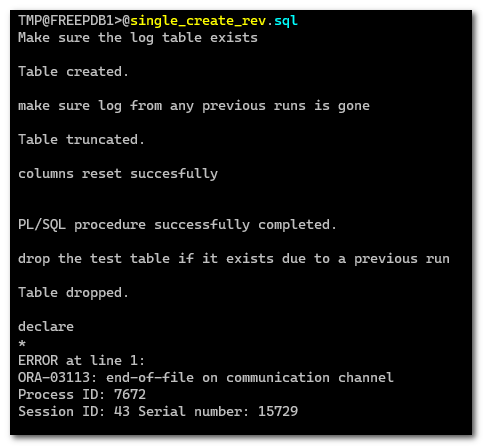
Need to reconnect
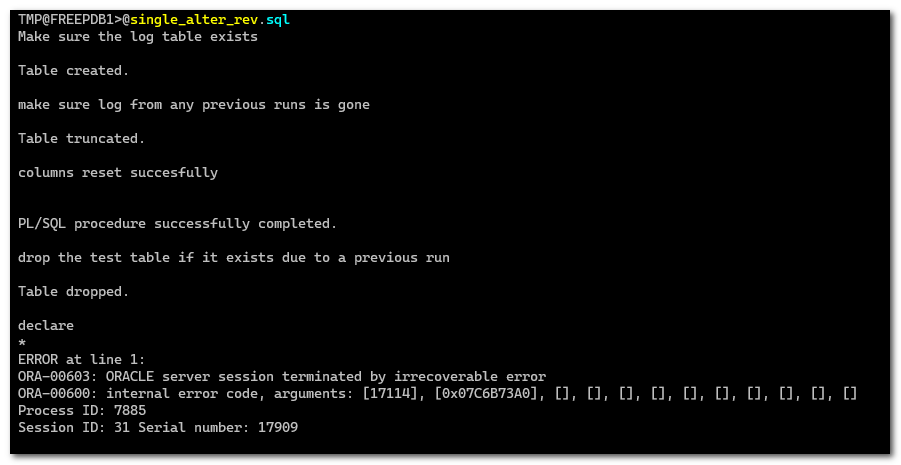
Need to shut down and restart the VM
Need to reconnect
cleanup.sql
individual_alter_rev.sql
prepare.sql
setup_create_log.sql
single_alter_notrev.sql
single_alter_rev.sql