Hi everyone,
I ran into an interesting behavior while working with a JET Chart region refresh in Oracle APEX.
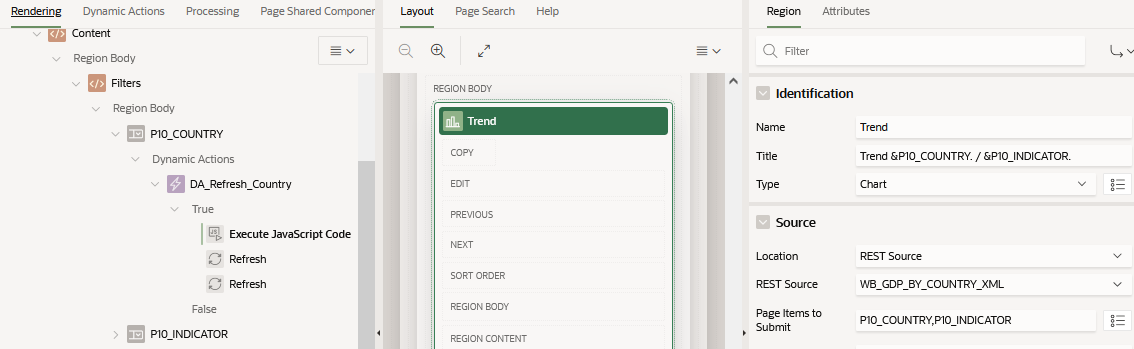
My chart region title is defined using substitution strings:
Trend &P10_COUNTRY. / &P10_INDICATOR.
Both P10_COUNTRY and P10_INDICATOR are Select Lists.
I added a Dynamic Action:
Event: Change → Item: P10_COUNTRY → True Action: Refresh → Region: TREND_CHART
The behavior is the following:
- The chart data refreshes correctly
- But the region title does not update
So the chart shows the new dataset, but the title still displays the previous values of the page items.
I initially tried to keep the solution fully low-code, including computing the title in another page item and using substitution strings, but the region title still did not update after the AJAX refresh.
As a workaround I added a small JavaScript function that updates the region title after the change event:
function setTrendTxt(){
try{
  var c = $("#P10_COUNTRY option:selected").text();
  var i = $("#P10_INDICATOR option:selected").text();
  var val = "Trend: " + c + " / " + i;
  $("#trend_chart .t-Region-title").text(val);
}
catch(e){console.log('TrendTxt',e);}
}
This function is executed after the item change, and the title then updates correctly.
My question is mainly about the underlying behavior:
- Is this expected behavior because region titles are rendered only during the initial page render?
- Does the JET chart refresh update only the chart component but not the region header template?
- Or is there a recommended APEX-native approach for dynamic chart titles without using JavaScript?
Curious to know if others have run into a similar situation when refreshing chart regions.
Thanks!