APEX VERSION: 19.1.0.00.15
Hello,
I have an APEX application that seems to be running into a bug. I believe this is a problem within APEX and not with my App itself, but I may be wrong.
In the image below, is the homescreen of my application. It consists of different blue/green/yellow buttons which all serve a similar purpose: to open up a modal page and send an APEX item value corresponding to the button clicked. They all open up the same page, the values sent are what differ.
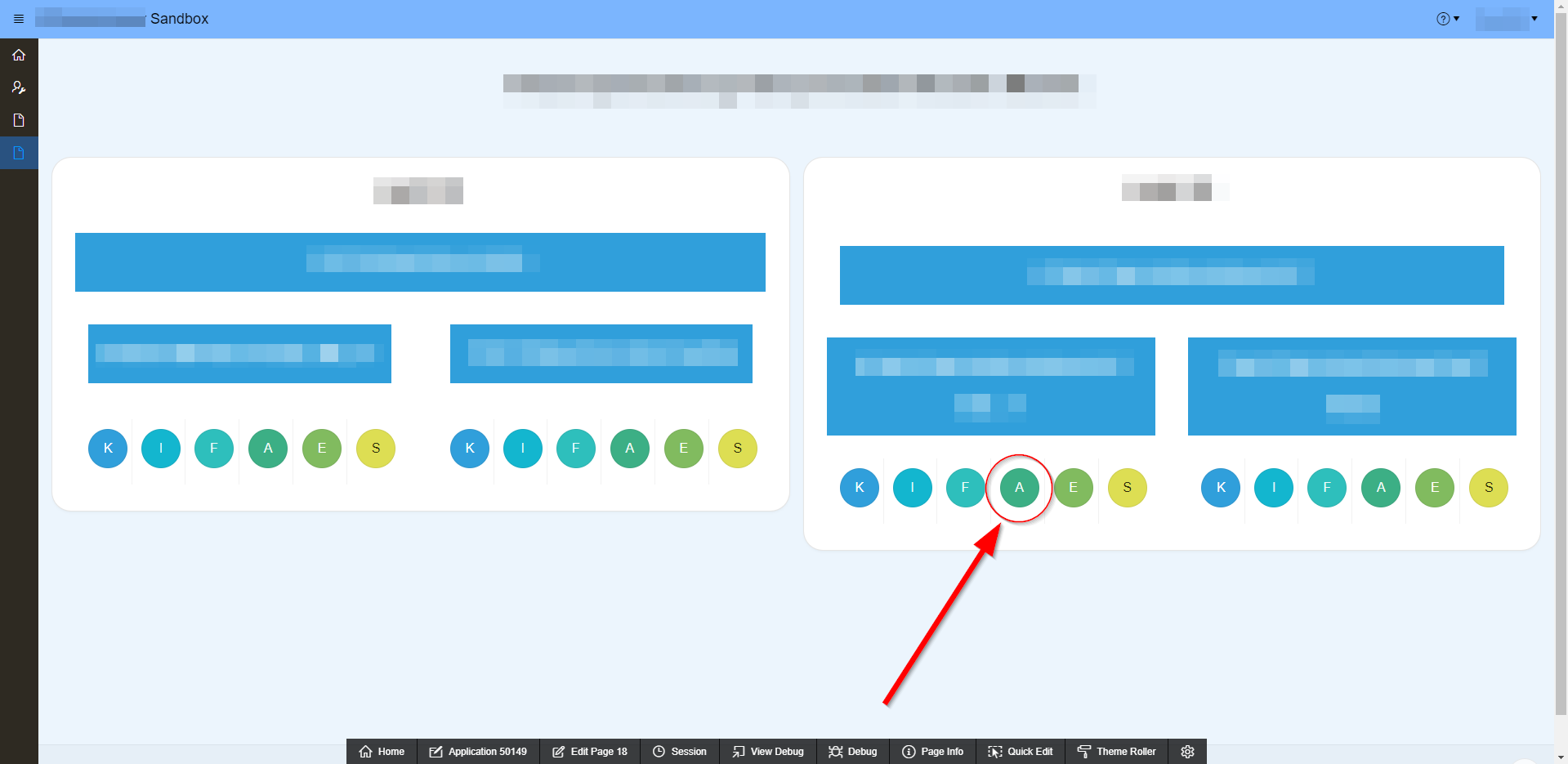
When clicking on one of the A buttons, it will open up the modal page with the value "A" being sent over.
The modal page has a few dynamic actions that hide or show different regions (interactive grids) based off of the value that is sent when redirecting to the page.
In this case of clicking the A button, all of the interactive grids are hidden, and then the corresponding "A - Interactive Grid" is shown (this is all expected behavior).
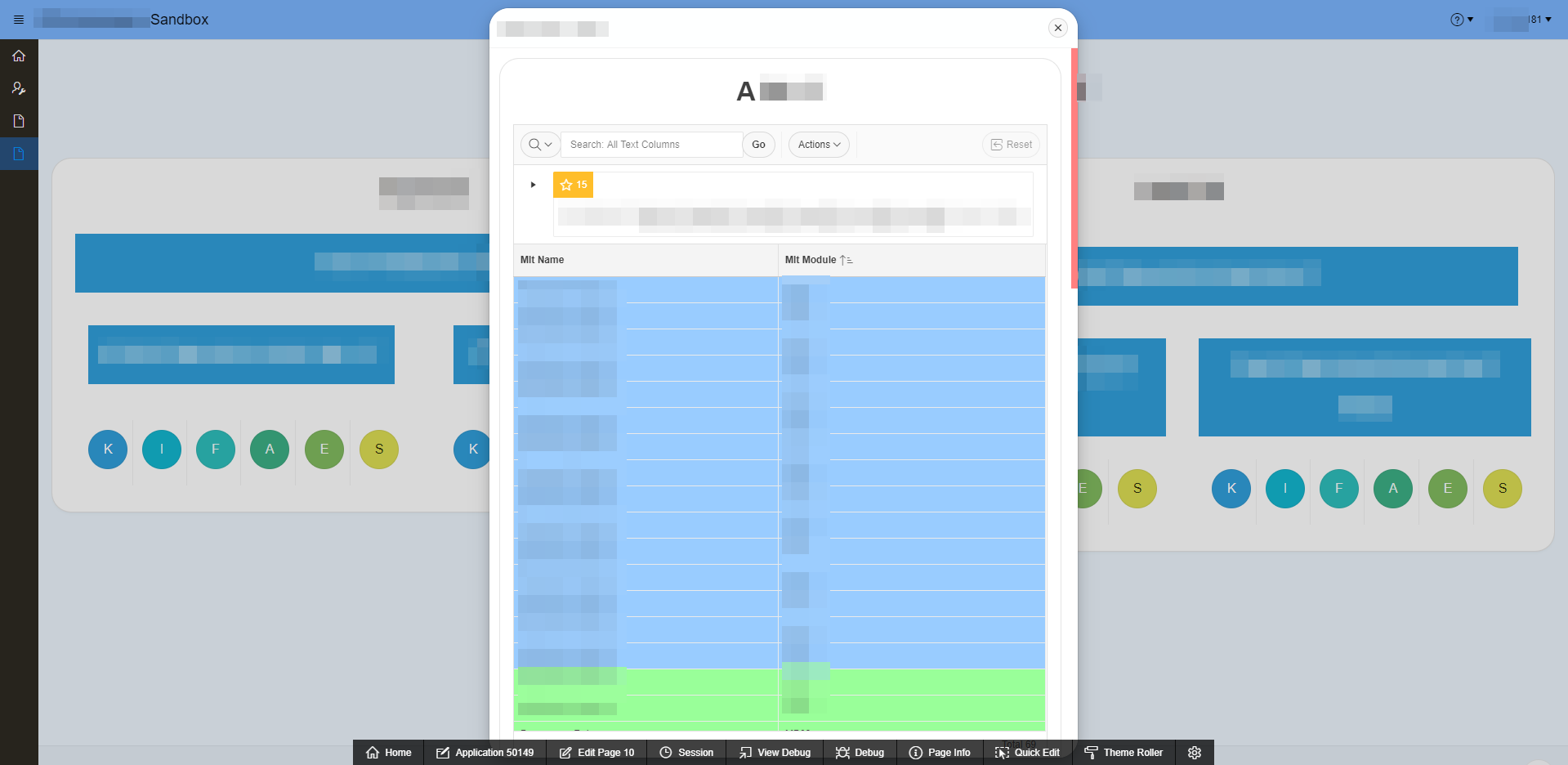
(Note that there are highlight formats put in place as the default report)
Where the problem begins to occur, is that the lower-half of the data shown in the "A - Interactive Grid" is blank/missing. The scrollbar on the side of the modal window shows that the results go much farther down, but fail to show any of the data. After counting the amount of rows shown, only 40 appear.
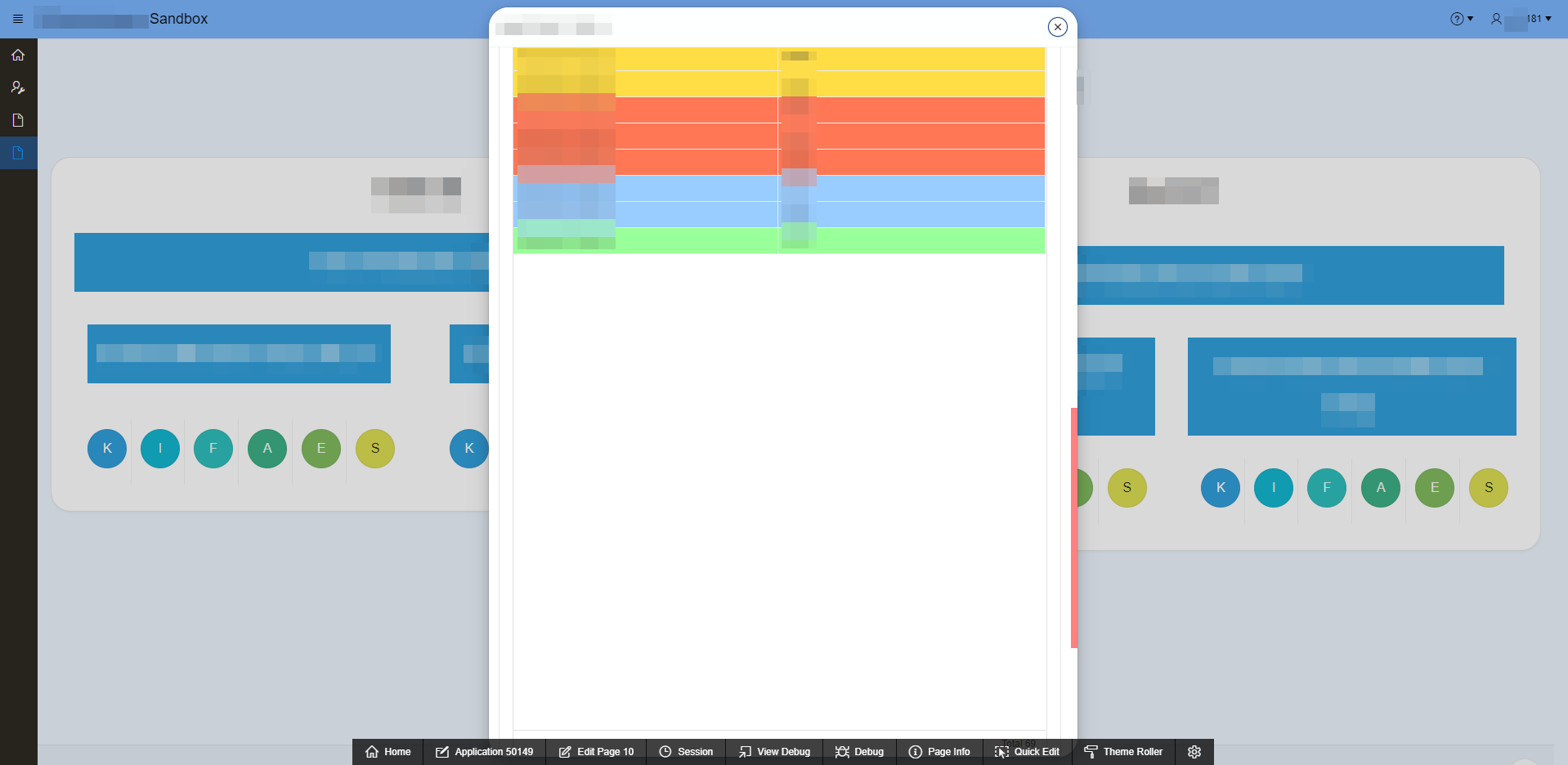
(Notice the position of the red scrollbar and where the data has seemed to stop; 40 rows, to be exact, although, sometimes it goes to 50 rows)
The data is still there, however. I can verify this because when I use the search functionality on the Interactive Grid, it will show results that were previously missing. And when putting the same SQL Query that the Interactive Grid is using as its source into SQL Developer, it shows all of the expected rows. I have also noticed that if I sort the results in the opposite direction, it will show all of the results that were missing before, but now only the last 40 results are shown as they are now at the top of the Interactive Grid.
However, when I switch the Page Mode from Modal Dialog to Standard, the issue does not happen. All of the data shows up as expected (69 rows total).
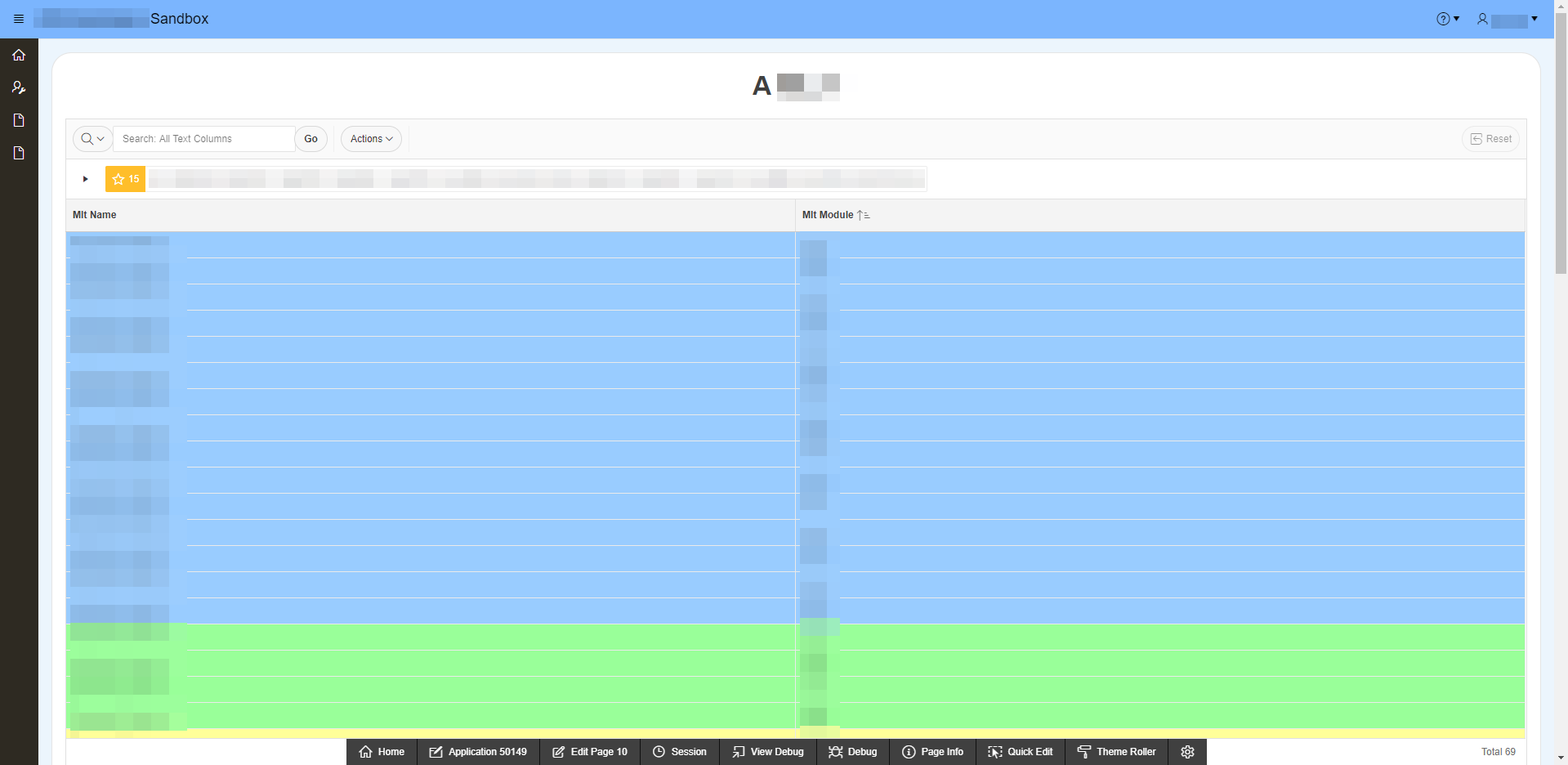
(This is the same page as the two screenshots before, however it is a standard page, and not a modal dialog)
NOTE: This issue appears in both Google Chrome and IE
To me, this looks like a potential bug in this version of APEX. If anyone has any suggestions on a way to potentially fix this, I would greatly appreciate it! I can also provide more screenshots or information if it will help so please ask!
Thank you in advance,
- Zach