Hello community,
I have Apex 19.1 installed on a windows server running IIS 10. Apex is working fine via localhost:8080.
I would like to map my own domain to access apex and get rid of 8080 port. I created a reverse proxy like in the following screenshot

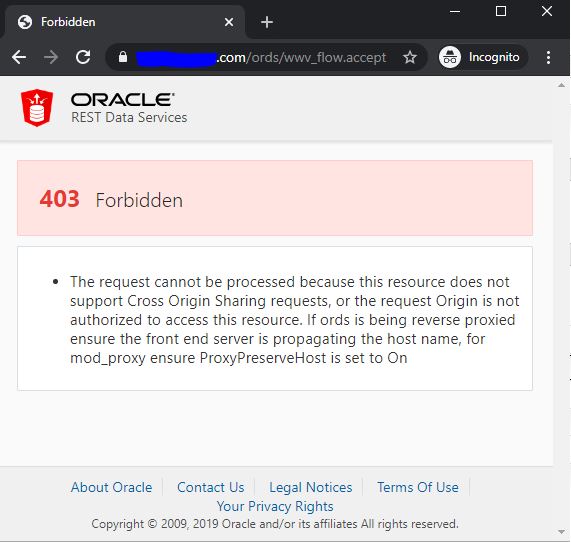
The reverse proxy works fine when I'm in http. However when I'm in https, the home page of Apex loads (workspace, username, password), but when I try to connect to a workspace, I'm getting the error : 403 Forbidden : The request cannot be processed because this resource does not support Cross Origin Sharing requests, or the request Origin is not authorized to access this resource. If ords is being reverse proxied ensure the front end server is propagating the host name, for mod_proxy ensure ProxyPreserveHost is set to On
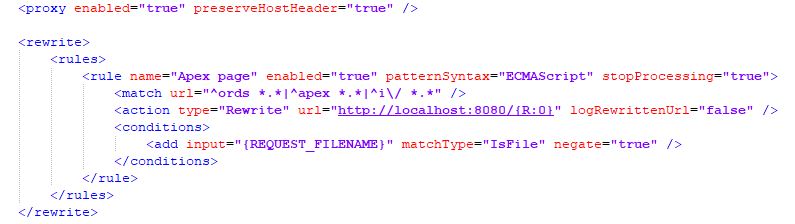
Here is a screenshot of my web.config file :
Has anyone an idea on how to solve that please ?
Thanks,
Cheers
403 Forbidden