Hello all -
I have a simple public app that shows a faceted search map on the home page. The map Initial Zoom is set to Type: Based on Spatial Results and Zoom Level: <empty> I use these settings as they consistently give the best zoom into a map of all points, as desired.
All works fine on a desktop, browser mode.
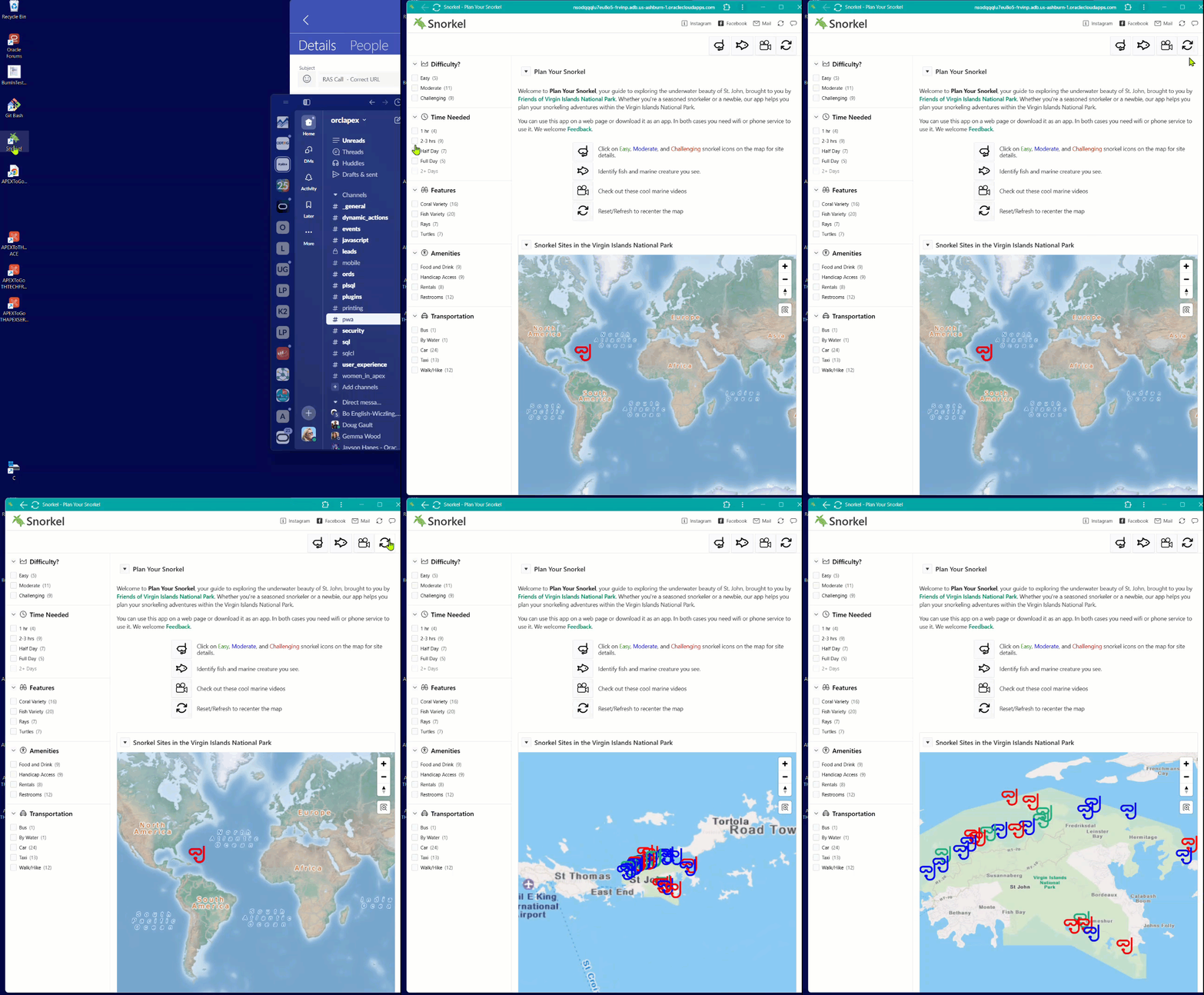
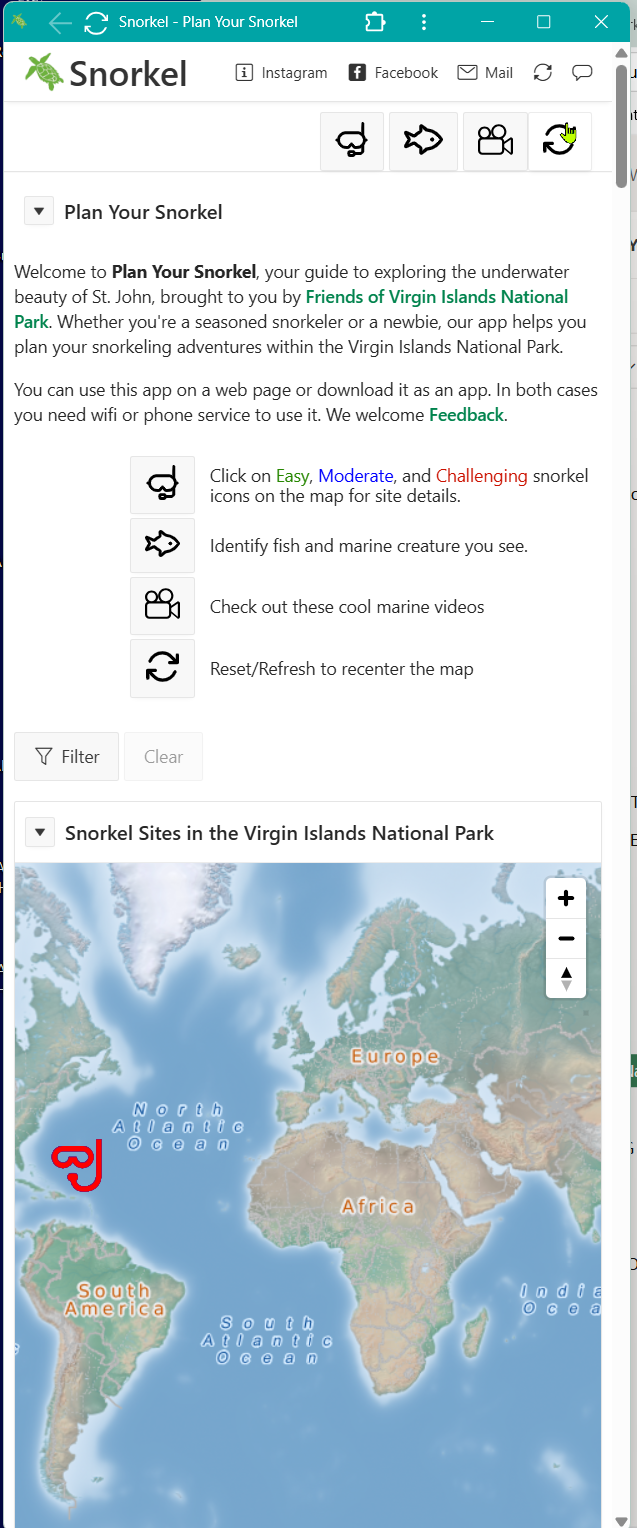
Once one installs the app as PWA, the Initial map zoom to spatial results does not work. I get a map, just no initial zoom based on spatial results to the field of points on the island, as we get in browser mode.
The user has to click on the Reset but to get the zoom to spatial results to kick in.
We want to eliminate that need to click Reset.
Question: How to force that initial zoom in PWA mode?
Suggestions welcome.
I am thinking of adding a dynamic action to kick off a Fly To or force a Reset if in minimal-ui display. (Minimal-ui is the option we use for PWA in order to have the top nav icons show on all phone types - more on that later if someone is curious). My initial attempts for force a Reset on initial load in minimal-ui display did not work. Might be nice to have a Reset button on the map itself - then the Reset is intuitive and right there for a user. ?of course, none of this extra stull if needed if I can get an Initial zoom while running as a PWA. Need some help here.
Note that since it is a faceted map (a map region controlled by Facets) , when in mobile there is JS that kicks the facets into a popup region. I do not think that is the issue here - same behavior all screen sizes. I think it has to do with a map in PWA mode.
In Browser:
First time to page the map automatically zooms to the points.
As PWA:
we see points, but no zoom in.
Mobile - same map behavior:
Suggestions welcome - thank you, Karen