Hi all. I have a REST interface I need to call from APEX.
I have it working in Postman. I need to pass a lot of parameters. I am not sure how to do it using APEX_WEB_SERVICE.make_rest_request as the samples only show one parameter. I also need to set the type to JSON(application/json)
Here is the Postman sample that works.
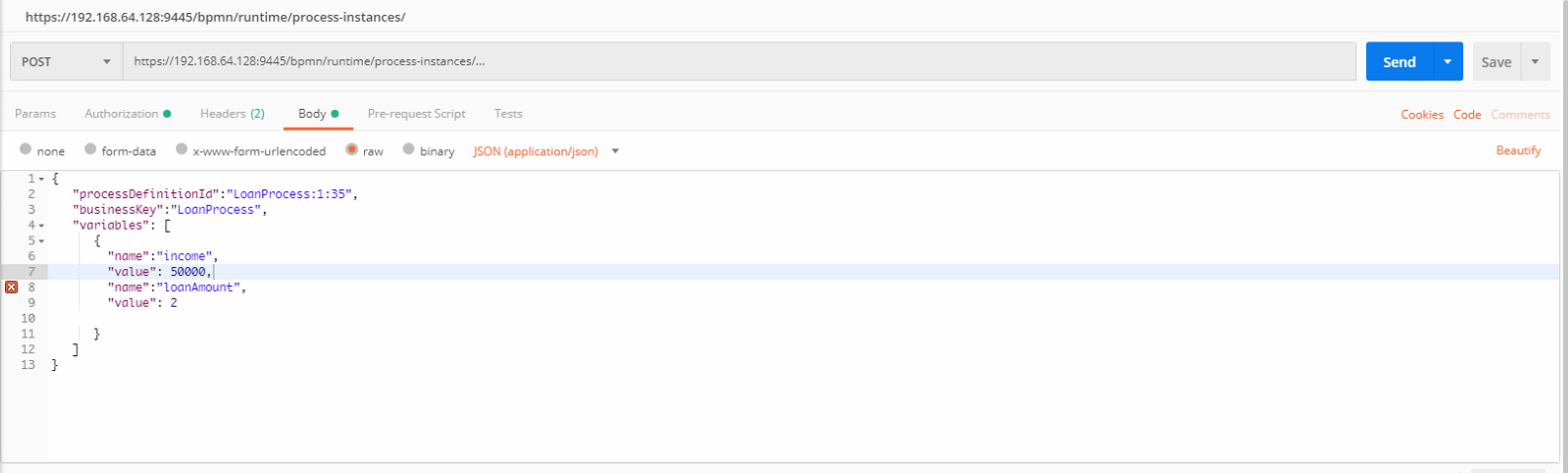
So ?I need to call this URL "https://192.168.64.128:9445/bpmn/runtime/process-instances/"
using these values
{
"processDefinitionId":"LoanProcess:1:35",
"businessKey":"LoanProcess",
"variables": [
  {

    "name":"income",

    "value": 50000,

    "name":"loanAmount",

    "value": 2

  }
]
}
I am not sure how to add the values to the paremeters
create or replace procedure "CREATE_REQUEST"
is
l_clob CLOB;
l_result VARCHAR2(32767);
BEGIN
APEX\_WEB\_SERVICE.g\_request\_headers(1).name := 'Content-Type';

APEX\_WEB\_SERVICE.g\_request\_headers(1).value := 'application/json';

-- Get the XML response from the web service.

l\_clob := APEX\_WEB\_SERVICE.make\_rest\_request(

p\_url         => '[https://192.168.64.128:9445/bpmn/runtime/process-instances](https://192.168.64.128:9445/bpmn/runtime/process-instances)',

p\_http\_method => 'POST' ,

p\_parm\_name   => APEX\_UTIL.string\_to\_table('p\_int\_1:p\_int\_2'),

p\_parm\_value  => APEX\_UTIL.string\_to\_table(1 || ':' || 2)

);
-- Display the whole document returned.
DBMS_OUTPUT.put_line('l_clob=' || l_clob);
END;