Hello guys,
 I'm new to oracle apex.

 Currently I'm using **Oracle apex 5.0** and **theme 25 i.e. blue responsive theme**.

 Now, Here's my question.

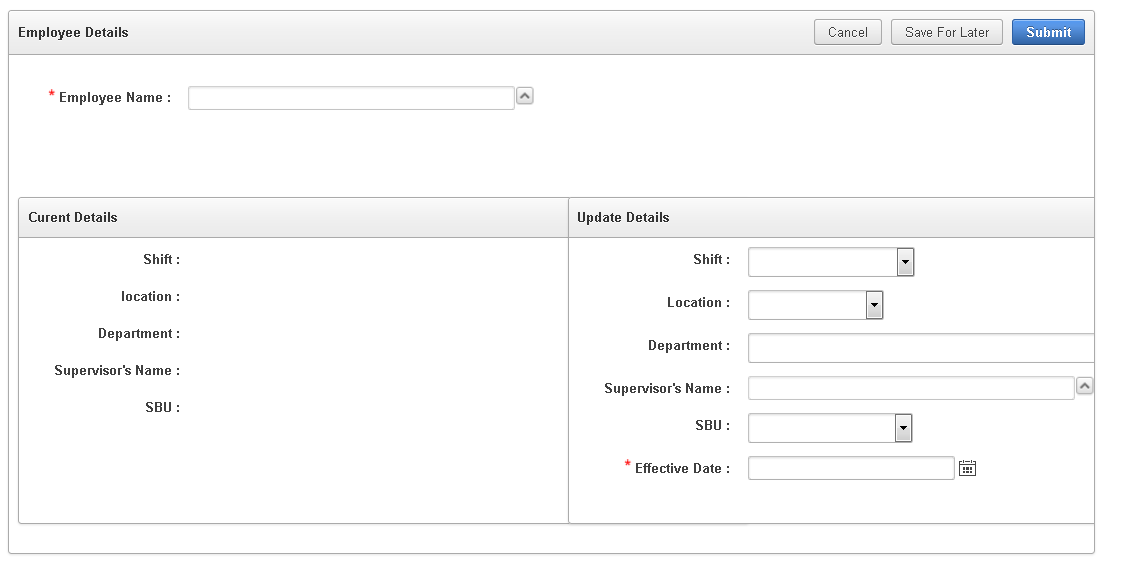
 I'm creating two form regions inside a single form region. Both child regions must have to be on same row and their height and width have to be same.  to achieve that, in first child's grid layout I set **_column automatic & column span to 1_** and in second child's grid layout I set **_column 7 & column span to 1_**. In both childs, I set region attributes to  **_style="overflow: auto; width: 670px; height: 300px;"_** and before that I tried to set  _**_style="overflow: auto; width: 670px; height: 300px;"_**_  under region header
Actually it looks fine with my system's resolution. But when I increase resolution, then second child overlaps to first child. I want that, if resolution decrease then it has the second child will come after first child and if resolution increases, well in that case size of both child will have to increase automatically.
I tried using padding and margin, but it doesn't work at all.
Anybody knows how to do that?
following images will describe the current situation.
parent region:-

1st child:-

2nd Child:-

Output with my current resolution

output after decreasing resolution