Hi All,
In Apex 21.1
Am trying to place a select list item at the right of an IR
I trried this solution:
- Add the following inline CSS to your page
.a-IRR-controls {
    width: 50%;
}
.t-Form-inputContainer, .t-Form-inputContainer.col, .t-Form-labelContainer, .t-Form-labelContainer.col {
    width: auto;
}
- Create On-Page-Load Dynamic Action. Its True Action executes the following JavaScript to append ITEM1 to the correct DIV region (The Right of Search Bar)
$('#ITEM1_CONTAINER').appendTo('.a-IRR-toolbar');
But end with this:
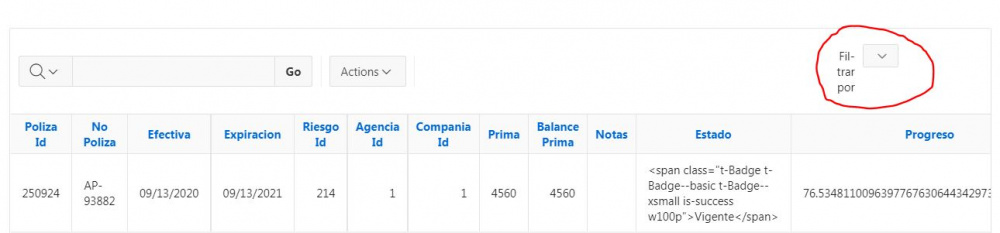
Any other solution for this?
Thanks for the help!