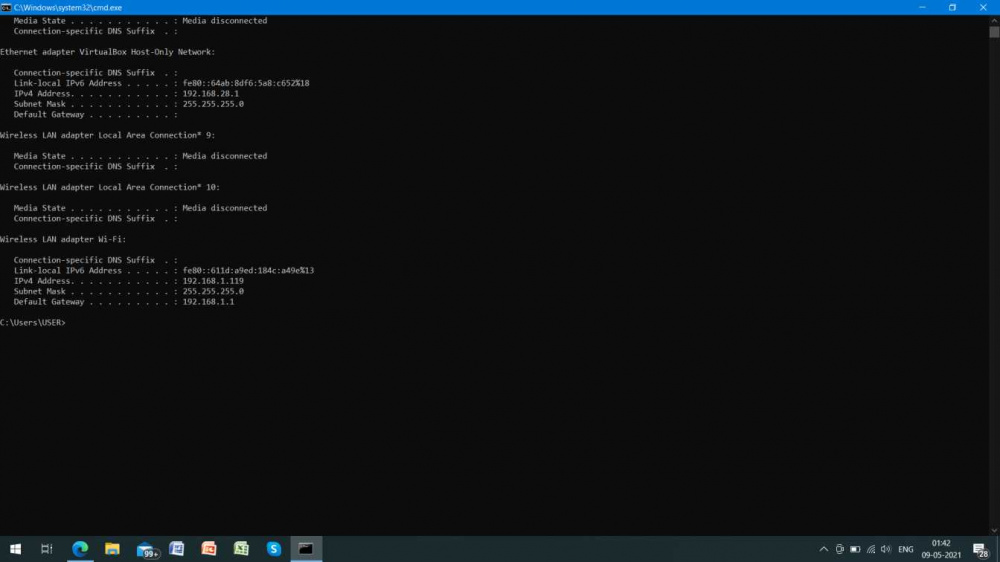
 1) I am running windows 10 as host machine and i installed vbox 6.1.22 in it.
2) In vbox i have installed centos7 using host-only adapter and my host-only ethernet ip is 192.168.28.1
3) I have installed oracle10g in windows 10.
4) Now im trying to connect my jboss server in centos to my oracle db in windows through windows local ip.
5) In vmware i automatically get a windows local ip for oracle db and i use that to establish the connection, but in virtualbox it only lists the host-only adapter not the windows local ip. Is it possible to test the connectivity through host-only ethernet ip.
6) If so what configuration do i need to make to establish the connection, could any of u put me through the process in dependable manner (i have configured jboss correctly so no problem in jboss), So it would be helpful as i am a beginner in linux and oracle administration.
7) FYI i have added the firewall inbound rule for both oracle.exe and tnslsnr.exe and started the database successfully but still can't able to connect through the ip, only works on localhost:8080/apex.
i have been stuck with this for more than 1 day so help me out, please!.