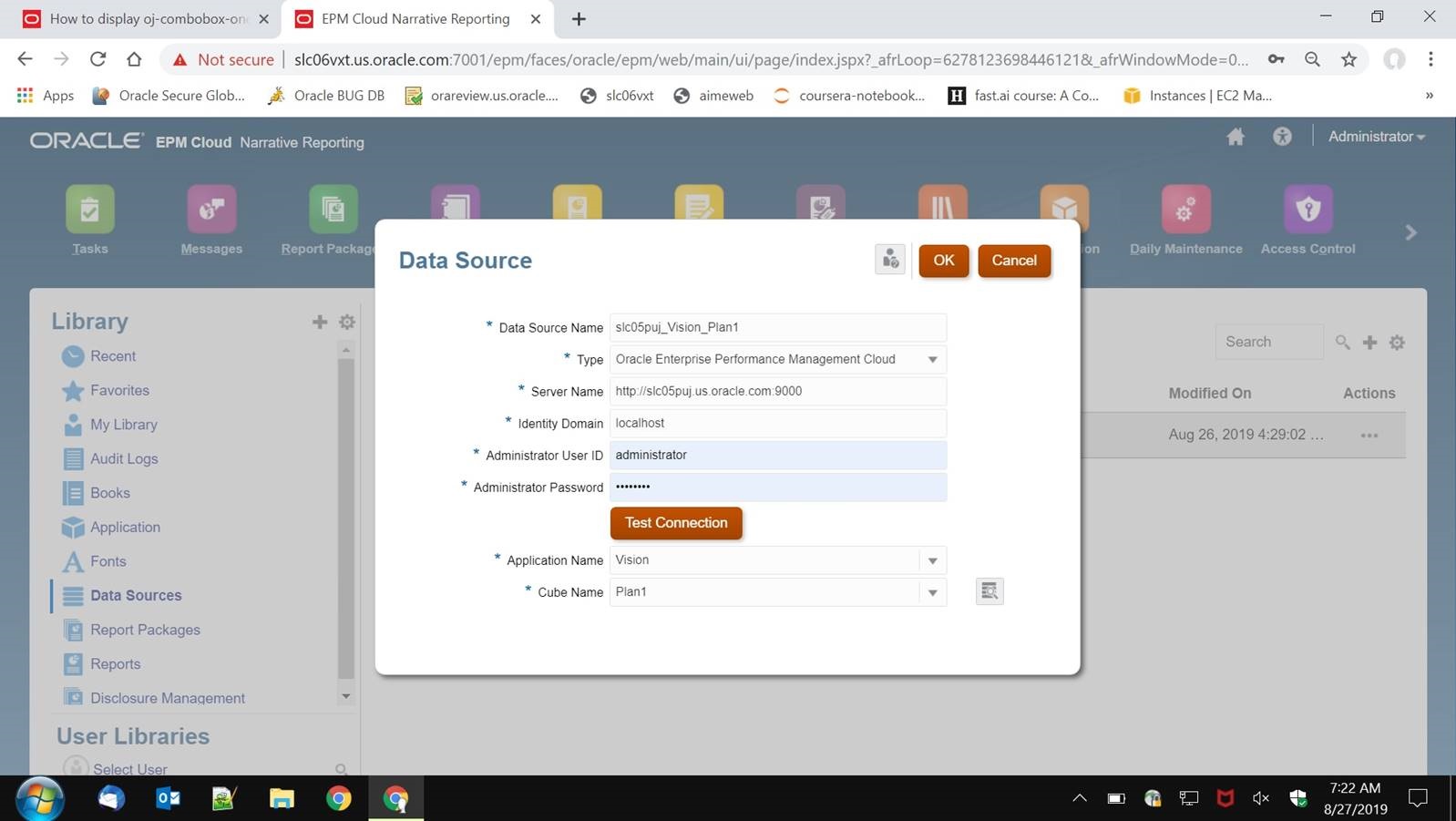
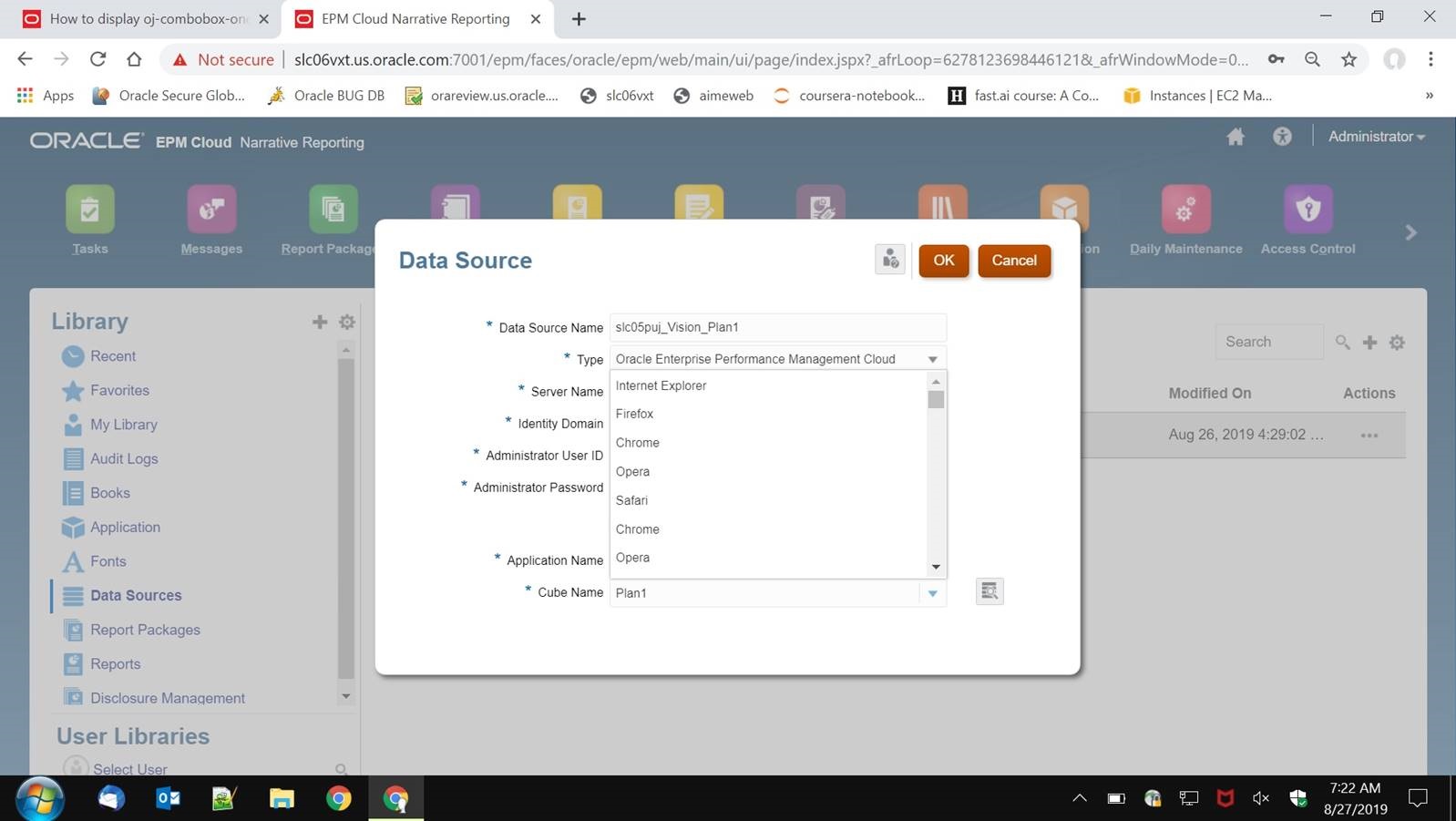
I have 3 questions:
-
The combobox and oj-popup are inside an iframe and there is no space below, so the options are displayed above the box. Is there any way I can display the oj-options below the input box in oj-combobox-one when there is no space at the end of the iframe?
-
How can I always display the oj-option below the input box in oj-combobox-one? I don’t want it to try to fit to the parent page.
-
Is there any way I can display the oj-popup on top of the parent window? I increased z-index but did not work.
I am using JET 6.
The oj-popup is inside an iframe, and it is at the bottom. So there is no space below it. If I use position - collision : 'none' it displays below the button but there is a vertical scroll bar. If I use collision : "flipfit" it displays above the button. I want it to display below but without vertical scroll bar.
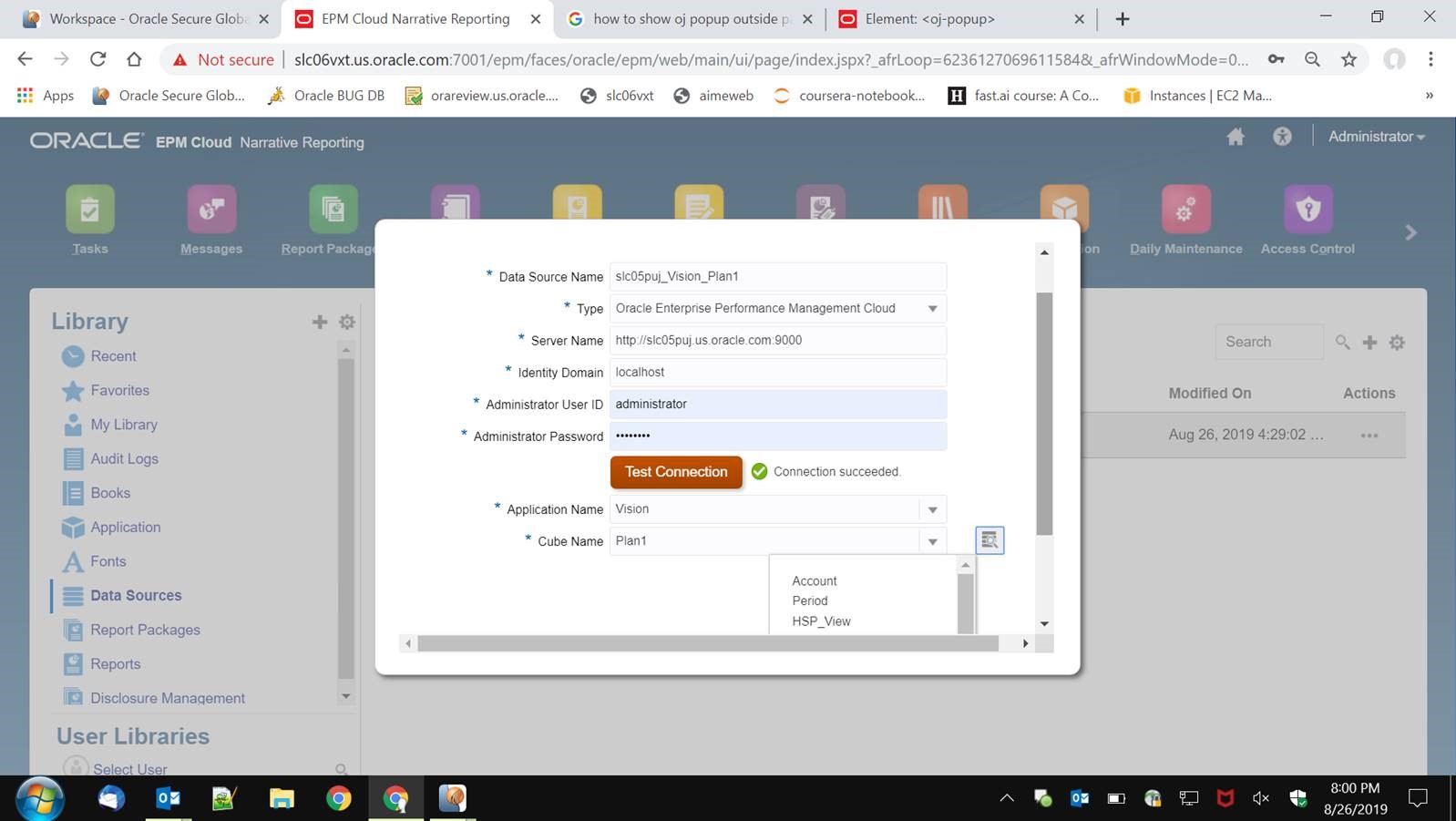
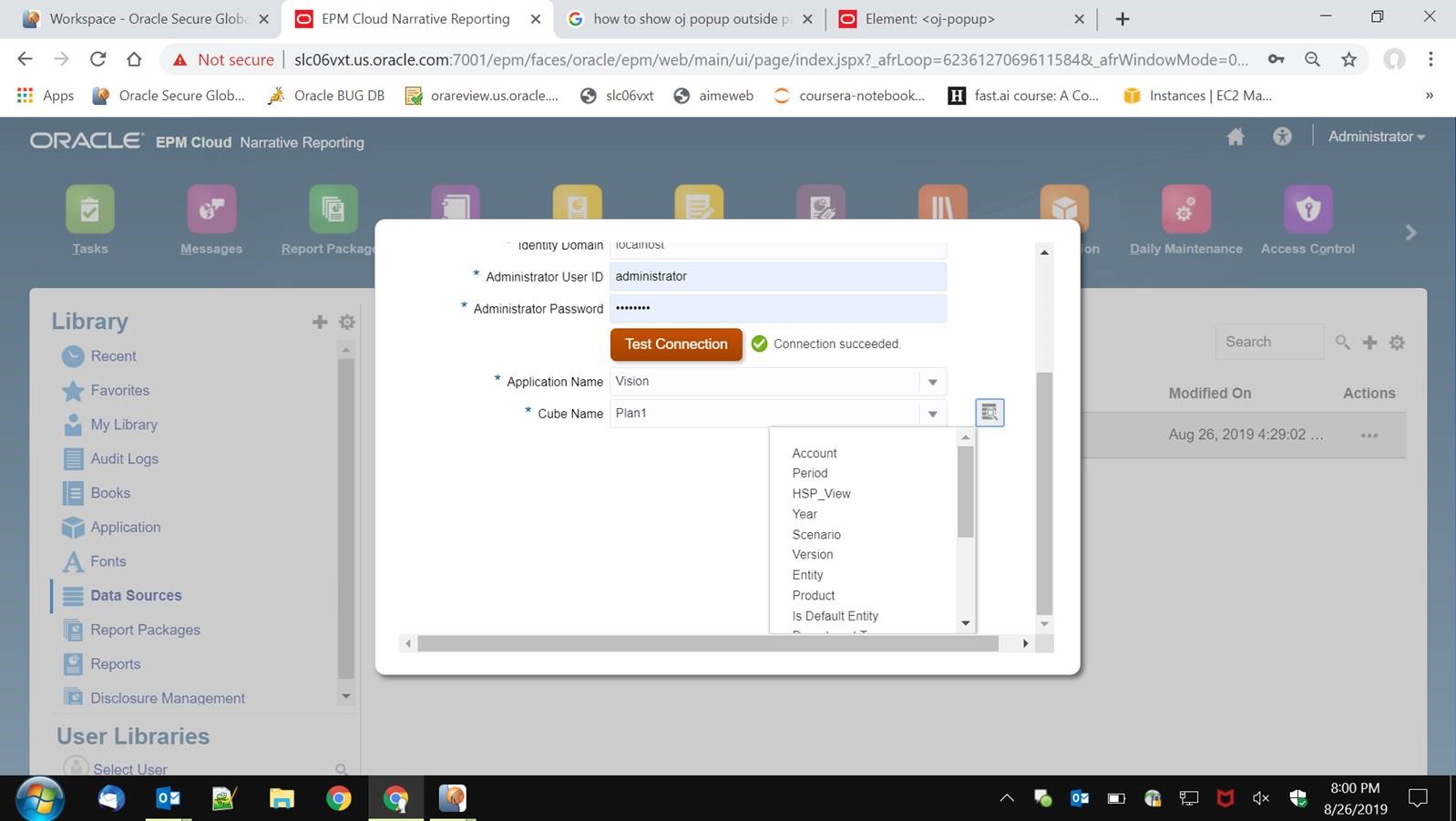
For combo box, the options are always displayed above because there is no space below. I want the options to be displayed below.