Hi all,
I am currently using the redwood theme and I have a requirement where the customer wants to increase the thickness of the row-lines (separating the tasks) in a gantt chart. The thickness results from the oj-gantt-horizontal-gridline class as shown by the element selector (chrome):
 I can override the class in my CSS, but OJAF tells me I should not do that:
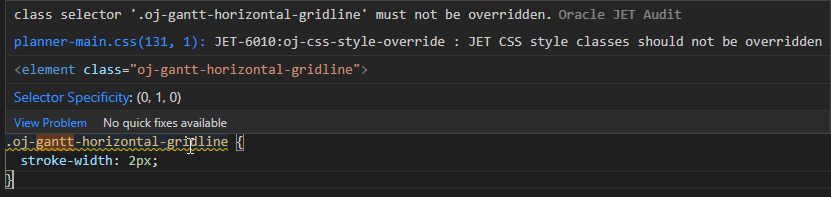 https://docs.oracle.com/en/middleware/developer-tools/jet/11.1/develop/best-practices-using-css-and-themes.html says I should "Never override Oracle JET classes" and use theming instead.
I had a look at https://docs.oracle.com/en/middleware/developer-tools/jet/11.1/develop/work-custom-themes-and-component-styles.html#GUID-5B93A116-FCA7-412F-AEC5-A15D2F504F83 but I just can't figure out how to override a class in the theme. As far as I see it, only the specified variables can be overriden and the 1px stroke-width is simply hard-coded into redwood.
Does anybody know of a better tutorial on how to implement overrides with theming? Is what I'm trying to do even possible?
Kind Regards,
Philip