Hello,
I'm struggling with setting SQL*Plus variables (Oracle Release 11.2.0.2.0) so it will my query return one record in one line only and not wrapped in many lines if it doesn't fit into command window.
For example if I'm connected as sys and execute query like "select * from all_tables" which return many columns I get in my command window something like this:
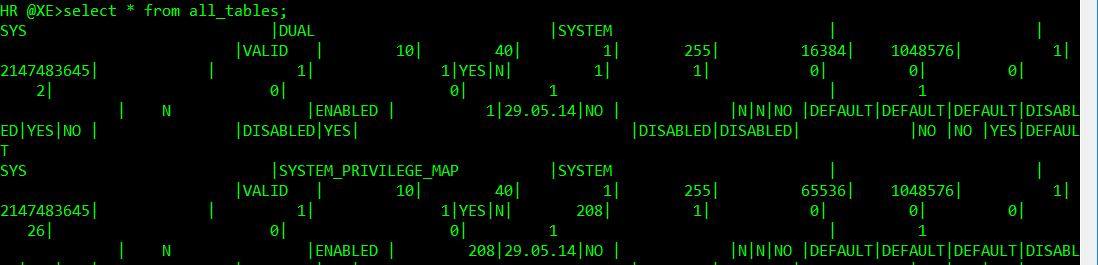
But I would like to get in this similar visual form (snapshot is from SQL Developer):

It's not important if I don't see all columns if it doesn't fit into my window. I would just like to see clearly each record in it's own line. How and which variables I have to set to get this desired output if is possible at all? I was looking on web for some concrete solution but I can't find some working recipe. Can someone help me solve this challange?
The other questions regarding displaying result in SQL*Plus window are:
- When I execute query like above it display many screens before it's came to the end. How can I cancel executing this query and show SQL command prompt again? If I pres Ctrl+C 1st time I get SQL prompt, but when I press next time I fell out back to regular command prompt and I have to connect again what I don't want. How to cancel executing command and stay inside connected SQL session?
- How to set that screen output will pause for each screen and I have to press Enter to continue like in e.g. DOS prompt command "Dir /p".
BB