We are using APEX 5.1.2 interactive grid for displaying and editing a large table (more than 100k records with more than 100 columns). By using ctrl+scroll (mouse wheel) sometimes it happens that we end up in a situation in which column headers are no longer aligned with their columns. The picture below shows such a case.
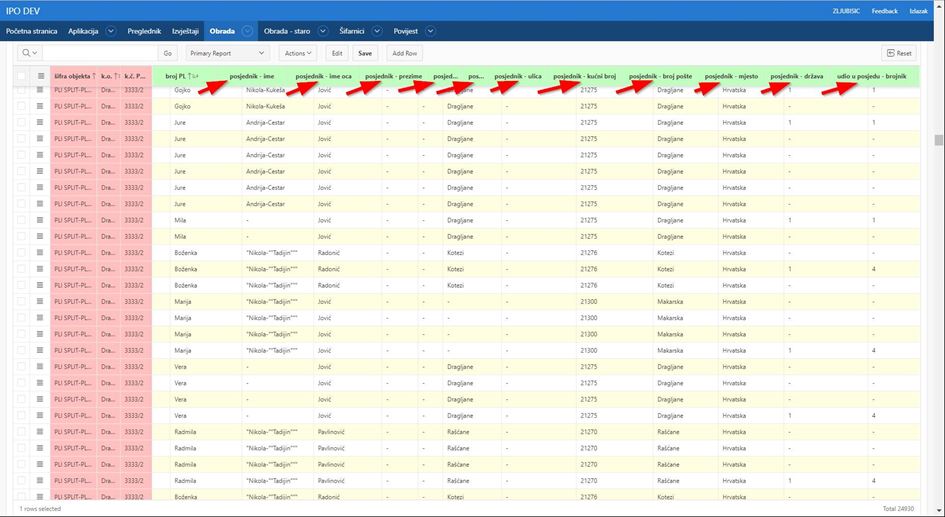
To create that misalignment we just have to press ctrl and scroll the mouse wheel back and forth for a while. In order to correct the table header/column alignment, it is usually enough just to scroll the mouse wheel one step to either side, but that’s not always the case.
When we cannot solve the problem by scrolling the mouse wheel, we are forced to refresh/reset the page or vertically scroll the page in order to get new data and to redraw the page again.
Is there a solution to this problem?