I am using Oracle APEX 22.1.6. I have a custom DML process on an interactive grid that inserts records to table KPI_VALUES.:
begin
	if :APEX$ROW_STATUS = 'C' then
			insert into KPI_VALUES (PLANT_EQUIPMENT_KPI_ID, KPI_VALUE, STARTING_DT, ENDING_DT)
				VALUES (:PLANT_EQUIPMENT_KPI_ID, :KPI_VALUE, trunc(to_date(:YEAR_MONTH), 'mm'), :YEAR_MONTH)
				RETURNING KPI_VALUE_ID into :KPI_VALUE_ID;


	elsif :APEX$ROW_STATUS = 'D' then
		delete from KPI_VALUES where KPI_VALUE_ID = :KPI_VALUE_ID;
	elsif :APEX$ROW_STATUS = 'U' then
		update KPI_VALUES
		set PLANT_EQUIPMENT_KPI_ID = :PLANT_EQUIPMENT_KPI_ID,
			KPI_VALUE = :KPI_VALUE,
			STARTING_DT = trunc(to_date(:YEAR_MONTH), 'mm'),
			ENDING_DT = :YEAR_MONTH
		where KPI_VALUE_ID = :KPI_VALUE_ID;
	end if;
end;
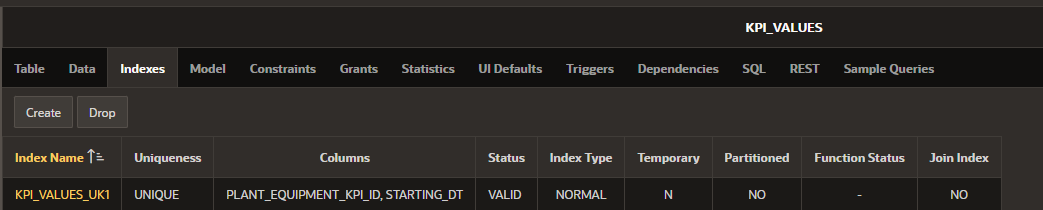
There is a unique constraint on this table for fields: PLANT_EQUIPMENT_KPI_ID & STARTING_DT.:
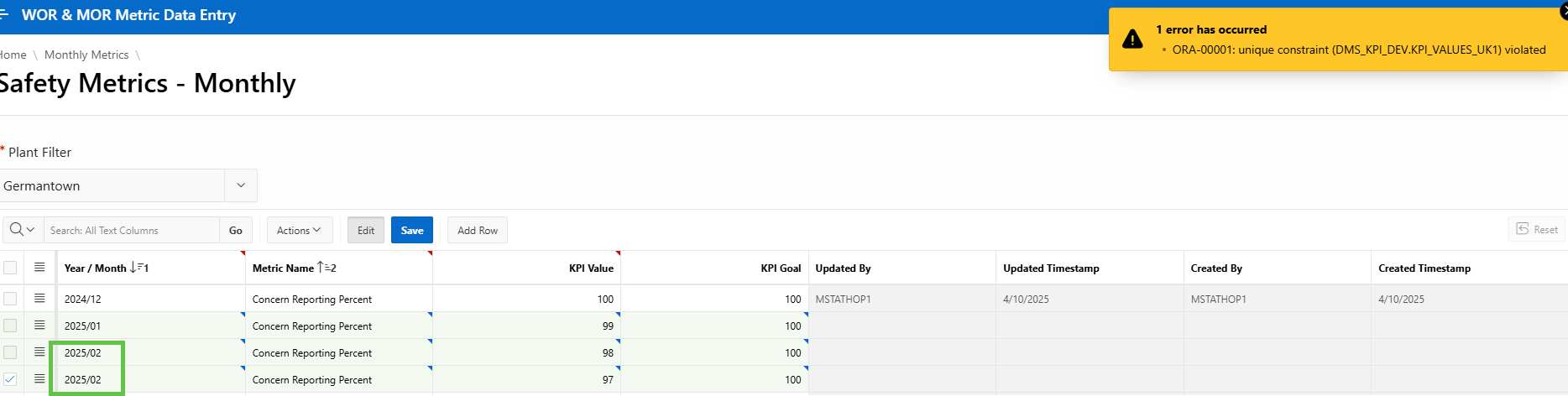
When I try to insert records with the same starting_dt and plant_equipment_kpi_id I get an error (as expected). :
****Note that Year/month column is an LOV with a return value of date
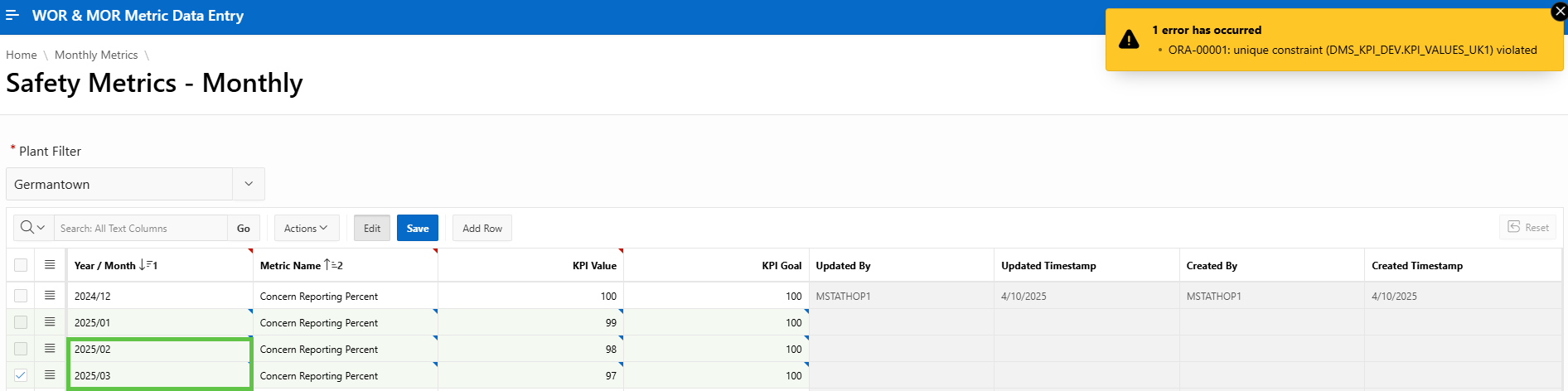
But If I try to change one of the starting_dt inputs and hit save again, I get the same error. :
After I refresh the page, I see the first record (2025/01), which is why I think the constraint error is still present the second time after I fix the error rows:
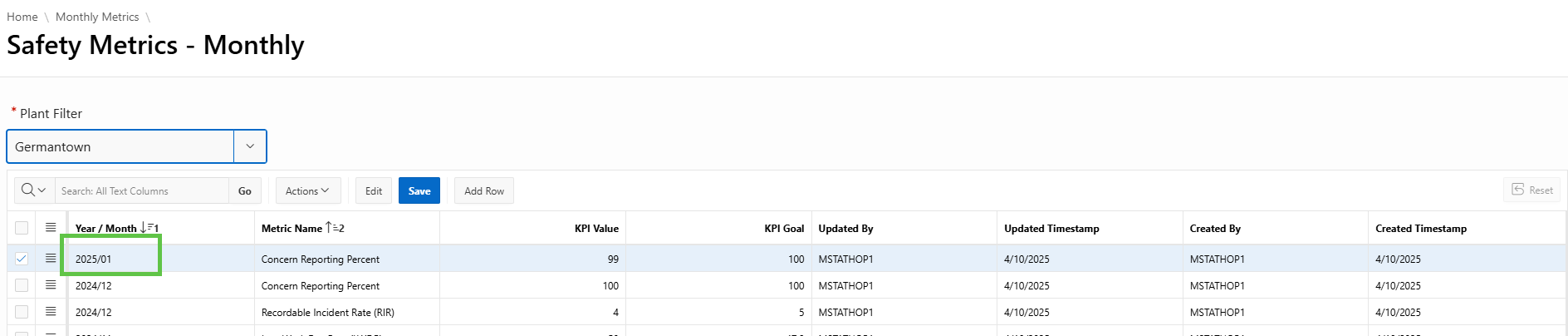
I think a possible solution is to incorporate error handling logic to rollback all changes if a Unique constraint error is found. I understand that DMLs automatically commit after each updated line, so when I tried to implement this, the first record (2025/01) was still saved - thus the second constraint error.
Do you have suggestions on how to rollback all changes made for a custom DML or other ideas to avoid this bug?