So, I've been beating my head against this for several hours. JavaFX is completely new to me, so I started building a small paint app to learn a bit more about it. What I'm currently doing is writing data to a byte array when the mouse is pressed, and using a PixelWriter to write that buffer back to a canvas control. Everything worked fine, but then I started playing around with zoom support. I'm using setScaleX and setScaleY on the canvas to implement zooming, which is where I suspect the problem is. If I zoom in to edit individual pixels, I get some kind of anti-aliasing.
If I just doodle a bit and then screenshot it without zooming in, everything works, and I get this result:

I can even screenshot my application and zoom in on the result with for instance gimp and see that it's a clean 1 pixel line. If I zoom in at all, this isn't true anymore. For reference, here's what it looks like:
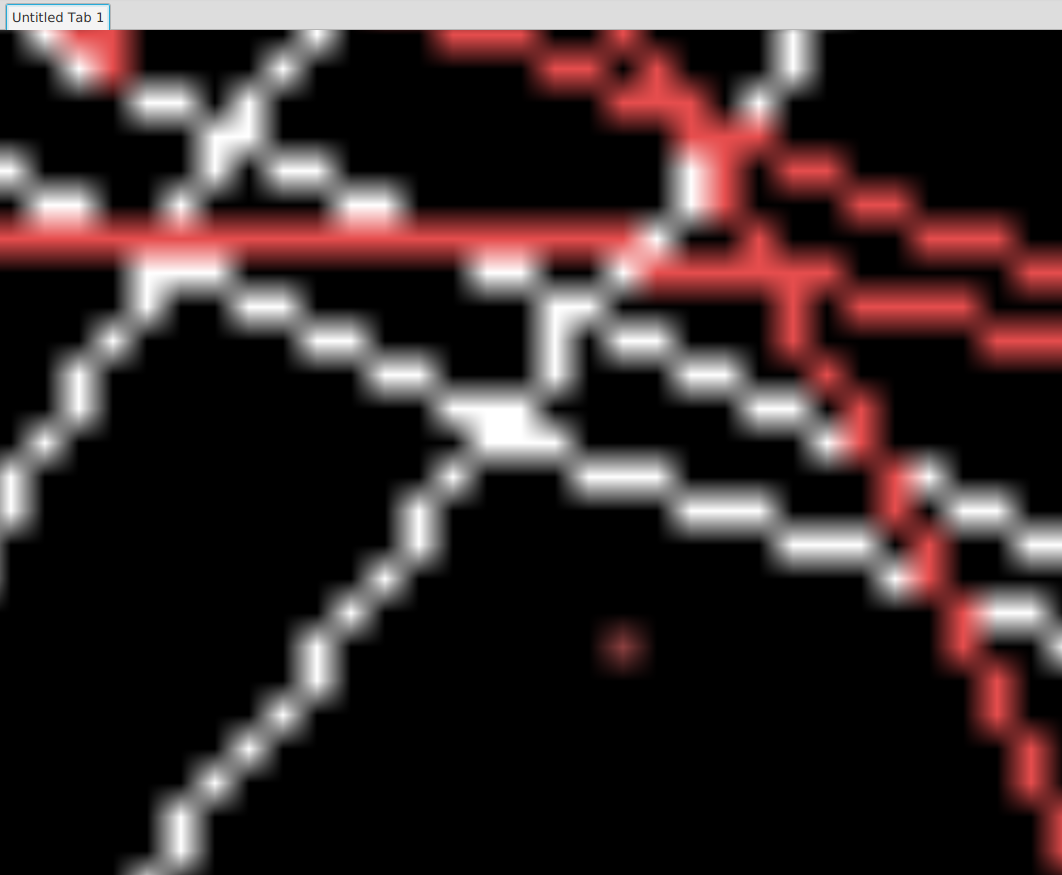
So all in all, not very easy to draw on
Some more details:
* I've tried switching completely from a canvas to an ImageView instead. Same issue (which is why I'm starting to assume the issue is with the way I'm doing scaling)
* I read somewhere that you could get these kind of "artifacts" in a canvas if pixels didn't line up correctly since you have doubles for x and y on a canvas. I don't think this should be an issue when using a PixelWriter. In fact, it seems to be worse if I play with various offsets in x and y.
What I would usually do is look for some kind of filtering option and use nearest neighbor or similar, but I can't find *any* information about this at all.
Code snippets:
The way I'm currently working with PixelWriter and canvas is pretty much the same as in this article: https://docs.oracle.com/javafx/2/image_ops/jfxpub-image_ops.htm
This is the method I'm currently using when writing
public void blit() {
PixelFormat\<ByteBuffer> pixelFormat = PixelFormat.getByteBgraInstance();

pixelWriter.setPixels(0, 0, width, height, pixelFormat, buffer, 0, width \* BYTES\_PER\_PIXEL);
}
... Where the pixelWriter instance comes from the getPixelWriter() method on the GraphicsContext object from the canvas.
The way I've currently implemented "zooming" is by simply setting the scale. I have a stackpane with the canvas as a child, and I'm currently setting it up like this:
private void setupZoomPane() {
final double DELTA = 1.1;
zoomPane.setOnScroll(e -> {
   e.consume();

   if (e.getDeltaY() == 0) return;

    double scale =

       (e.getDeltaY() > 0) ? DELTA : 1.0 / DELTA;

    canvas.setScaleX(canvas.getScaleX() \* scale);

   canvas.setScaleY(canvas.getScaleY() \* scale);
});
}
Is there some setting I'm missing, or am I going about this the entirely wrong way? Any input appreciated.
Thanks.
// Eric