APEX Version : 23.1
Browser: Chrome (latest) on Windows 10
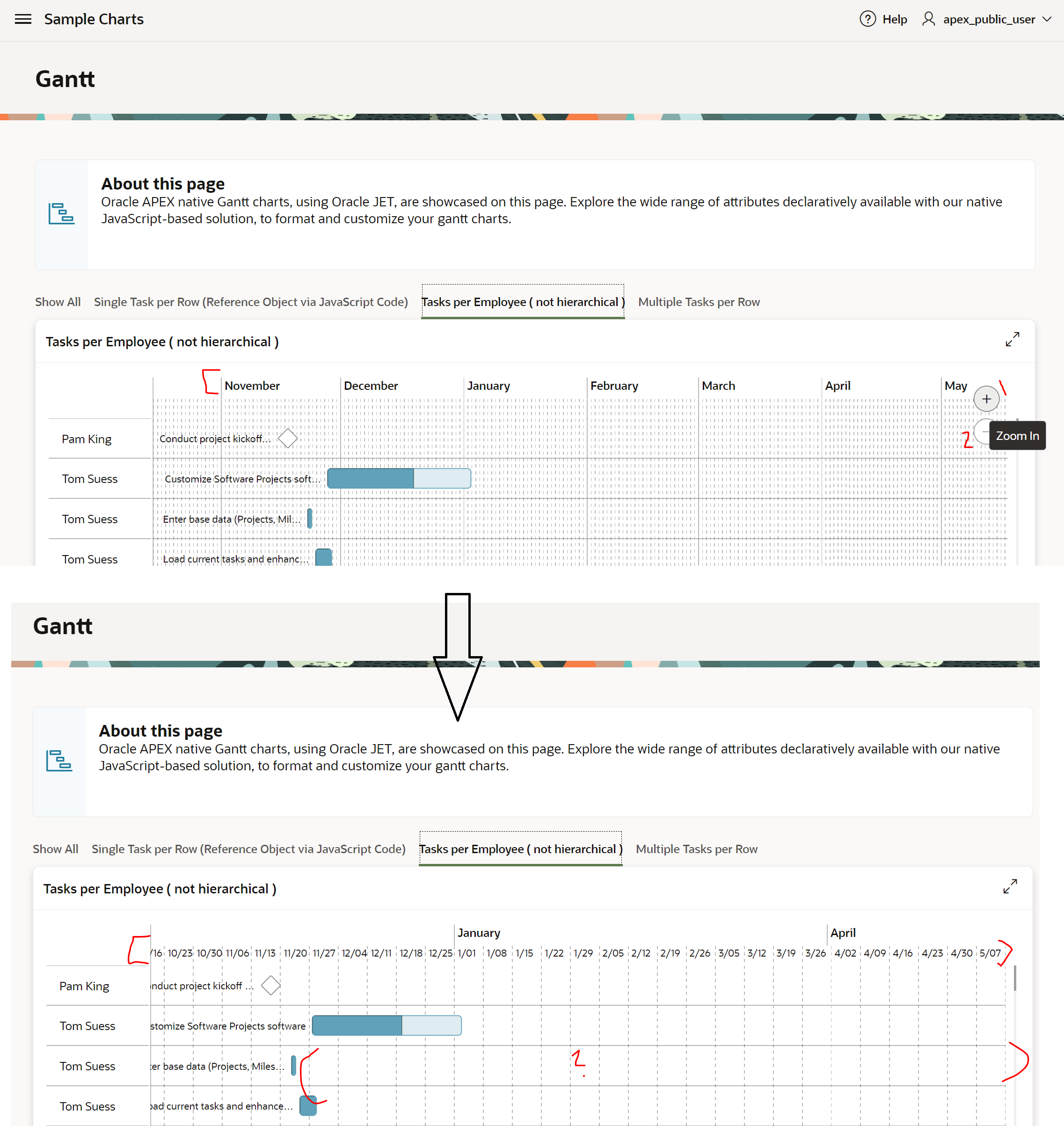
Issue: In Gantt chart, task view, if you zoom in and then zoom out the following anomalies are noted.
- The minor grid lines disappears and only major cell borders remining (this re-appears if you refresh the page)
- The date format in the column headers get reset.
This issue can be easily replicated in the demo application below.
https://apex.oracle.com/pls/apex/r/apex_pm/sample-charts/gantt
- navigate to third tab “Tasks per Employee ( not hierarchical )”
- Click on Zoom In icon followed Zoom Out icon.
Is this a known issue? More importantly is there any fix or work around? I have tried all most all configurations available in the developer to realise there is no effect on this anomaly.
Help is appreciated.
Thank you,
Ligon