Hi,
I use Cloud PBCS
I am trying to build a report and use "Same As Row 10" as a Member in multiple rows.
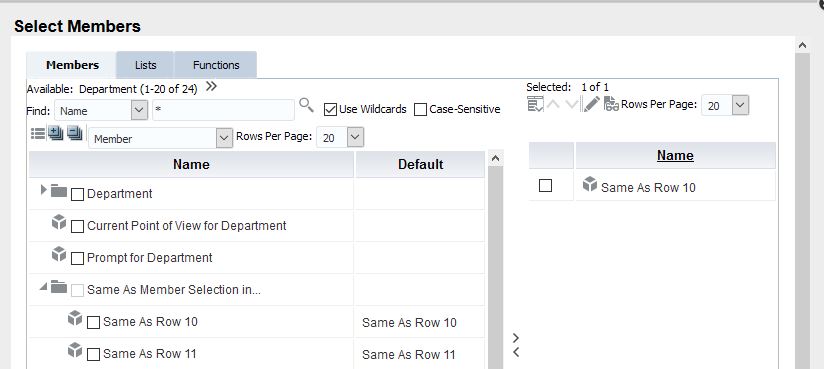
If I open the "Select Member" Window, I can do what I want but it is time consuming to open this for every row (Screenshot 1).
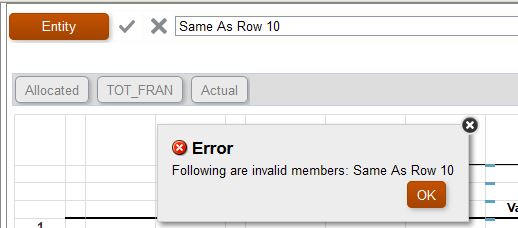
I have tried typing "Same As Row 10" into the formula bar and pressing the tick, but I get an error (Screenshot 2).
Any ideas on how I can get "Same As Row 10" in lots of rows without opening the "Select Member" window?
I have 2 dimensions that are repeated going down the page of the report so I can't just check the option "Place selections in Separate Rows"