Hi Everyone,
I am trying to insert images as blobs into a database table. I have followed the tutorial in the following link but I am still redirected to the .../wwv_flow.accept/ page which is the page that follows an insert into WWV_FLOW_FILES table method of the file browser. The file gets inserted into the APEX_APPLICATION_FILES table instead of the new table I created.
http://oraexplorer.com/2011/03/file-browser-in-apex-4-with-blob-column-specified-in-item-source-attribute/
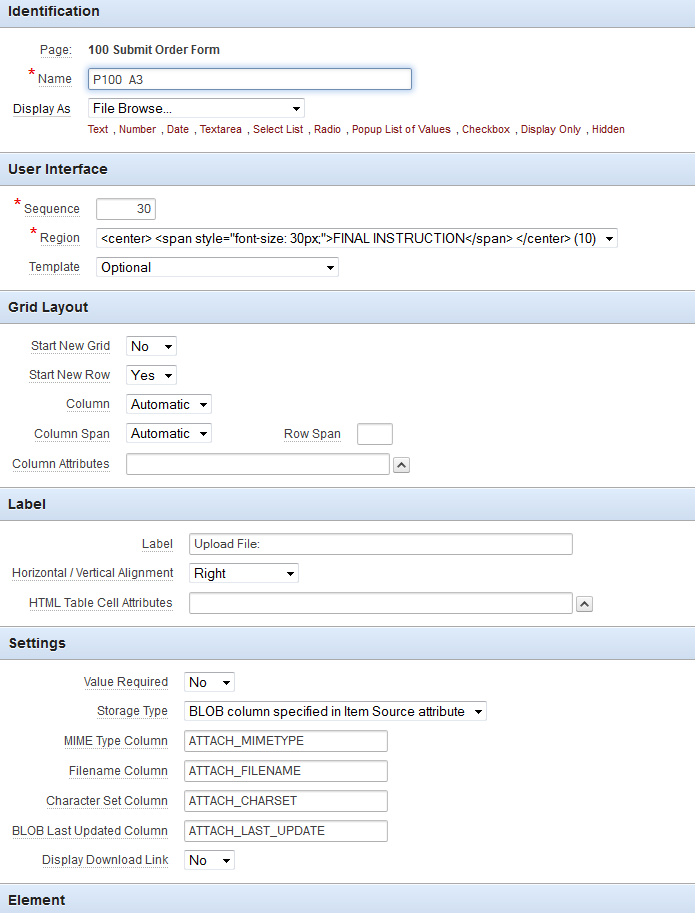
FILE BROWSER:
AUTOMATIC ROW PROCESSING (DML):
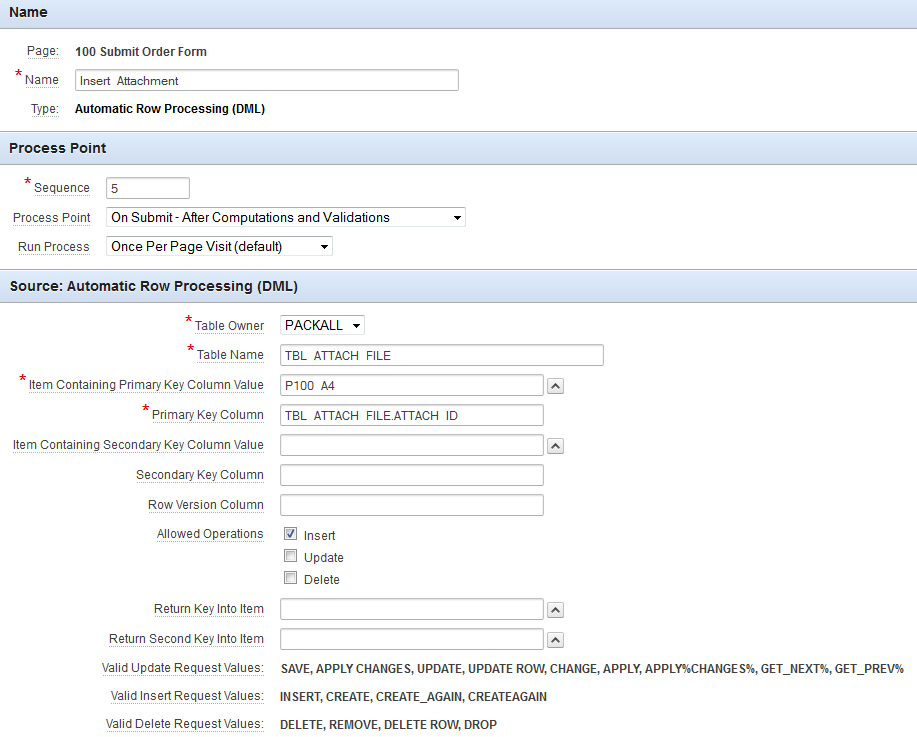
P100_A4 is simply the maximum ATTACH_ID (PK) + 1
I simply want to insert my files from the file browser into this table with the filename, mime_type, and 2 fields of my choosing. I am using apex 4.2.5. Any help is very appreciated.