Cannot install oracle express 21c on Windows 10 Pro.
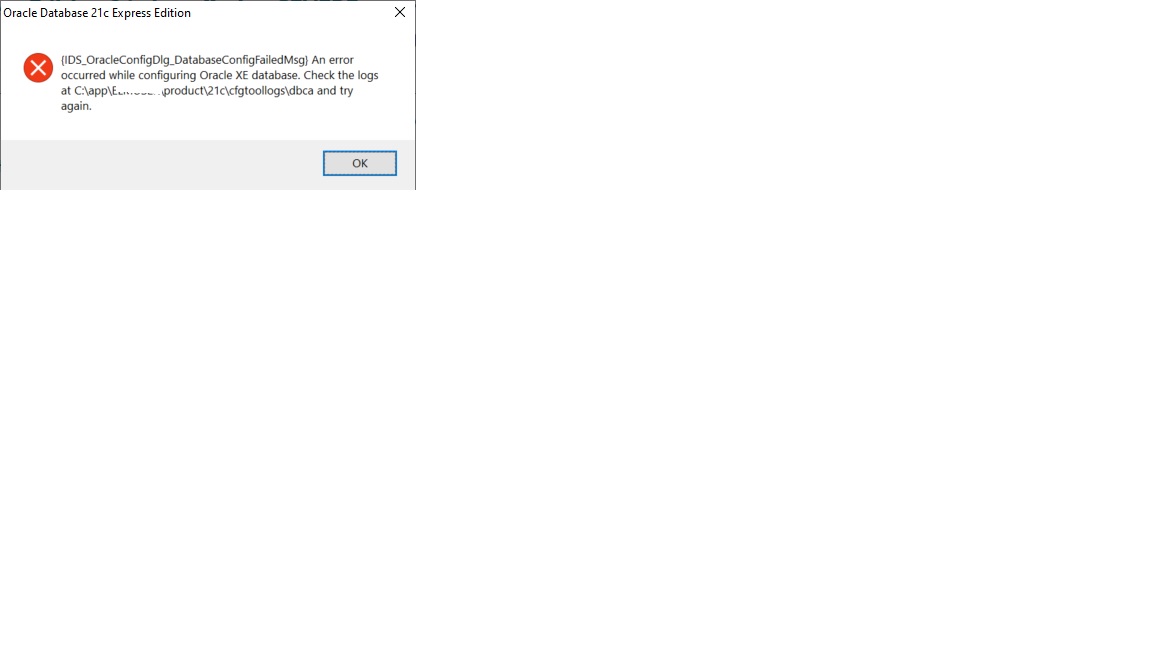
I check the error in …\product\21c\cfgtoollogs\dbca, there are two files,
The silent.log_XXXX shows
[FATAL] [DBT-50000] Unable to check available system memory.
Another file trace.log_YYYY_MM_DD_HH-MM show many error, some are:
[RuntimeExec.runCommand:240] exec exception:Cannot run program "C:\Users\XXX\AppData\Local\Temp\CVU_21.0.0.0.0_ELMUSER\\exectask.exe": CreateProcess error=2, The system cannot find the file specified
……..
[WindowsNative.Native] oisdtss:start service failed with error = 2
….
[CVUJsonHandler.jsonToReferenceData:403] Caught IOException C:\app\XXX\product\21c\dbhomeXE\cv\cvdata\externalreferences.json
[main] [ 2023-12-30 21:04:37.102 CST ] [ReferenceData.<init>:76] Caught VerificationException - Failed to parse external references JSON file, error is :An internal error occurred within cluster verification framework
……
SEVERE: [FATAL] [DBT-50000] Unable to check available system memory.
CAUSE: An exception occured while checking kernel parameter.
*ADDITIONAL INFORMATION:*
Exception details
- PRVG-1901 : failed to setup CVU remote execution framework directory
What should I do now to install oracle express 21c on my notebook successfully?